


* 겪고 있는 문제 상황을 최대한 자세하게 작성해주세요.
* 문제 해결을 위해 어떤 시도를 해보았는지 구체적으로 함께 알려주세요.
MCP 노션 연결 터미널에서 npm install -g @anthropic-ai/claude-code
명령을 하였을때 오류 문제
PS C:\Users\USER\Desktop\claude-practice> npm install -g @anthropic-ai/claude-code
npm : 이 시스템에서 스크립트를 실행할 수 없으므로 C:\Program Files\nodejs\npm.ps1 파일을 로드할 수 없습니다. 자세한 내용은 about_Execution_Policies(https://go.microsoft.com/f
wlink/?LinkID=135170)를 참조하십시오.
위치 줄:1 문자:1
+ npm install -g @anthropic-ai/claude-code
+ ~~~
+ CategoryInfo : 보안 오류: (:) [], PSSecurityException
+ FullyQualifiedErrorId : UnauthorizedAccess
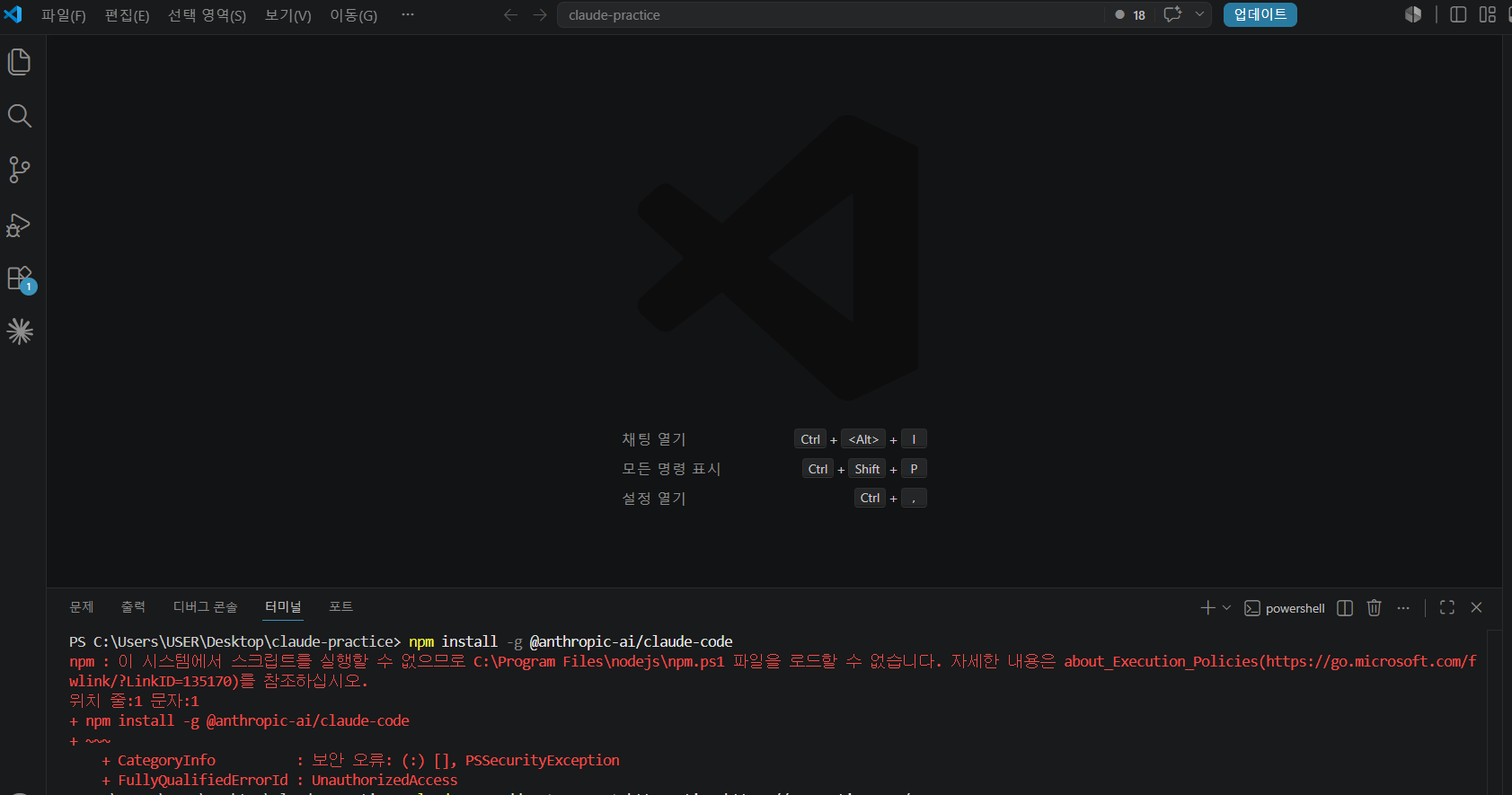
작성한 코드 및 에러 메세지
npm : 이 시스템에서 스크립트를 실행할 수 없으므로 C:\Program Files\nodejs\npm.ps1 파일을 로드할 수 없습니다. 자세한 내용은 about_Execution_Policies(https://go.microsoft.com/f
wlink/?LinkID=135170)를 참조하십시오.
위치 줄:1 문자:1
+ npm install -g @anthropic-ai/claude-code
+ ~~~
+ CategoryInfo : 보안 오류: (:) [], PSSecurityException
+ FullyQualifiedErrorId : UnauthorizedAccess오류 발생 시, 작성한 코드 전체와 에러 메시지를 첨부해 주세요.
Tip 1) </> 아이콘을 눌러 코드박스를 만들어 보세요.
Tip 2) Ctrl+A(맥의 경우 Command+A) 단축키로 코드를 한 번에 선택할 수 있어요!


