


* 겪고 있는 문제 상황을 최대한 자세하게 작성해주세요.
* 문제 해결을 위해 어떤 시도를 해보았는지 구체적으로 함께 알려주세요.
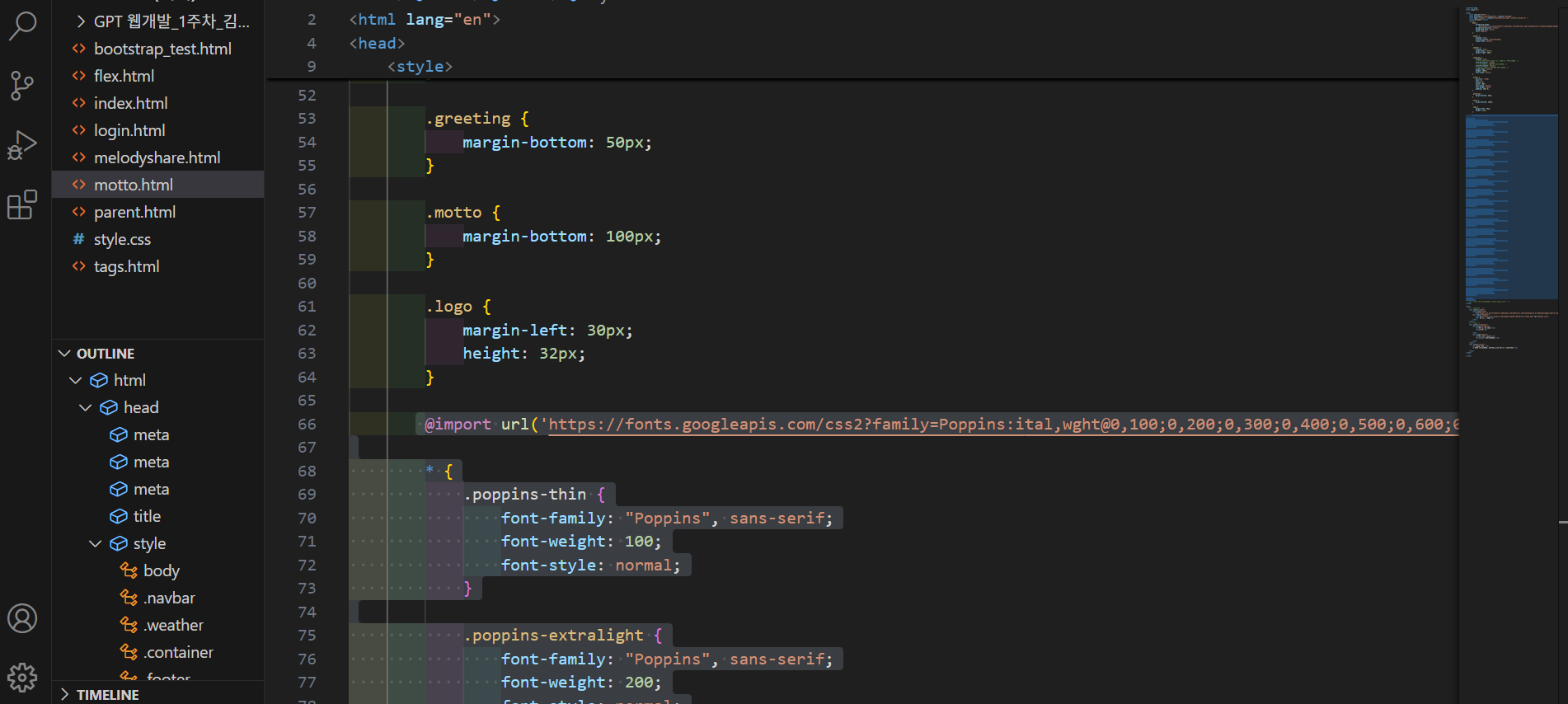
구글폰트 강의대로 popping를 시도했는데 표시되는 @import., css 코드 어렵게 찾았고.. 강의화면과 다릅니다.
찾아낸 import, css 코드를 motto 파일에 입력했지만 폰트 변경이 일어나지 않아요.
강의자료 스니펫으로 poppins, 고운돋움 코드를 복붙해봐도 폰트변경이 없습니다.
제가 찾은 import 링크코드는 아래와 같습니다.
작성한 코드 및 에러 메세지
* {
.poppins-thin {
font-family: "Poppins", sans-serif;
font-weight: 100;
font-style: normal;
}
.poppins-extralight {
font-family: "Poppins", sans-serif;
font-weight: 200;
font-style: normal;
}
.poppins-light {
font-family: "Poppins", sans-serif;
font-weight: 300;
font-style: normal;
}
.poppins-regular {
font-family: "Poppins", sans-serif;
font-weight: 400;
font-style: normal;
}
.poppins-medium {
font-family: "Poppins", sans-serif;
font-weight: 500;
font-style: normal;
}
.poppins-semibold {
font-family: "Poppins", sans-serif;
font-weight: 600;
font-style: normal;
}
.poppins-bold {
font-family: "Poppins", sans-serif;
font-weight: 700;
font-style: normal;
}
.poppins-extrabold {
font-family: "Poppins", sans-serif;
font-weight: 800;
font-style: normal;
}
.poppins-black {
font-family: "Poppins", sans-serif;
font-weight: 900;
font-style: normal;
}
.poppins-thin-italic {
font-family: "Poppins", sans-serif;
font-weight: 100;
font-style: italic;
}
.poppins-extralight-italic {
font-family: "Poppins", sans-serif;
font-weight: 200;
font-style: italic;
}
.poppins-light-italic {
font-family: "Poppins", sans-serif;
font-weight: 300;
font-style: italic;
}
.poppins-regular-italic {
font-family: "Poppins", sans-serif;
font-weight: 400;
font-style: italic;
}
.poppins-medium-italic {
font-family: "Poppins", sans-serif;
font-weight: 500;
font-style: italic;
}
.poppins-semibold-italic {
font-family: "Poppins", sans-serif;
font-weight: 600;
font-style: italic;
}
.poppins-bold-italic {
font-family: "Poppins", sans-serif;
font-weight: 700;
font-style: italic;
}
.poppins-extrabold-italic {
font-family: "Poppins", sans-serif;
font-weight: 800;
font-style: italic;
}
.poppins-black-italic {
font-family: "Poppins", sans-serif;
font-weight: 900;
font-style: italic;
}
}
</style>오류 발생 시, 작성한 코드 전체와 에러 메시지를 첨부해 주세요.
Tip 1) </> 아이콘을 눌러 코드박스를 만들어 보세요.
Tip 2) Ctrl+A(맥의 경우 Command+A) 단축키로 코드를 한 번에 선택할 수 있어요!


