커뮤니티

포인트
쿠폰
내 강의실
국비 신청 내역
증명서
계정
로그아웃
학습 질문
개발 일지
나의 활동
답변 완료
패키지 오류가 뜹니다ㅠㅠ
게임 개발이 처음이어도 쉽게 배우는 모바일 게임 개발
1주차


송*민
댓글
10
・
추천
0
・
조회수
36
조회수
36
답변 완료
* 겪고 있는 문제 상황을 최대한 자세하게 작성해주세요.
* 문제 해결을 위해 어떤 시도를 해보았는지 구체적으로 함께 알려주세요.
어제까진 잘 되다가, 오늘 유니티를 켜서 코드를 실행해보니 르탄이가 안움직입니다ㅠㅠ
그래서 무슨 오류인지 오류창을 켜보니 패키지를 여는중 오류?가 있더라구요
이건 어떻게 해결해야할까요??
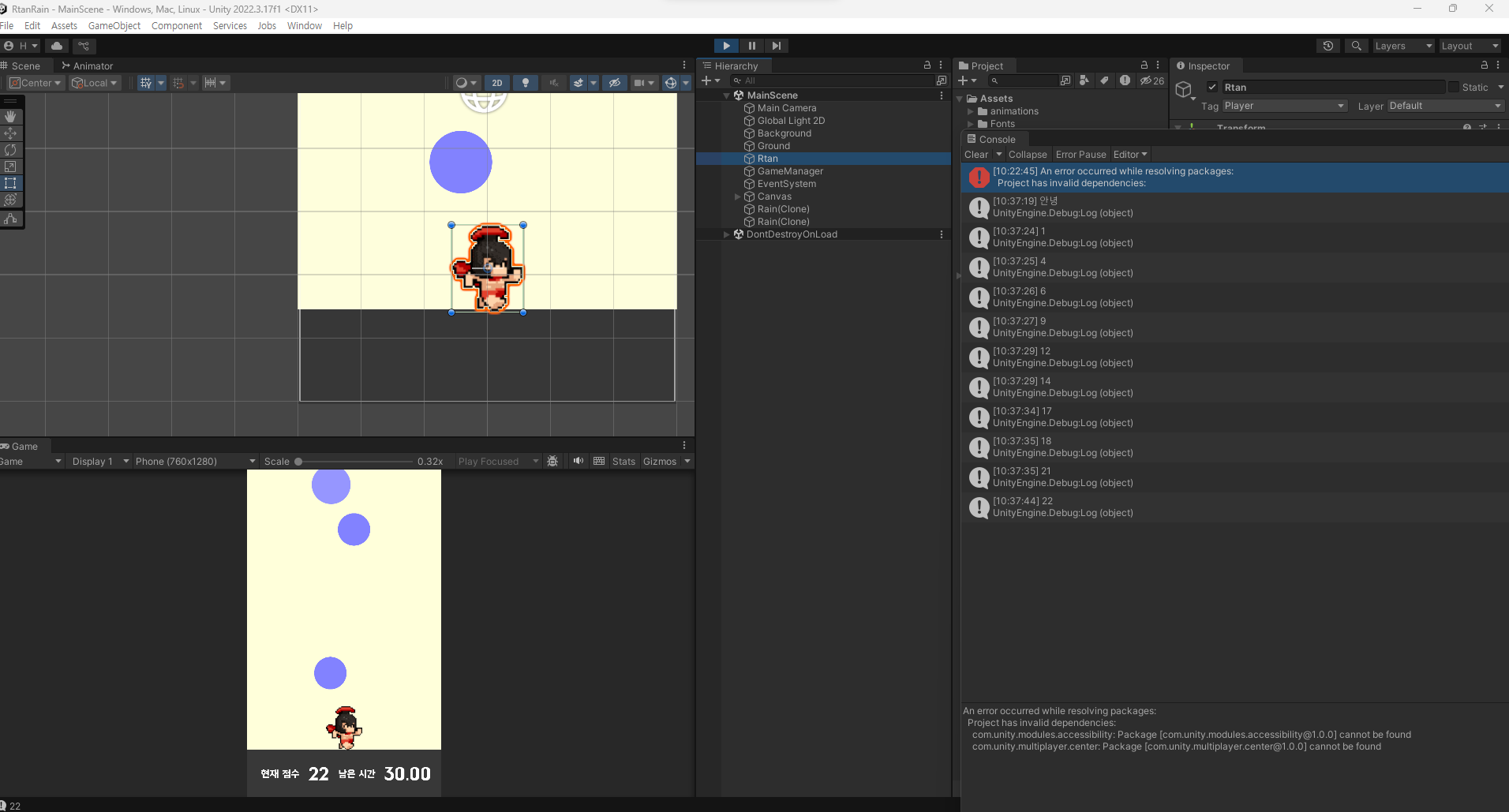
작성한 코드 및 에러 메세지
오류 발생 시, 작성한 코드 전체와 에러 메시지를 첨부해 주세요.
An error occurred while resolving packages:
Project has invalid dependencies:
com.unity.modules.accessibility: Package [com.unity.modules.accessibility@1.0.0] cannot be found
com.unity.multiplayer.center: Package [com.unity.multiplayer.center@1.0.0] cannot be found
GameManager.cs 입니다
using System.Collections;
using System.Collections.Generic;
using UnityEngine;
using UnityEngine.UI;


public class GameManager : MonoBehaviour
{
    public static GameManager Instance;
    public GameObject rain;
    public Text totalScoreTxt;


    int totalScore;


    private void Awake()
    {
        Instance = this;
    }


    // Start is called before the first frame update
    void Start()
    {


        InvokeRepeating("MakeRain", 0f, 0.5f);
    }


    // Update is called once per frame
    void Update()
    {


    }


    void MakeRain()
    {
        Instantiate(rain);


    }
    public void AddScore(int Score)
    {
        totalScore += Score;
        totalScoreTxt.text = totalScore.ToString();
        Debug.Log(totalScore);
    }
}
Tip 2) Ctrl+A(맥의 경우 Command+A) 단축키로 코드를 한 번에 선택할 수 있어요!
Rain.cs 입니다
using System.Collections;
using System.Collections.Generic;
using UnityEngine;


public class Rain : MonoBehaviour
{
    float size = 1.0f;
    int score = 1;


    SpriteRenderer renderer;


    // Start is called before the first frame update
    void Start()
    {
        // SpriteRenderer 컴포넌트를 가져와서 renderer에 할당
        renderer = GetComponent<SpriteRenderer>();


        // 랜덤으로 위치 설정
        float x = Random.Range(-2.4f, 2.4f);
        float y = Random.Range(3.0f, 5.0f);


        transform.position = new Vector3(x, y, 0);


        // 랜덤으로 타입 설정
        int type = Random.Range(1, 4);
        if (type == 1)
        {
            size = 0.8f;
            score = 1;
            renderer.color = new Color(100 / 255f, 100 / 255f, 1f, 1f);
        }
        else if (type == 2)
        {
            size = 1.0f;
            score = 2;
            renderer.color = new Color(130 / 255f, 130 / 255f, 1f, 1f);
        }
        else if (type == 3)
        {
            size = 1.2f;
            score = 3;
            renderer.color = new Color(150 / 255f, 150 / 255f, 1f, 1f);
        }


        // 크기 설정
        transform.localScale = new Vector3(size, size, 0);
    }


    // Update is called once per frame
    void Update()
    {


    }


    private void OnCollisionEnter2D(Collision2D collision)
    {
        if (collision.gameObject.CompareTag("Ground"))
        {
            Destroy(this.gameObject);
        }


        if (collision.gameObject.CompareTag("Player"))
        {
            GameManager.Instance.AddScore(score);
            Destroy(this.gameObject);
        }
    }
}
Rtan.cs 입니다
using System.Collections;
using System.Collections.Generic;
using UnityEngine;


public class Rtan : MonoBehaviour
{
    float direction = 0.05f;
    int number = 1;


    SpriteRenderer renderer;


    // Start is called before the first frame update
    void Start()
    {
        Application.targetFrameRate = 60;
        renderer = GetComponent<SpriteRenderer>();
        Debug.Log("안녕");
    }

    // Update is called once per frame
    void Update()
    {
        if (Input.GetMouseButtonDown(0))
        {
            direction *= -1;
            renderer.flipX = !renderer.flipX;
        }


        if(transform.position.x > 2.6f)
        {
            renderer.flipX = true;
            direction = -0.05f;
        }


        if (transform.position.x < -2.6f)
        {
            renderer.flipX = false;
            direction = 0.05f;


            // Vector3.right = Vector3(1f, 0, 0)
            transform.position += Vector3.right * direction;
        }
    }
}


댓글 알림
