


* 겪고 있는 문제 상황을 최대한 자세하게 작성해주세요.
* 문제 해결을 위해 어떤 시도를 해보았는지 구체적으로 함께 알려주세요.
질문 내용 대시보드 작성시 오류발생
전체 화면function createDashboard() {
const ss = SpreadsheetApp.getActiveSpreadsheet();
const sourceSheet = ss.getSheetByName("시트1");
const dashboardSheet = ss.getSheetByName("대시보드") || ss.insertSheet("대시보드");
// 대시보드 시트 초기화
dashboardSheet.clearContents();
const data = sourceSheet.getDataRange().getValues(); // 전체 데이터 가져오기
const headers = data[0];
const rows = data.slice(1);
// 필요한 열 인덱스 추출
const productCol = headers.indexOf("제품명");
const cityCol = headers.indexOf("도시");
const customerTypeCol = headers.indexOf("고객분류");
const categoryCol = headers.indexOf("카테고리");
const salesCol = headers.indexOf("매출");
// 매출 집계용 Map
const productSales = {};
const citySales = {};
const customerCategorySales = {};
// 데이터 집계
rows.forEach(row => {
const product = row[productCol];
const city = row[cityCol];
const customer = row[customerTypeCol];
const category = row[categoryCol];
const sales = parseFloat(row[salesCol]) || 0;
// 1. 제품명별 매출
productSales[product] = (productSales[product] || 0) + sales;
// 2. 도시별 매출
citySales[city] = (citySales[city] || 0) + sales;
// 3. 고객분류별 + 카테고리별 매출
const key = `${customer} > ${category}`;
customerCategorySales[key] = (customerCategorySales[key] || 0) + sales;
});
let rowPos = 1;
// ▶ 제품명별 매출 기록
dashboardSheet.getRange(rowPos++, 1).setValue("▶ 제품명별 매출");
dashboardSheet.getRange(rowPos, 1, Object.keys(productSales).length, 2).setValues(
Object.entries(productSales)
);
rowPos += Object.keys(productSales).length + 2;
// ▶ 도시별 매출 기록
dashboardSheet.getRange(rowPos++, 1).setValue("▶ 도시별 매출");
dashboardSheet.getRange(rowPos, 1, Object.keys(citySales).length, 2).setValues(
Object.entries(citySales)
);
rowPos += Object.keys(citySales).length + 2;
// ▶ 고객분류별 카테고리별 매출 기록
dashboardSheet.getRange(rowPos++, 1).setValue("▶ 고객분류별 카테고리별 매출");
dashboardSheet.getRange(rowPos, 1, Object.keys(customerCategorySales).length, 2).setValues(
Object.entries(customerCategorySales)
);
// 보기 좋게 정렬
dashboardSheet.autoResizeColumns(1, 2);
}
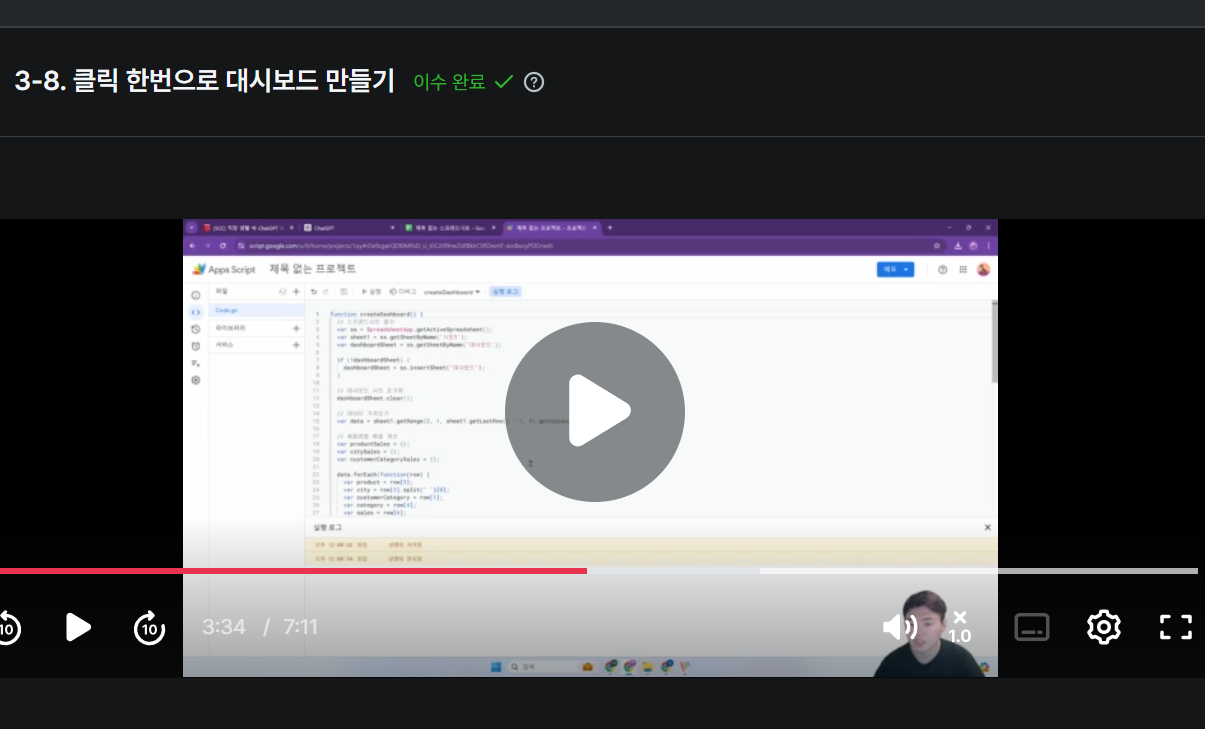
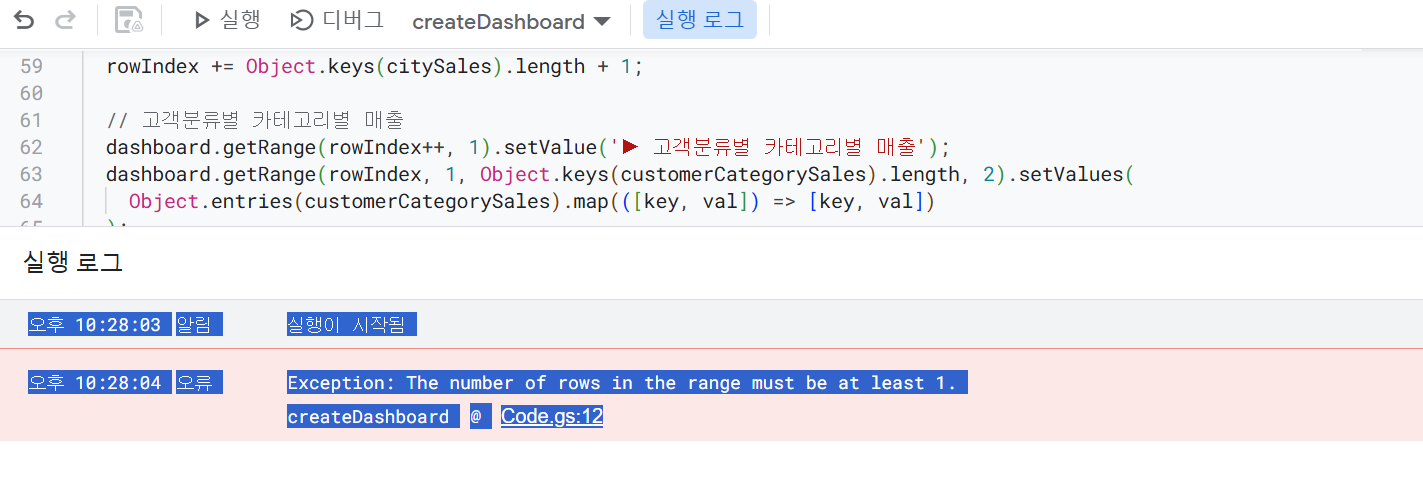
고 계신 화면 전체를 캡처해 주시면, 튜터님들이 빠르게 상황을 이해할 수 있어요.


