커뮤니티

포인트
쿠폰
내 강의실
국비 신청 내역
증명서
계정
로그아웃
학습 질문
개발 일지
나의 활동
답변 완료
교보문고 웹페이지에서 클래스 네임이 바꼈나요?
칼퇴를 부르는 파이썬 업무 자동화
챕터 2


조*열
댓글
3
・
추천
0
・
조회수
12
조회수
12
답변 완료
* 겪고 있는 문제 상황을 최대한 자세하게 작성해주세요.
* 문제 해결을 위해 어떤 시도를 해보았는지 구체적으로 함께 알려주세요.
강의에서는 웹 페이지 검사 눌러스 CLASS_NAME 검사하려는데 prod_item이라는 걸 찾아서 코딩 입력하는데 저는 해당 페이지에서 prod_item을 찾을 수가 없네요.
강의 녹화 당시랑 지금이랑 시일이 지나서 웹페이지 정보가 바껴서 해당 prod_item, prod_info, prod_author 이런 정보 찾을 수 없는 건가요?
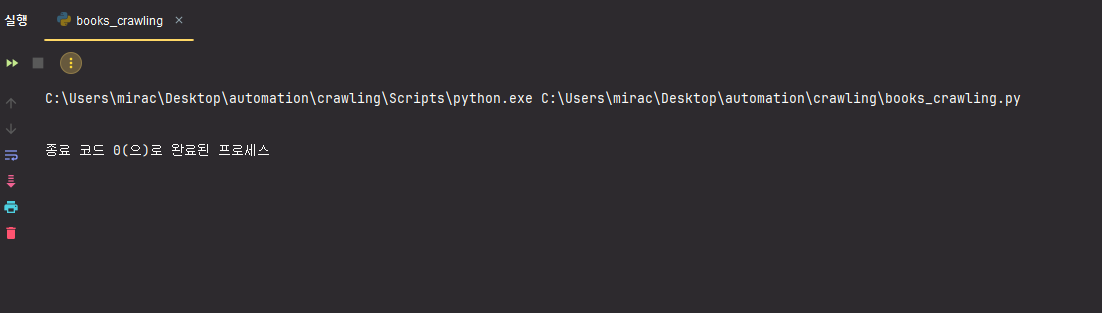
강의 내용 속 코드 그대로 입력해서 실행하면 아무것도 안 뜹니다.
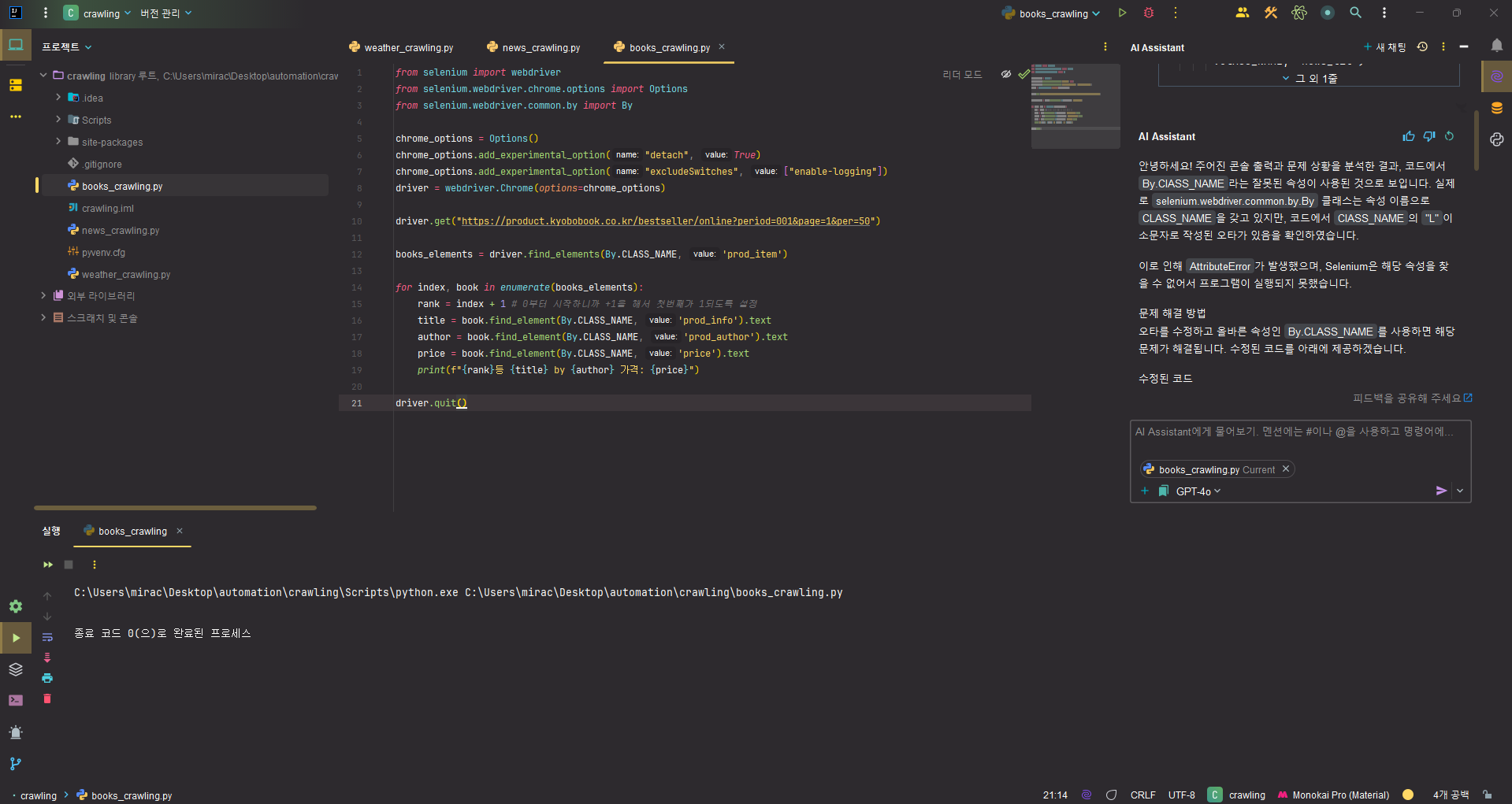
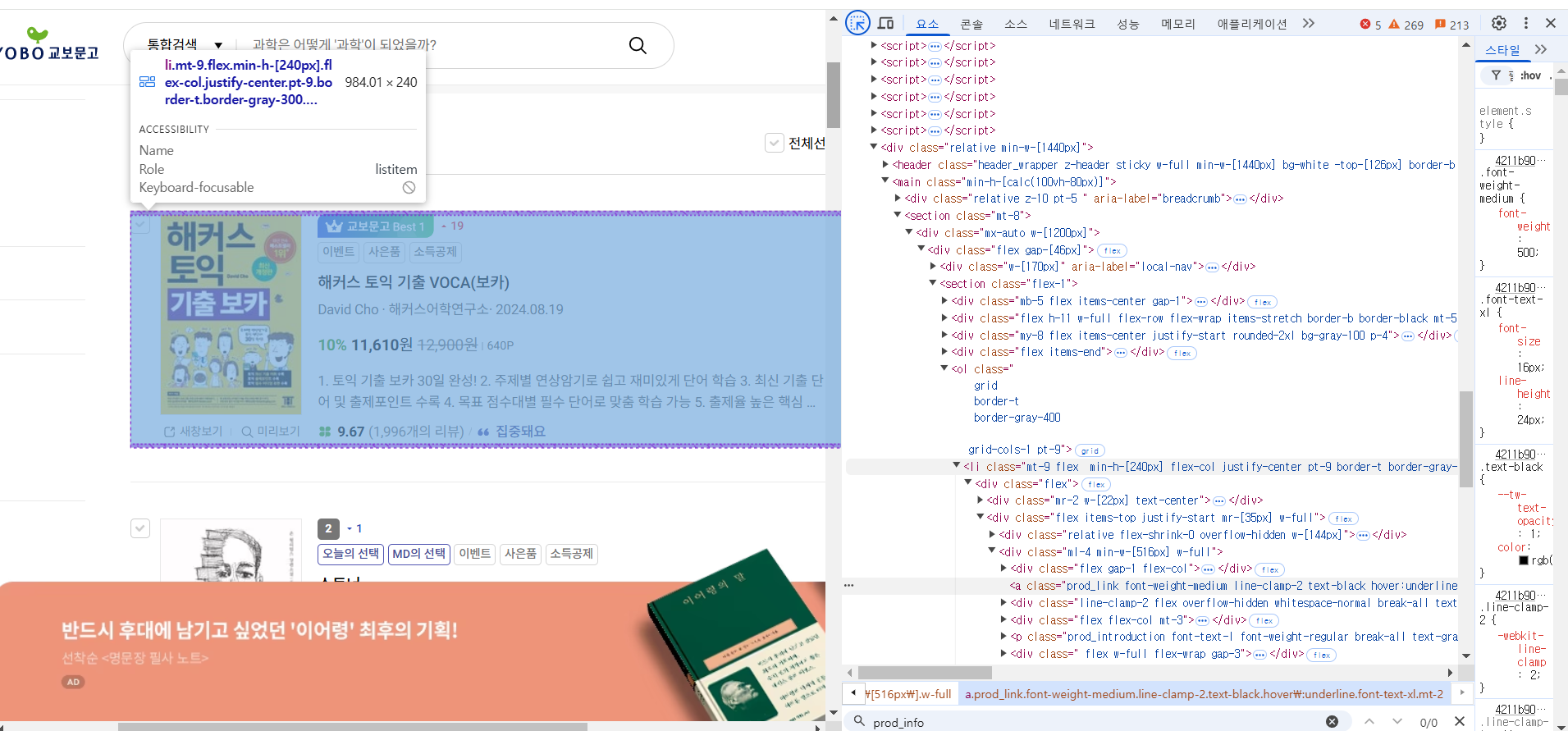
작성한 코드 및 에러 메세지
from selenium import webdriver
from selenium.webdriver.chrome.options import Options
from selenium.webdriver.common.by import By

chrome_options = Options()
chrome_options.add_experimental_option("detach", True)
chrome_options.add_experimental_option("excludeSwitches", ["enable-logging"])
driver = webdriver.Chrome(options=chrome_options)

driver.get("https://product.kyobobook.co.kr/bestseller/online?period=001&page=1&per=50")

books_elements = driver.find_elements(By.CLASS_NAME, 'prod_item')

for index, book in enumerate(books_elements):
    rank = index + 1 # 0부터 시작하니까 +1을 해서 첫번째가 1되도록 설정
    title = book.find_element(By.CLASS_NAME, 'prod_info').text
    author = book.find_element(By.CLASS_NAME, 'prod_author').text
    price = book.find_element(By.CLASS_NAME, 'price').text
    print(f"{rank}등 {title} by {author} 가격: {price}")

driver.quit()


댓글 알림
