


* 겪고 있는 문제 상황을 최대한 자세하게 작성해주세요.
* 문제 해결을 위해 어떤 시도를 해보았는지 구체적으로 함께 알려주세요
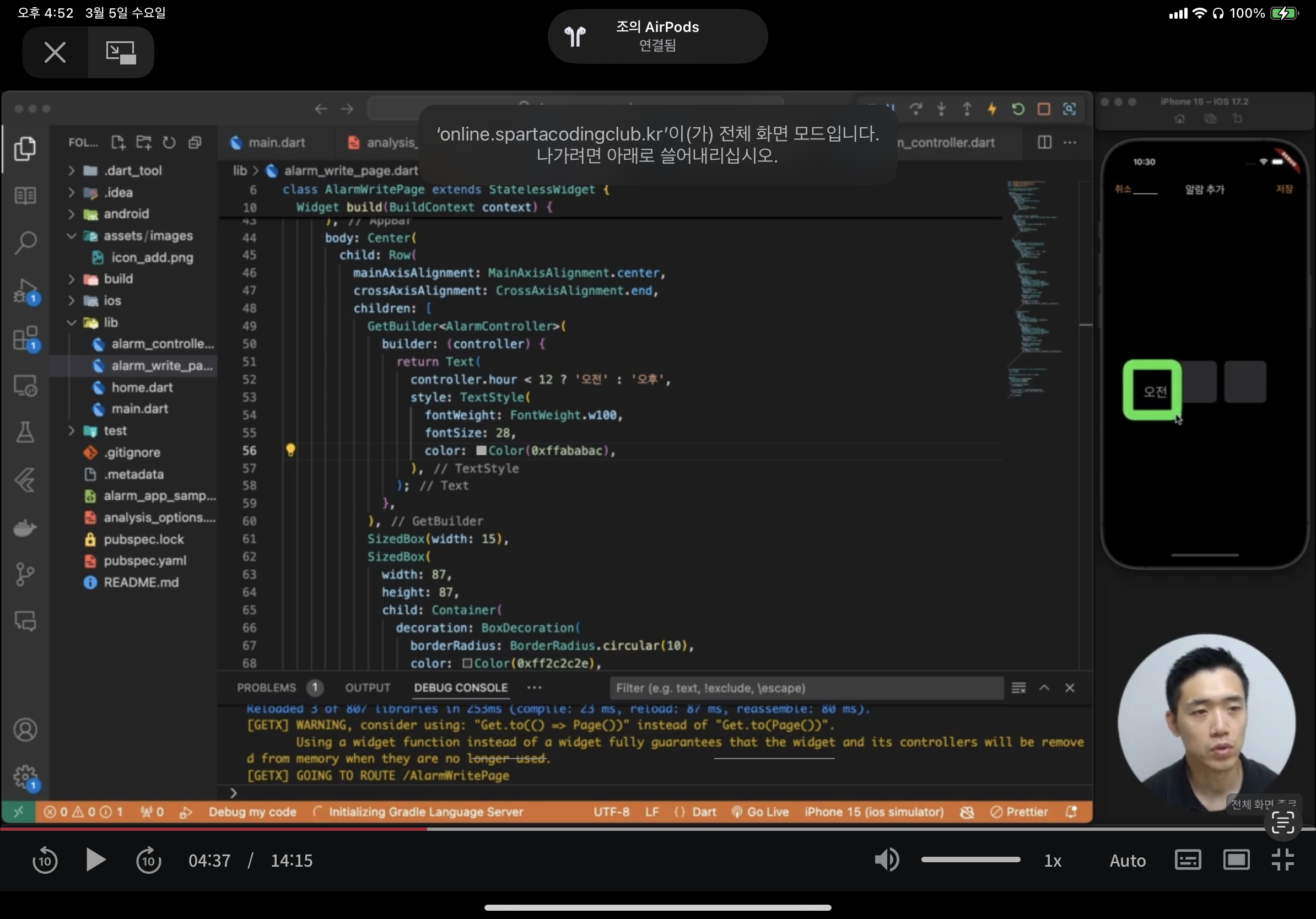
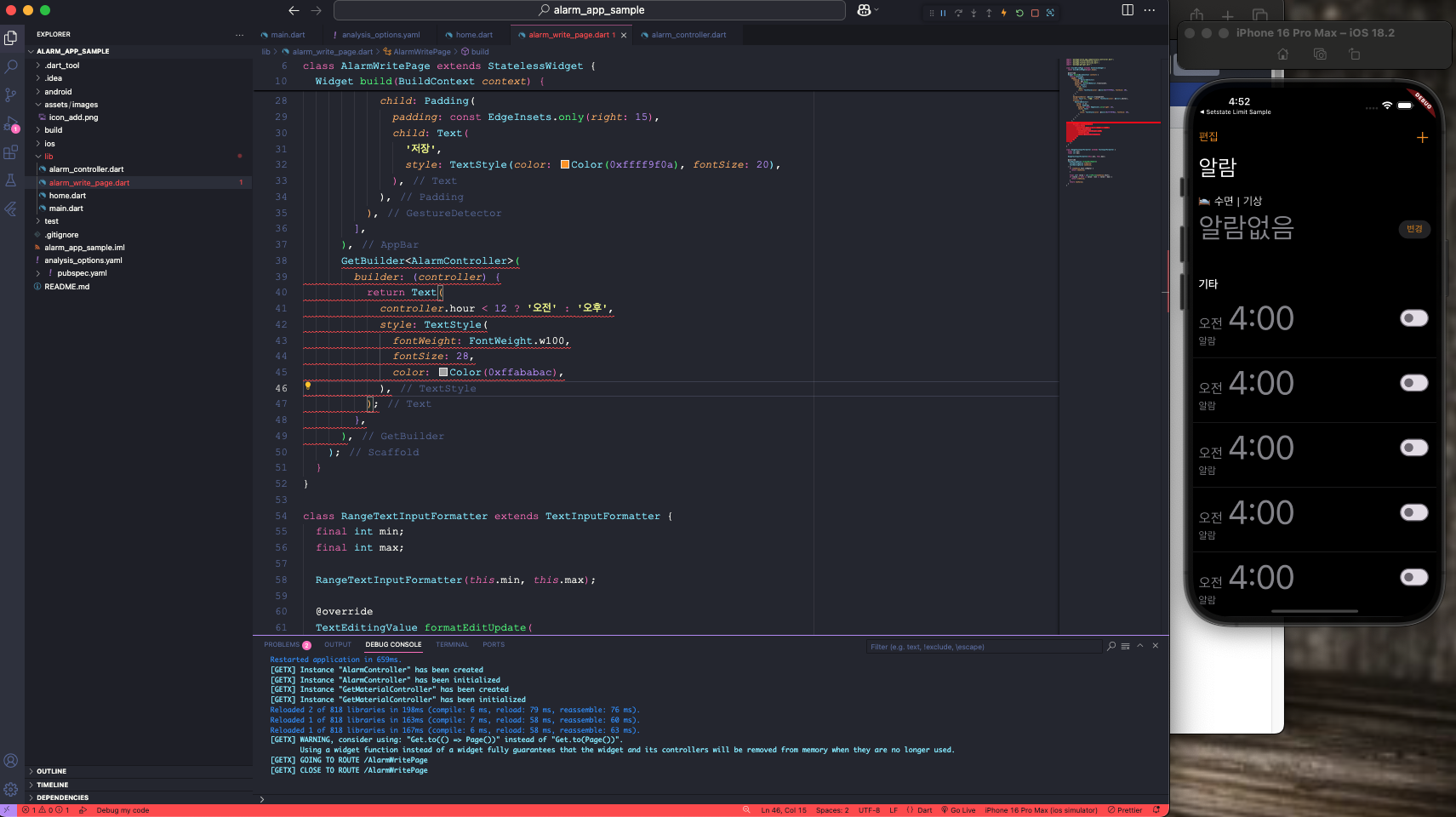
알람 추가 페이지 컨트롤러 연결 진행 하는 도중 코드스니펫 복사해서 넣고 AlarmController에 전구 모양 클릭해서 import 해줘도 오류가 계속 뜹니다.
화면 캡쳐 본 보시면 선생님이랑 저랑 달라요.
몇번 따라해도 해결이 안됩니다. 도와주세요
import 'package:alarm_app_sample/alarm_controller.dart';
import 'package:flutter/material.dart';
import 'package:flutter/services.dart';
import 'package:get/get.dart';
class AlarmWritePage extends StatelessWidget {
const AlarmWritePage({super.key});
@override
Widget build(BuildContext context) {
return Scaffold(
appBar: AppBar(
leading: GestureDetector(
onTap: Get.back,
behavior: HitTestBehavior.translucent,
child: Center(
child: Text(
'취소',
style: TextStyle(color: Color(0xffff9f0a), fontSize: 20),
),
),
),
backgroundColor: Colors.transparent,
title: Text('알람 추가', style: TextStyle(color: Colors.white)),
actions: [
GestureDetector(
onTap: () {},
child: Padding(
padding: const EdgeInsets.only(right: 15),
child: Text(
'저장',
style: TextStyle(color: Color(0xffff9f0a), fontSize: 20),
),
),
),
],
),
GetBuilder<AlarmController>(
builder: (controller) {
return Text(
controller.hour < 12 ? '오전' : '오후',
style: TextStyle(
fontWeight: FontWeight.w100,
fontSize: 28,
color: Color(0xffababac),
),
);
},
),
);
}
}
class RangeTextInputFormatter extends TextInputFormatter {
final int min;
final int max;
RangeTextInputFormatter(this.min, this.max);
@override
TextEditingValue formatEditUpdate(
TextEditingValue oldValue,
TextEditingValue newValue,
) {
if (newValue.text.isEmpty) {
return newValue;
}
final int? value = int.tryParse(newValue.text);
if (value == null || value < min || value > max) {
return oldValue;
}
return newValue;
}
}


