


* 겪고 있는 문제 상황을 최대한 자세하게 작성해주세요.
* 문제 해결을 위해 어떤 시도를 해보았는지 구체적으로 함께 알려주세요.
교보문고 일간온라인베스트 실습 중인데, 강의에서 나온 선택자와 제가 보는 선택자가 달라서 진행이 안되용..ㅠ
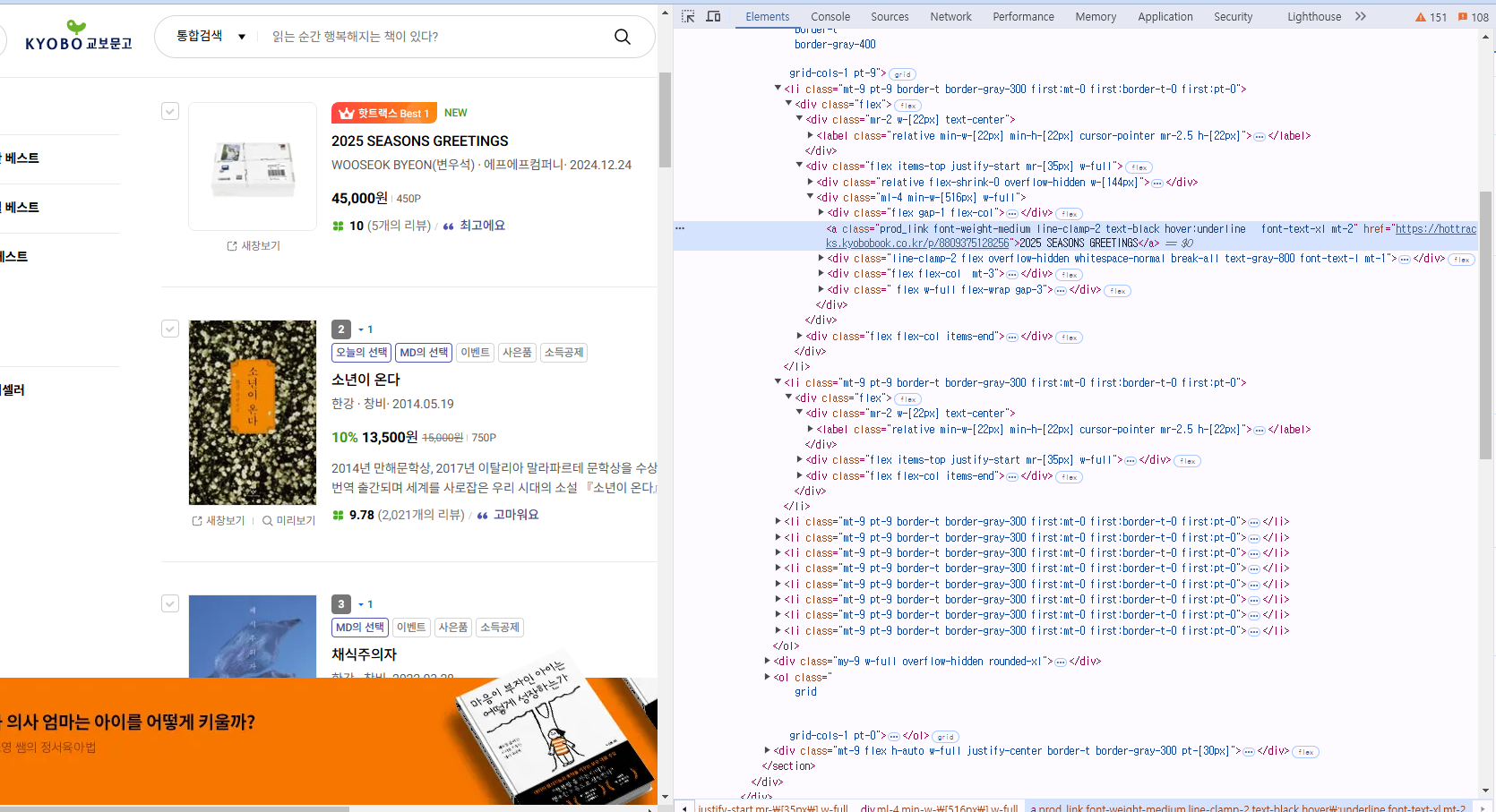
작성한 코드 및 에러 메세지
from selenium import webdriver
from selenium.webdriver.chrome.options import Options
from selenium.webdriver.common.by import By
chrome_options = Options()
chrome_options.add_experimental_option("detach", True)
chrome_options.add_experimental_option("excludeSwitches", ["enable-logging"])
driver = webdriver.Chrome(options=chrome_options)
driver.get("https://product.kyobobook.co.kr/bestseller/online?period=001&page=1&per=50")
books_elements = driver.find_elements(By.CLASS_NAME, 'prod_item')
for index, book in enumerate(books_elements):
rank = index + 1 #0부터 시작하니까 +1을 해서 첫번쨰가 1이 되도록
title = book.find_element(By.CLASS_NAME, 'prod_link font-weight-medium line-clamp-2 text-black hover:underline font-text-xl mt-2').text
author = book.find_element(By.CLASS_NAME, 'prod_link font-weight-medium line-clamp-2 text-black hover:underline font-text-xl mt-2').text
price = book.find_element(By.CLASS_NAME, 'font-weight-bold').text
print(f"{rank}등 {title}, by.{author} {price}")
driver.quit() 눌러 코드박스를 만들어 보세요.
Tip 2) Ctrl+A(맥의 경우 Command+A) 단축키로 코드를 한 번에 선택할 수 있어요!


