


* 겪고 있는 문제 상황을 최대한 자세하게 작성해주세요.
* 문제 해결을 위해 어떤 시도를 해보았는지 구체적으로 함께 알려주세요.
가격 크롤링 부분에서 계속 에러가 납니다.
from selenium import webdriver
from selenium.webdriver.chrome.options import Options
from selenium.webdriver.common.by import By
import time
chrome_options = Options()
chrome_options.add_experimental_option("detach", True)
chrome_options.add_experimental_option("excludeSwitches", ["enable-logging"])
driver = webdriver.Chrome(options=chrome_options)
driver.get("https://product.kyobobook.co.kr/bestseller/online?period=001&page=1&per=50")
time.sleep(5)
books_elements = driver.find_elements(By.CSS_SELECTOR, 'li.mt-9.pt-9.border-t.border-gray-300.first\\:mt-0.first\\:border-t-0.first\\:pt-0')
for index, book in enumerate(books_elements):
rank = index + 1
# title 선택자 수정
title = book.find_element(By.CSS_SELECTOR, ".prod_link.font-weight-medium.line-clamp-2.text-black.hover\\:underline.font-text-xl.mt-2").text
# author_info 텍스트 가져오기
author_info = book.find_element(By.CSS_SELECTOR, ".line-clamp-2.flex.text-gray-800").text
# '·'로 분리하여 첫 번째 부분 추출
author = author_info.split('·')[0].strip()
# 가격 정보 추출
try:
# 두 번째 요소가 있는지 확인
price_element = book.find_element(By.CSS_SELECTOR, "div.mt-3 > div > span.font-text-xl:nth-child(2) > span.font-weight-bold")
price = price_element.text
except NoSuchElementException:
# 두 번째 요소가 없으면 첫 번째 요소를 시도
try:
price_element = book.find_element(By.CSS_SELECTOR, "div.mt-3 > div > span.font-text-xl:nth-child(1) > span.font-weight-bold")
price = price_element.text
except NoSuchElementException:
# 가격 정보가 없는 경우
price = "가격 정보 없음"
print(f"{rank}등 {title} by {author} 가격 : {price}")
driver.quit()
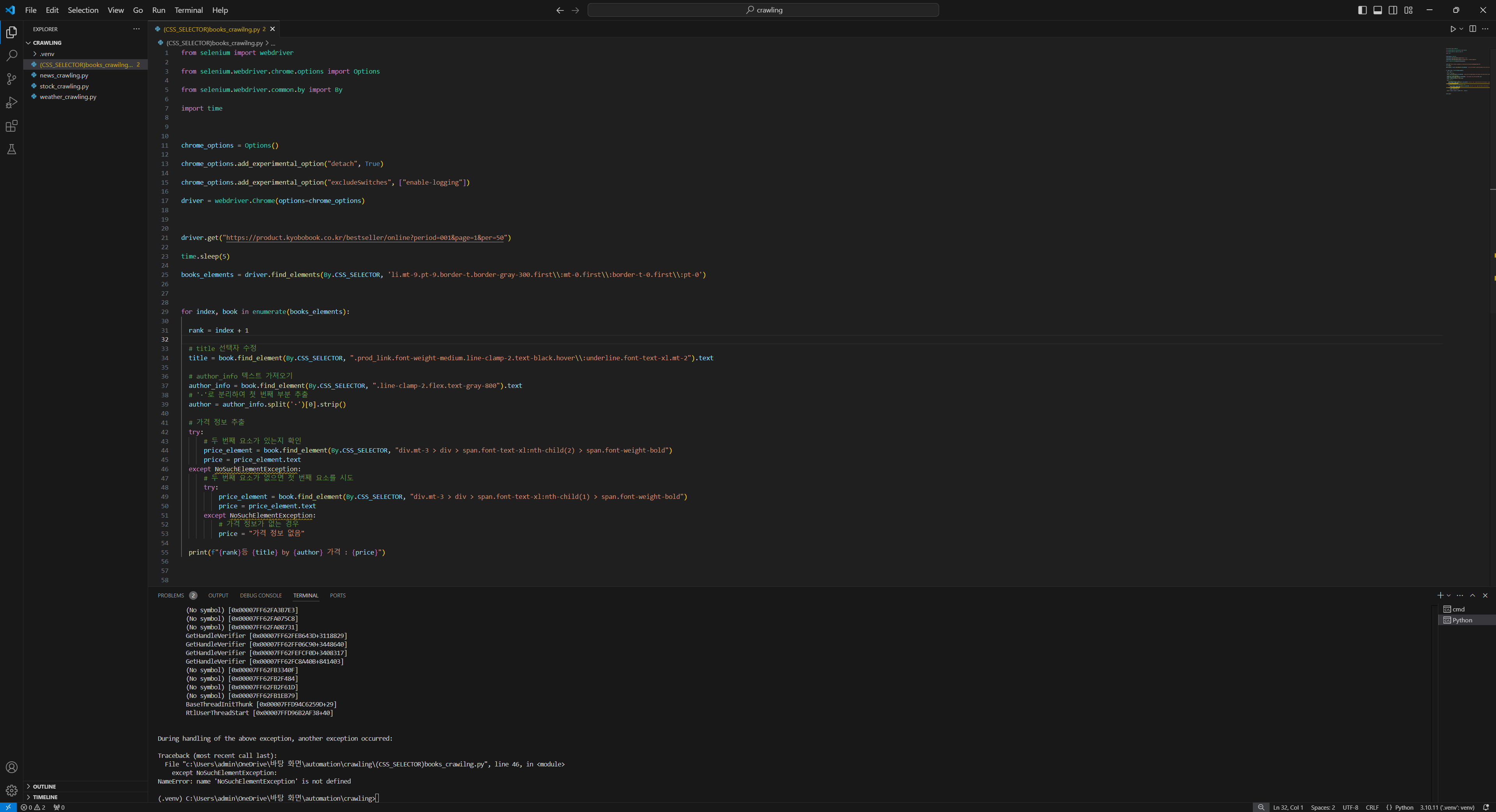
작성한 코드 및 에러 메세지
(.venv) C:\Users\admin\OneDrive\바탕 화면\automation\crawling>"c:/Users/admin/OneDrive/바탕 화면/automation/crawling/.venv/Scripts/python.exe" "c:/Users/admin/OneDrive/바탕 화면/automation/crawling/(CSS_SELECTOR)books_crawilng.py"
1등 소년이 온다 by 한강 가격 : 13,500
2등 채식주의자 by 한강 가격 : 13,500
3등 작별하지 않는다 by 한강 가격 : 15,120
4등 예약판매흰 by 한강 가격 : 13,050
5등 서랍에 저녁을 넣어 두었다 by 한강 가격 : 10,800
6등 트렌드 코리아 2025 by 김난도 외 가격 : 18,000
7등 예약판매희랍어 시간 by 한강 가격 : 11,700
8등 가난한 찰리의 연감 by 찰리 멍거 가격 : 29,700
9등 넥서스 by 유발 하라리 가격 : 25,020
Traceback (most recent call last):
File "c:\Users\admin\OneDrive\바탕 화면\automation\crawling\(CSS_SELECTOR)books_crawilng.py", line 44, in <module>
price_element = book.find_element(By.CSS_SELECTOR, "div.mt-3 > div > span.font-text-xl:nth-child(2) > span.font-weight-bold")
File "c:\Users\admin\OneDrive\바탕 화면\automation\crawling\.venv\lib\site-packages\selenium\webdriver\remote\webelement.py", line 416, in find_element
return self._execute(Command.FIND_CHILD_ELEMENT, {"using": by, "value": value})["value"]
File "c:\Users\admin\OneDrive\바탕 화면\automation\crawling\.venv\lib\site-packages\selenium\webdriver\remote\webelement.py", line 394, in _execute
return self._parent.execute(command, params)
File "c:\Users\admin\OneDrive\바탕 화면\automation\crawling\.venv\lib\site-packages\selenium\webdriver\remote\webdriver.py", line 344, in execute
self.error_handler.check_response(response)
File "c:\Users\admin\OneDrive\바탕 화면\automation\crawling\.venv\lib\site-packages\selenium\webdriver\remote\errorhandler.py", line 229, in check_response
raise exception_class(message, screen, stacktrace)
selenium.common.exceptions.NoSuchElementException: Message: no such element: Unable to locate element: {"method":"css selector","selector":"div.mt-3 > div > span.font-text-xl:nth-child(2) > span.font-weight-bold"}
(Session info: chrome=130.0.6723.70); For documentation on this error, please visit: https://www.selenium.dev/documentation/webdriver/troubleshooting/errors#no-such-element-exception
Stacktrace:
GetHandleVerifier [0x00007FF62FBC3AB5+28005]
(No symbol) [0x00007FF62FB283B0]
(No symbol) [0x00007FF62F9C580A]
(No symbol) [0x00007FF62FA15A3E]
(No symbol) [0x00007FF62FA15D2C]
(No symbol) [0x00007FF62FA0937C]
(No symbol) [0x00007FF62FA3BA7F]
(No symbol) [0x00007FF62FA09246]
(No symbol) [0x00007FF62FA3BC50]
(No symbol) [0x00007FF62FA5B8B3]
(No symbol) [0x00007FF62FA3B7E3]
(No symbol) [0x00007FF62FA075C8]
(No symbol) [0x00007FF62FA08731]
GetHandleVerifier [0x00007FF62FEB643D+3118829]
GetHandleVerifier [0x00007FF62FF06C90+3448640]
GetHandleVerifier [0x00007FF62FEFCF0D+3408317]
GetHandleVerifier [0x00007FF62FC8A40B+841403]
(No symbol) [0x00007FF62FB3340F]
(No symbol) [0x00007FF62FB2F484]
(No symbol) [0x00007FF62FB2F61D]
(No symbol) [0x00007FF62FB1EB79]
BaseThreadInitThunk [0x00007FFD94C6259D+29]
RtlUserThreadStart [0x00007FFD96B2AF38+40]
During handling of the above exception, another exception occurred:
Traceback (most recent call last):
File "c:\Users\admin\OneDrive\바탕 화면\automation\crawling\(CSS_SELECTOR)books_crawilng.py", line 46, in <module>
except NoSuchElementException:
NameError: name 'NoSuchElementException' is not defined오류 발생 시, 작성한 코드 전체와 에러 메시지를 첨부해 주세요.
Tip 1) </> 아이콘을 눌러 코드박스를 만들어 보세요.
Tip 2) Ctrl+A(맥의 경우 Command+A) 단축키로 코드를 한 번에 선택할 수 있어요!


