


* 겪고 있는 문제 상황을 최대한 자세하게 작성해주세요.
* 문제 해결을 위해 어떤 시도를 해보았는지 구체적으로 함께 알려주세요.
에뮬레이터 launch후에 hello_flutter 실행하면 Java관련 에러가 발생합니다
보고
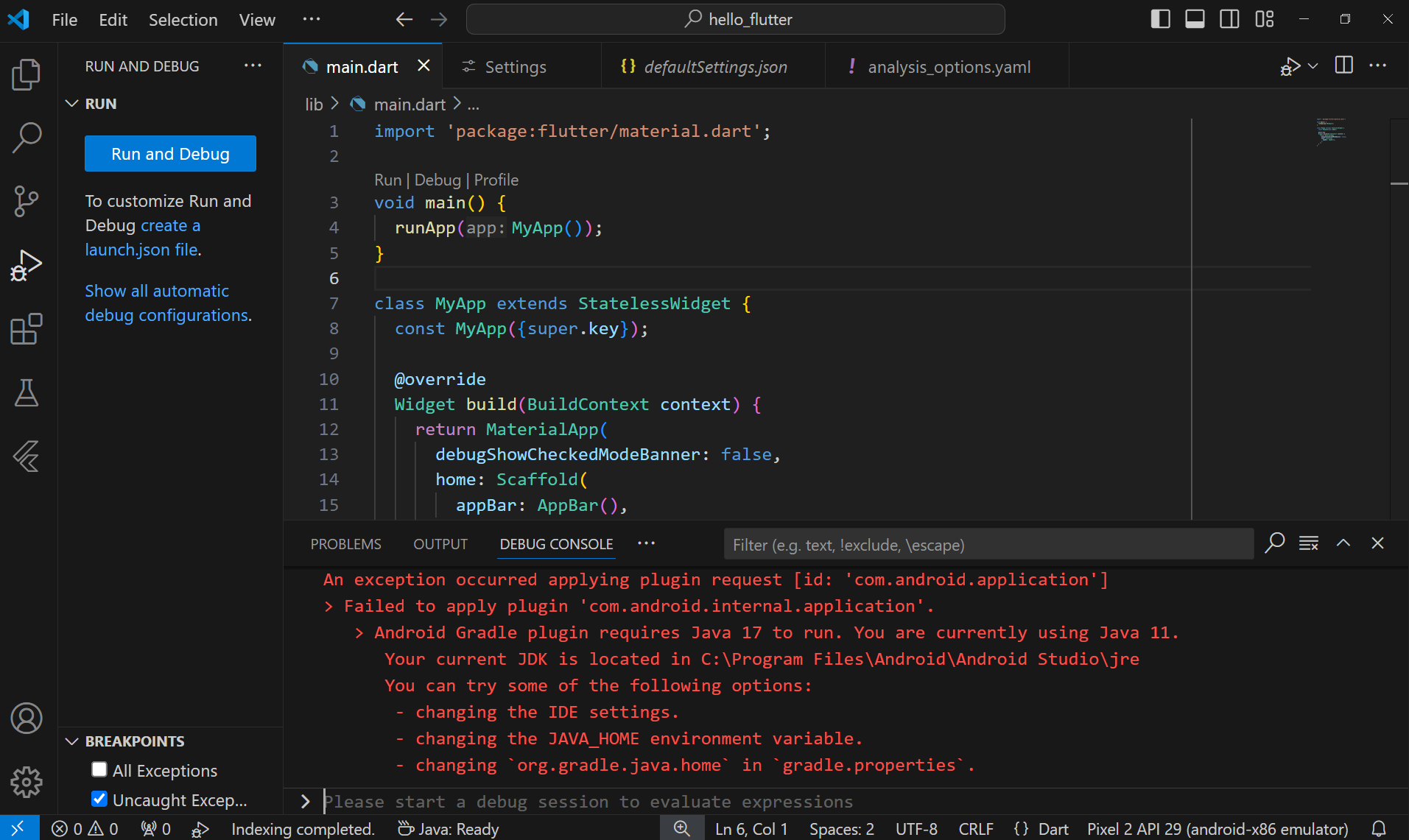
계신 화면 전체를 캡처해 주시면, 튜터님들이 빠르게 상황을 이해할 수 있어요.
작성한 코드 및 에러 메세지
오류 발생FAILURE: Build failed with an exception.
* Where:
Build file 'C:\flutter\hello_flutter\android\app\build.gradle' line: 2
* What went wrong:
An exception occurred applying plugin request [id: 'com.android.application']
> Failed to apply plugin 'com.android.internal.application'.
> Android Gradle plugin requires Java 17 to run. You are currently using Java 11.
Your current JDK is located in C:\Program Files\Android\Android Studio\jre
You can try some of the following options:
- changing the IDE settings.
- changing the JAVA_HOME environment variable.
- changing `org.gradle.java.home` in `gradle.properties`.
* Try:
> Run with --stacktrace option to get the stack trace.
> Run with --info or --debug option to get more log output.
> Run with --scan to get full insights.
> Get more help at https://help.gradle.org.
시, 작성한 코드 전체와 에러 메시지를 첨부해 주세요.
Tip 1) </> 아이콘을 눌러 코드박스를 만들어 보세요.
Tip 2) Ctrl+A(맥의 경우 Command+A) 단축키로 코드를 한 번에 선택할 수 있어요!


