


* 겪고 있는 문제 상황을 최대한 자세하게 작성해주세요.
* 문제 해결을 위해 어떤 시도를 해보았는지 구체적으로 함께 알려주세요.
5-7. DALL-E 봇 만들기 4 똑같이 따라 했는데 Exception 에러가 납니다.
보
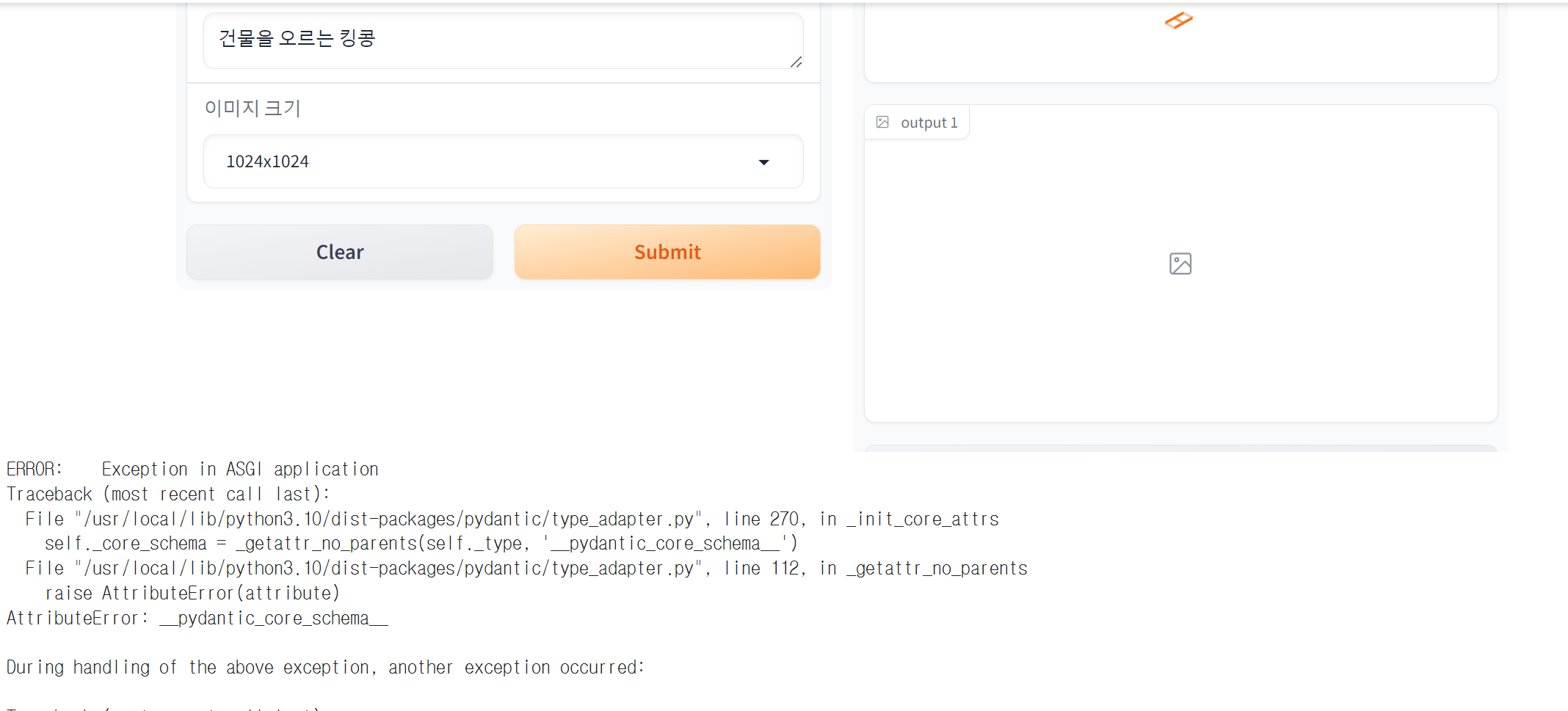
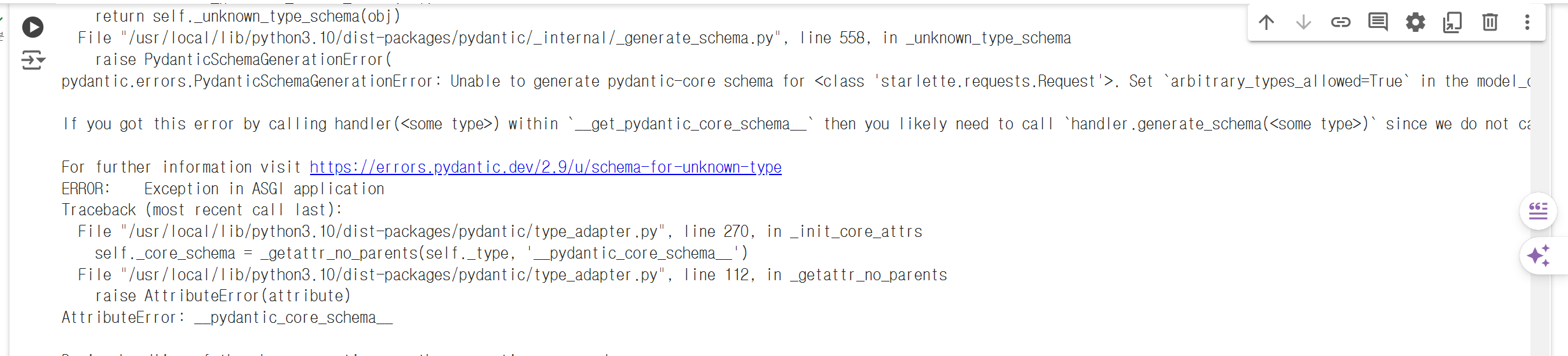
고 계신 화면 전체를 캡처해 주시면, 튜터님들이 빠르게 상황을 이해할 수 있어요.
작성한 코드 및 에러 메세지
# 5-7. DALL-E 봇 만들기 4 (계속 - UI 구성)
import gradio as gr
import openai
import os
from langchain_openai import ChatOpenAI
from langchain_core.prompts import (
ChatPromptTemplate,
SystemMessagePromptTemplate,
HumanMessagePromptTemplate,
)
# openai.api_key = "sk-proj-
openai.api_key = "API KEY"
def translate_text(text):
chat = ChatOpenAI(temperature=0)
template="You are a helpful assistant that translates {input_language} to {output_language}."
system_message_prompt = SystemMessagePromptTemplate.from_template(template)
human_template="{text}"
human_message_prompt = HumanMessagePromptTemplate.from_template(human_template)
chat_prompt = ChatPromptTemplate.from_messages([system_message_prompt, human_message_prompt])
response = chat(
chat_prompt.format_prompt(
input_language="korean", output_language="english", text=text
).to_messages()
)
return response.content
def generate_response(prompt, size):
# 추가 내역
translate_prompt = translate_text(prompt)
gpt_prompt = [
{"role": "system", "content": "imagine the details of the input's appearence. Please respond breifly."},
{"role": "user", "content": prompt}
]
gpt_response = client.chat.completions.create(
model="gpt-3.5-turbo",
messages = gpt_prompt,
)
gpt_prompt_result = gpt_response.choices[0].message.content
dalle_response = client.images.generate(
model="dall-e-3",
# prompt=prompt,
prompt=gpt_prompt_result,
size=size,
quality="standard",
n=1,
style="natural",
)
image_url = dalle_response.data[0].url
return gpt_prompt_result, image_url
# UI 구성 추가
image_sizes = gr.Dropdown(choices=["1024x1024", "1024x1792", "1792x1024"], label="이미지 크기")
Iface = gr.Interface(
fn = generate_response,
inputs = ["text", image_sizes],
outputs = ["text", "image"],
title = "나만의 Dall-E 봇",
description = "사용자 프롬프트 기반으로 ChatGPT와 DALL-E를 사용하여 이미지를 제작합니다."
)
Iface.launch(debug=True, share=True)
# 건물을 오르는 킹콩
# 대나무 숲속의 팬더
오류 발생 시, 작성한 코드 전체와 에러 메시지를 첨부해 주세요.
Tip 1) </> 아이콘을 눌러 코드박스를 만들어 보세요.
Tip 2) Ctrl+A(맥의 경우 Command+A) 단축키로 코드를 한 번에 선택할 수 있어요!


