


* 겪고 있는 문제 상황을 최대한 자세하게 작성해주세요.
* 문제 해결을 위해 어떤 시도를 해보았는지 구체적으로 함께 알려주세요.
[!]Android toochain 에러 메세지가 강의자료와 다르며, flutter doctor --andoid-licenses를 입력하면 Android sdkmanager not found. Update to the latest Android SDK and ensure that the cmdline-tools are installed to
resolve this. 이란 메세지가 발생하며 라이센스 동의 단계로 넘어가지 않습니다.
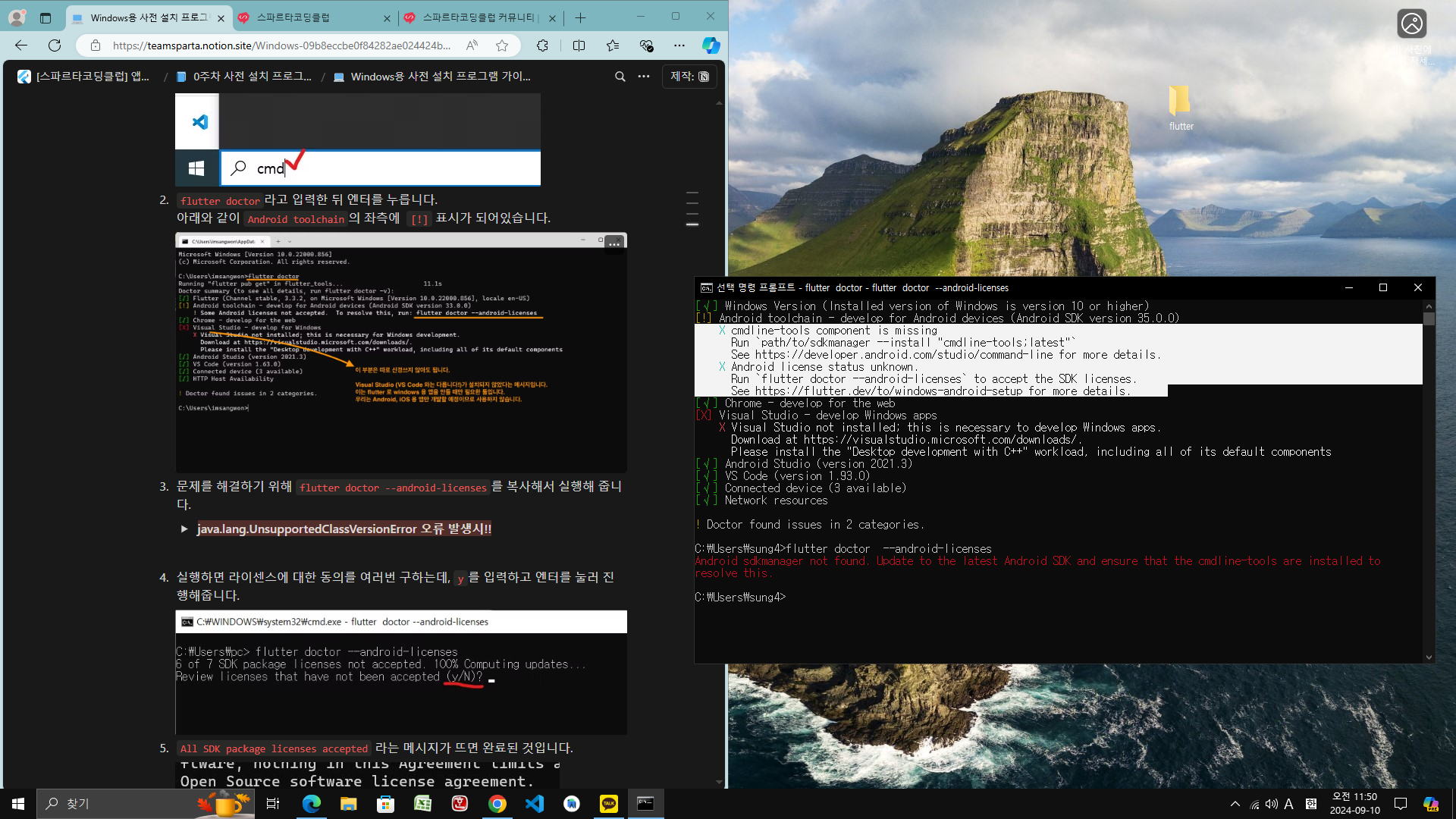
작성한 코드 및 에러 메세지
[!] Android toolchain - develop for Android devices (Android SDK version 35.0.0)
X cmdline-tools component is missing
Run `path/to/sdkmanager --install "cmdline-tools;latest"`
See https://developer.android.com/studio/command-line for more details.
X Android license status unknown.
Run `flutter doctor --android-licenses` to accept the SDK licenses.
See https://flutter.dev/to/windows-android-setup for more details.
[X] Visual Studio - develop Windows apps
X Visual Studio not installed; this is necessary to develop Windows apps.
Download at https://visualstudio.microsoft.com/downloads/.
Please install the "Desktop development with C++" workload, including all of its default components
! Doctor found issues in 2 categories.
C:\Users\sung4>flutter doctor --android-licenses
Android sdkmanager not found. Update to the latest Android SDK and ensure that the cmdline-tools are installed to
resolve this.


