커뮤니티

포인트
쿠폰
내 강의실
국비 신청 내역
증명서
계정
로그아웃
학습 질문
개발 일지
나의 활동
답변 완료
JdbcTemplate가 연결이 안돼요
[개발자 입문] 웹개발의 봄, Spring v0
2주차


장*아
댓글
7
・
추천
0
・
조회수
17
조회수
17
답변 완료
* 겪고 있는 문제 상황을 최대한 자세하게 작성해주세요.
* 문제 해결을 위해 어떤 시도를 해보았는지 구체적으로 함께 알려주세요.
강사님이 주셨던 MemoController를 복사 붙여넣기했는데 JdbcTemplate와 연결이 안되는 것 같아요..
7개 오류가 났는데 해결방법이 있을까요?
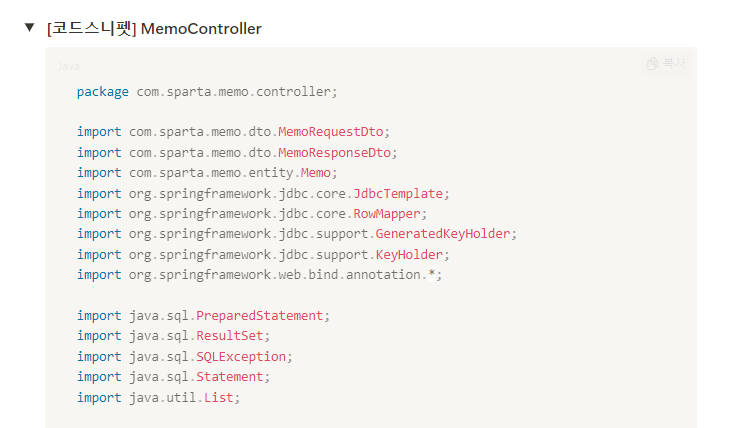
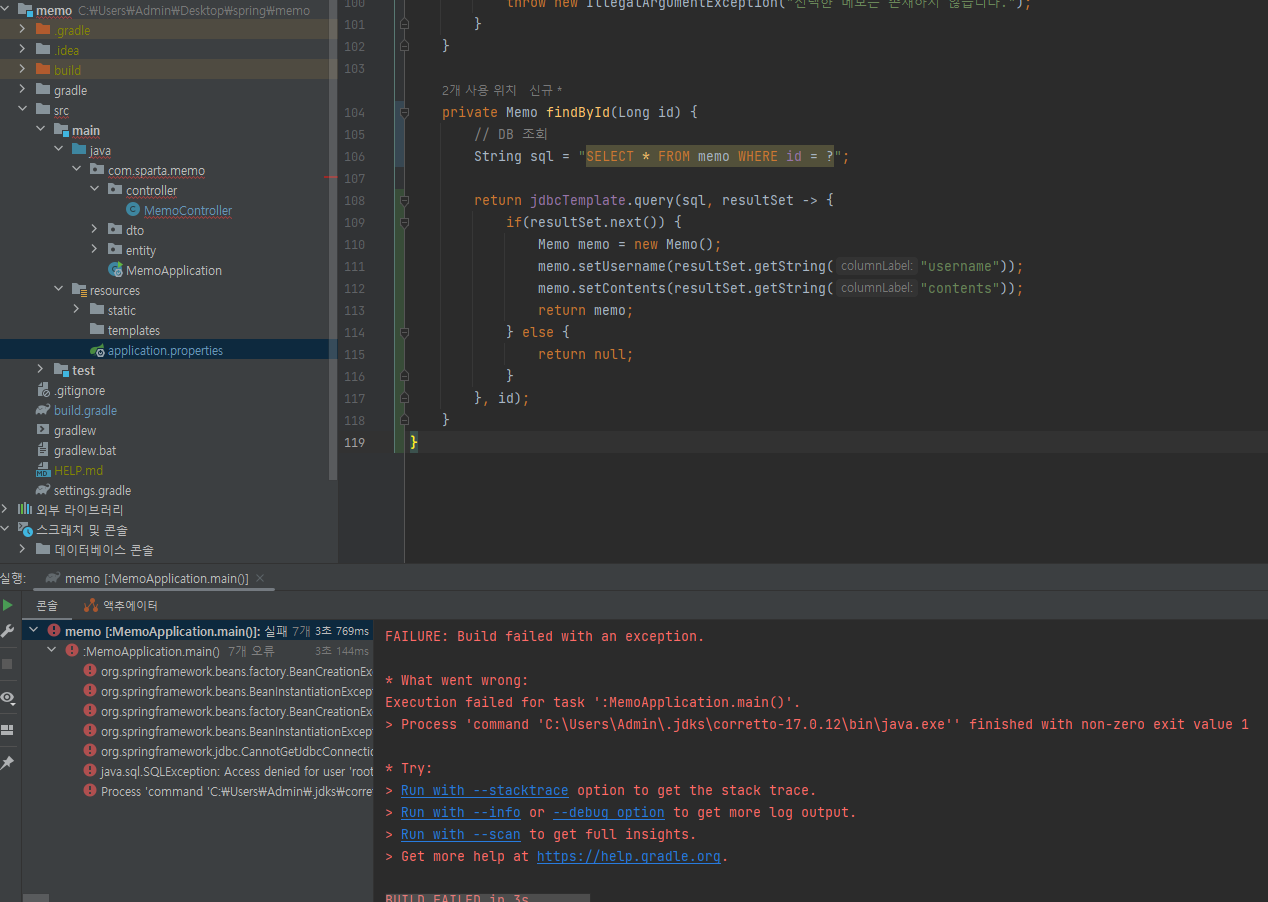
작성한 코드 및 에러 메세지
Error starting ApplicationContext. To display the condition evaluation report re-run your application with 'debug' enabled.
2024-07-24T14:49:13.938+09:00 ERROR 2472 --- [           main] o.s.boot.SpringApplication               : Application run failed


Caused by: org.springframework.beans.factory.BeanCreationException: Error creating bean with name 'jdbcCustomConversions' defined in class path resource [org/springframework/boot/autoconfigure/data/jdbc/JdbcRepositoriesAutoConfiguration$SpringBootJdbcConfiguration.class]: Failed to instantiate [org.springframework.data.jdbc.core.convert.JdbcCustomConversions]: Factory method 'jdbcCustomConversions' threw exception with message: Error creating bean with name 'jdbcDialect' defined in class path resource [org/springframework/boot/autoconfigure/data/jdbc/JdbcRepositoriesAutoConfiguration$SpringBootJdbcConfiguration.class]: Failed to instantiate [org.springframework.data.relational.core.dialect.Dialect]: Factory method 'jdbcDialect' threw exception with message: Failed to obtain JDBC Connection


Caused by: org.springframework.beans.BeanInstantiationException: Failed to instantiate [org.springframework.data.jdbc.core.convert.JdbcCustomConversions]: Factory method 'jdbcCustomConversions' threw exception with message: Error creating bean with name 'jdbcDialect' defined in class path resource [org/springframework/boot/autoconfigure/data/jdbc/JdbcRepositoriesAutoConfiguration$SpringBootJdbcConfiguration.class]: Failed to instantiate [org.springframework.data.relational.core.dialect.Dialect]: Factory method 'jdbcDialect' threw exception with message: Failed to obtain JDBC Connection


Caused by: org.springframework.beans.factory.BeanCreationException: Error creating bean with name 'jdbcDialect' defined in class path resource [org/springframework/boot/autoconfigure/data/jdbc/JdbcRepositoriesAutoConfiguration$SpringBootJdbcConfiguration.class]: Failed to instantiate [org.springframework.data.relational.core.dialect.Dialect]: Factory method 'jdbcDialect' threw exception with message: Failed to obtain JDBC Connection

Caused by: org.springframework.beans.BeanInstantiationException: Failed to instantiate [org.springframework.data.relational.core.dialect.Dialect]: Factory method 'jdbcDialect' threw exception with message: Failed to obtain JDBC Connection


Caused by: org.springframework.jdbc.CannotGetJdbcConnectionException: Failed to obtain JDBC Connection


Caused by: java.sql.SQLException: Access denied for user 'root'@'localhost' (using password: YES)


> Task :MemoApplication.main() FAILED


Execution failed for task ':MemoApplication.main()'.
> Process 'command 'C:\Users\Admin\.jdks\corretto-17.0.12\bin\java.exe'' finished with non-zero exit value 1


* Try:
> Run with --stacktrace option to get the stack trace.
> Run with --info or --debug option to get more log output.
> Run with --scan to get full insights.
> Get more help at https://help.gradle.org.
Deprecated Gradle features were used in this build, making it incompatible with Gradle 9.0.
You can use '--warning-mode all' to show the individual deprecation warnings and determine if they come from your own scripts or plugins.
For more on this, please refer to https://docs.gradle.org/8.8/userguide/command_line_interface.html#sec:command_line_warnings in the Gradle documentation.
BUILD FAILED in 3s
3 actionable tasks: 1 executed, 2 up-to-date
Tip 1) </> 아이콘을 눌러 코드박스를 만들어 보세요.
Tip 2) Ctrl+A(맥의 경우 Command+A) 단축키로 코드를 한 번에 선택할 수 있어요!
오류 중에서 빨간 색 글씨인 부분만 복사 붙여넣기 했습니다.


댓글 알림
