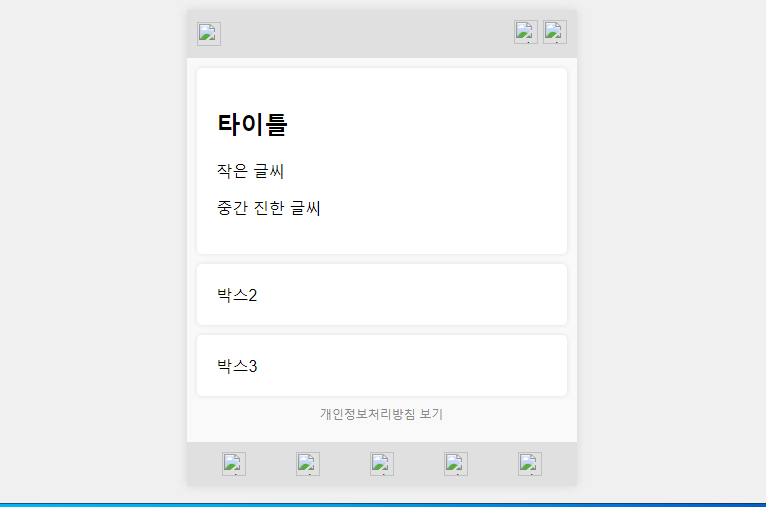
* 겪고 있는 문제 상황을 최대한 자세하게 작성해주세요.
* 문제 해결을 위해 어떤 시도를 해보았는지 구체적으로 함께 알려주세요.
작은 글씨와 중간 진한 글씨 반영이 안됩니다
08_index_html과 08_styles.css를 이용하여 수정 코드 부탁드립니다
08_index_html
<html lang="ko-KR">
<HEAD>
<meta charset="UTF-8" <link rel="stylesheet" href="08_styles.css" </head>
<body>
<!DOCTYPE html>
<html lang="ko">
<head>
<meta charset="UTF-8">
<meta name="viewport" content="width=device-width, initial-scale=1.0">
<title>Web Application Layout</title>
<style>
body {
display: flex;
justify-content: center;
align-items: center;
background-color: #f0f0f0;
height: 100vh;
margin: 0;
font-family: Arial, sans-serif;
}
.container {
width: 390px;
background-color: #fff;
box-shadow: 0 0 10px rgba(0, 0, 0, 0.1);
}
.header,
.footer {
background-color: #e0e0e0;
padding: 10px;
display: flex;
align-items: center;
justify-content: space-between;
}
.header img,
.footer img {
height: 24px;
width: 24px;
}
.main {
padding: 10px;
background-color: #f9f9f9;
}
.box {
background-color: #fff;
margin-bottom: 10px;
padding: 20px;
border-radius: 5px;
box-shadow: 0 0 5px rgba(0, 0, 0, 0.1);
}
.footer {
display: flex;
justify-content: space-around;
}
.privacy-policy {
text-align: center;
margin: 10px 0;
font-size: 12px;
color: #888;
}
</style>
</head>
<body>
<div class="container">
<div class="header">
<img src="logo.png" alt="로고">
<div>
<img src="icon1.png" alt="아이콘1">
<img src="icon2.png" alt="아이콘2">
</div>
</div>
<div class="main">
<div class="box box1">
<h2 class="title">타이틀</h2>
<p class="small-text">작은 글씨</p>
<p class="medium-bold-text">중간 진한 글씨</p>
</div>
<div class="box box2">박스2</div>
<div class="box box3">박스3</div>
<div class="privacy-policy">개인정보처리방침 보기</div>
</div>
<div class="footer">
<img src="icon3.png" alt="아이콘3">
<img src="icon4.png" alt="아이콘4">
<img src="icon5.png" alt="아이콘5">
<img src="icon6.png" alt="아이콘6">
<img src="icon7.png" alt="아이콘7">
</div>
</div>
</body>
</html>
</body>
</div>
08_styles.css
.container {
width: 390px;
margin: 0 auto;
background-color: #f5f5f5;
}
.header {
display: flex;
justify-content: space-between;
align-items: center;
padding: 20px;
}
.logo {
width: 100px;
height: 50px;
}
.icons {
display: flex;
justify-content: space-between;
width: 60px;
}
.main {
padding: 20px;
}
.box {
height: 100px;
margin-bottom: 20px;
background-color: #fff;
}
.box1 {
padding: 20px;
/* 박스 내부 여백 */
background-color: #fff;
/* 박스 배경색 */
border-radius: 10px;
/* 모서리를 둥글게 */
display: flex;
flex-direction: column;
justify-content: center;
}
.title {
font-size: 18px;
margin-bottom: 10px;
}
.small-text {
font-size: 12px;
margin-bottom: 10px;
}
.medium-bold-text {
font-size: 14px;
font-weight: bold;
}
}
.box2 {
/* custom styles for box2 */
}
.box3 {
/* custom styles for box3 */
}
.privacy-policy {
margin-top: 20px;
text-align: center;
}
.footer {
display: flex;
justify-content: space-between;
align-items: center;
padding: 20px;
}
.footer-icon {
flex: 1;
display: flex;
justify-content: center;
}
.footer-icon img {
width: 30px;
height: 30px;
}