커뮤니티

포인트
쿠폰
내 강의실
국비 신청 내역
증명서
계정
로그아웃
학습 질문
개발 일지
나의 활동
답변 완료
6-3. [마켓컬리 웹페이지 UI] 세부 레이아웃 구현하기 관련 질문
[왕초보] ChatGPT 300% 활용하기 v0
6주차


최*연
댓글
3
・
추천
0
・
조회수
8
조회수
8
답변 완료
* 겪고 있는 문제 상황을 최대한 자세하게 작성해주세요.
* 문제 해결을 위해 어떤 시도를 해보았는지 구체적으로 함께 알려주세요.
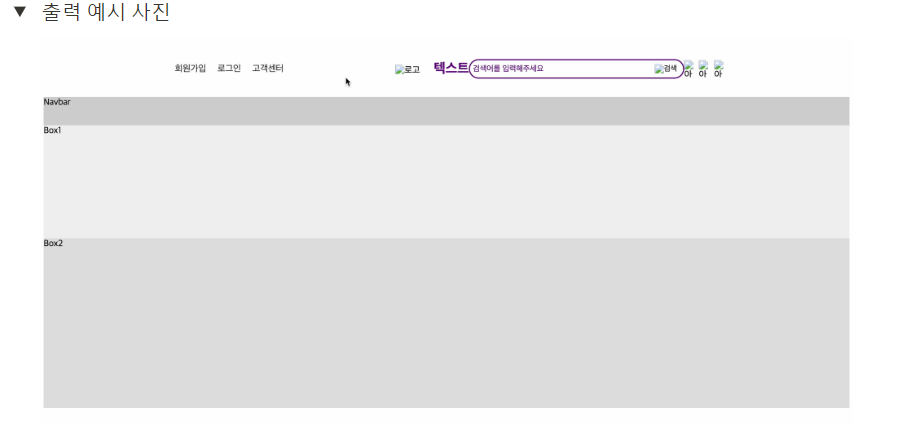
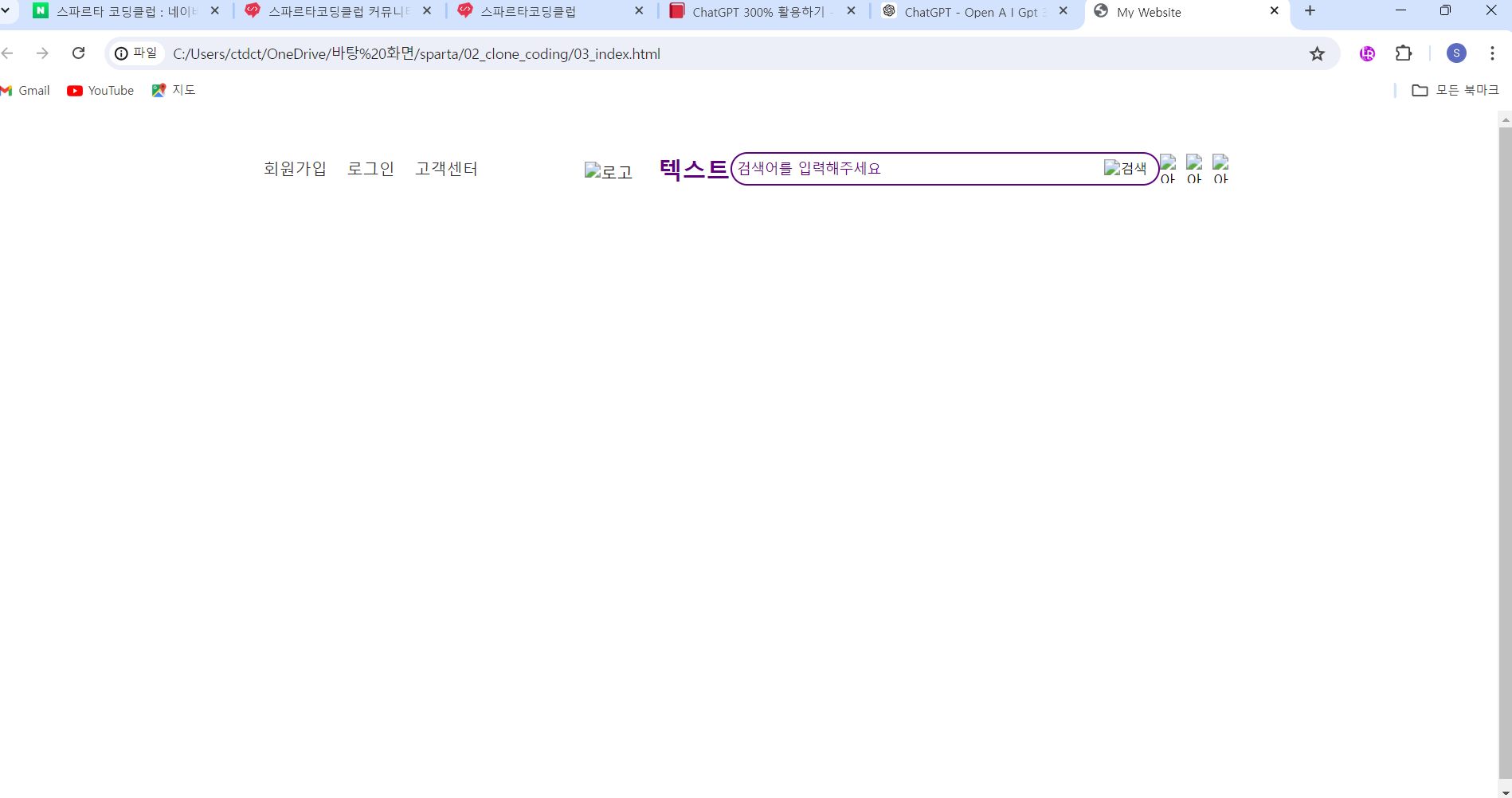
강의 영상에 강사님이 하신대로 코드를 넣었는데 강사님과 다르게 브라우저 화면이 나옵니다.
강의 브라우저 화면
내 브라우저 화면
작성한 코드 및 에러 메세지
03_index.html 코드
<!DOCTYPE html>
<html lang="ko">


<head>
    <meta charset="UTF-8">
    <title>My Website</title>
    <link rel="stylesheet" href="03_styles.css">
</head>


<body>
    <div class="container">
        <header>
            <div class="header-box1">
                <div class="header-box1-right">
                    <a href="#">회원가입</a>
                    <a href="#">로그인</a>
                    <a href="#">고객센터</a>
                </div>
            </div>
            <div class="header-box2">
                <div class="header-box2-left">
                    <img src="logo.png" alt="로고">
                    <span style="color: #5F0080;">텍스트</span>
                </div>
                <div class="header-box2-center">
                    <form>
                        <label for="search">검색어를 입력해주세요</label>
                        <input type="text" id="search" name="search">
                        <button type="submit"><img src="search-icon.png" alt="검색"></button>
                    </form>
                </div>
                <div class="header-box2-right">
                    <img src="icon1.png" alt="아이콘1">
                    <img src="icon2.png" alt="아이콘2">
                    <img src="icon3.png" alt="아이콘3">
                </div>
            </div>
        </header>
    </div>
</body>


</html>
03_styles.css 코드
html,body {
    height: 100%;
}


.container {
    width: 100%;
    height: 100%;
    display: flex;
    flex-direction: column;
}


header {
    width: 1000px;
    margin: 0 auto;
    display: flex;
    justify-content: space-between;
    align-items: center;
    height: 100px;
}


.header-box1 {
    display: flex;
    justify-content: flex-end;
    align-items: center;
    height: 100%;
}


.header-box1-right {
    display: flex;
    justify-content: space-between;
    align-items: center;
}


.header-box1-right a {
    color: #333;
    text-decoration: none;
    margin-left: 20px;
}


.header-box2 {
    display: flex;
    align-items: center;
    height: 100%;
}


.header-box2-left img {
    height: 60px;
    margin-right: 20px;
}


.header-box2-left span {
    font-size: 24px;
    font-weight: bold;
}


.header-box2-center form {
    display: flex;
    align-items: center;
    border: 2px solid #5F0080;
    border-radius: 20px;
    padding: 5px;
}


.header-box2-center label {
    color: #5F0080;
    font-size: 14px;
    margin-right: 10px;
}


.header-box2-center input[type="text"] {
    border: none;
    font-size: 16px;
    margin-right: 10px;
}


.header-box2-center button[type="submit"] {
    border: none;
    background: none;
    cursor: pointer;
}


.header-box2-right {
    display: flex;
    justify-content: space-between;
    align-items: center;
    width: 80px;
}


.header-box2-right img {
    height: 30px;
}


nav {
    background-color: #ccc;
    height: 50px;
}


.box1 {
    background-color: #eee;
    height: 200px;
}


.box2 {
    background-color: #ddd;
    height: 300px;
}


댓글 알림
