


* 겪고 있는 문제 상황을 최대한 자세하게 작성해주세요.
* 문제 해결을 위해 어떤 시도를 해보았는지 구체적으로 함께 알려주세요.
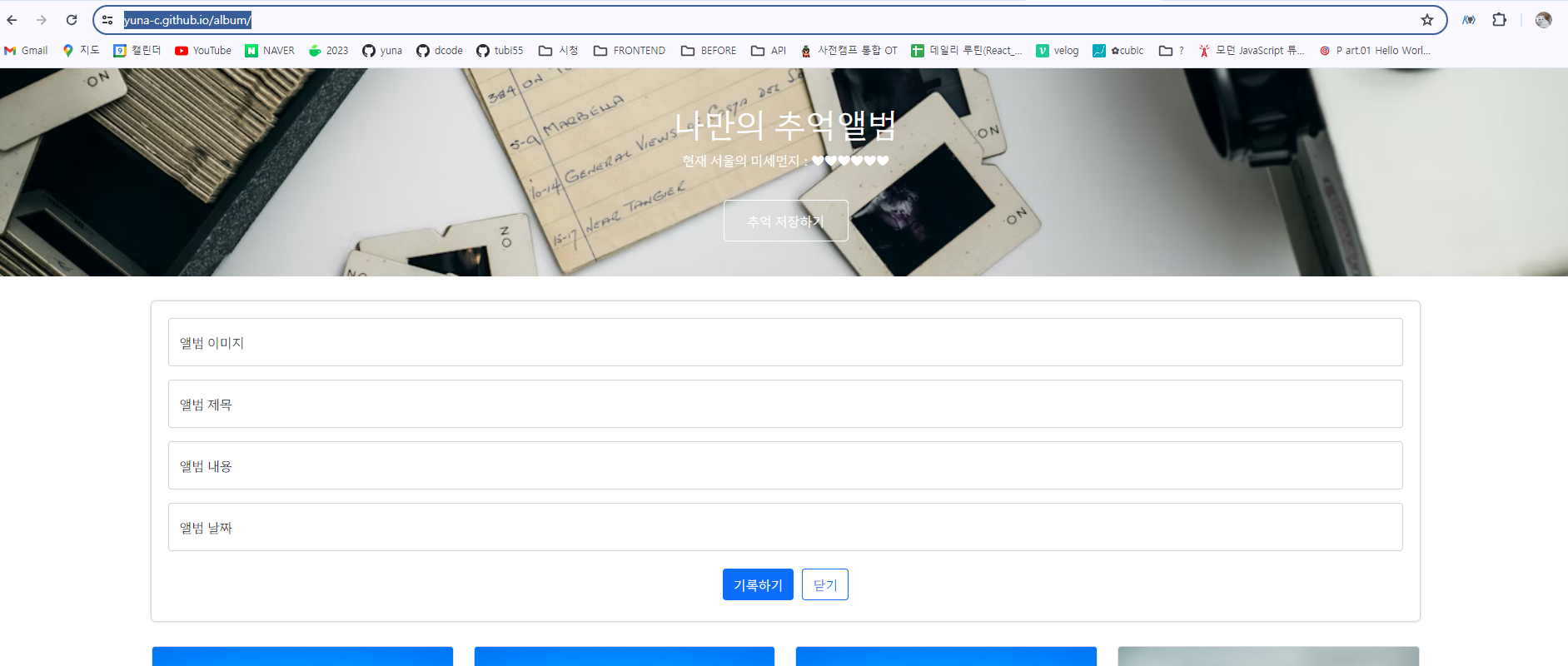
코드를 깃헙에 배포를 하니 Mixed Content에러가 떠서 미세먼지 API를 사용 할 수 없습니다.
https://yuna-c.github.io/album/(하트만 나옴)
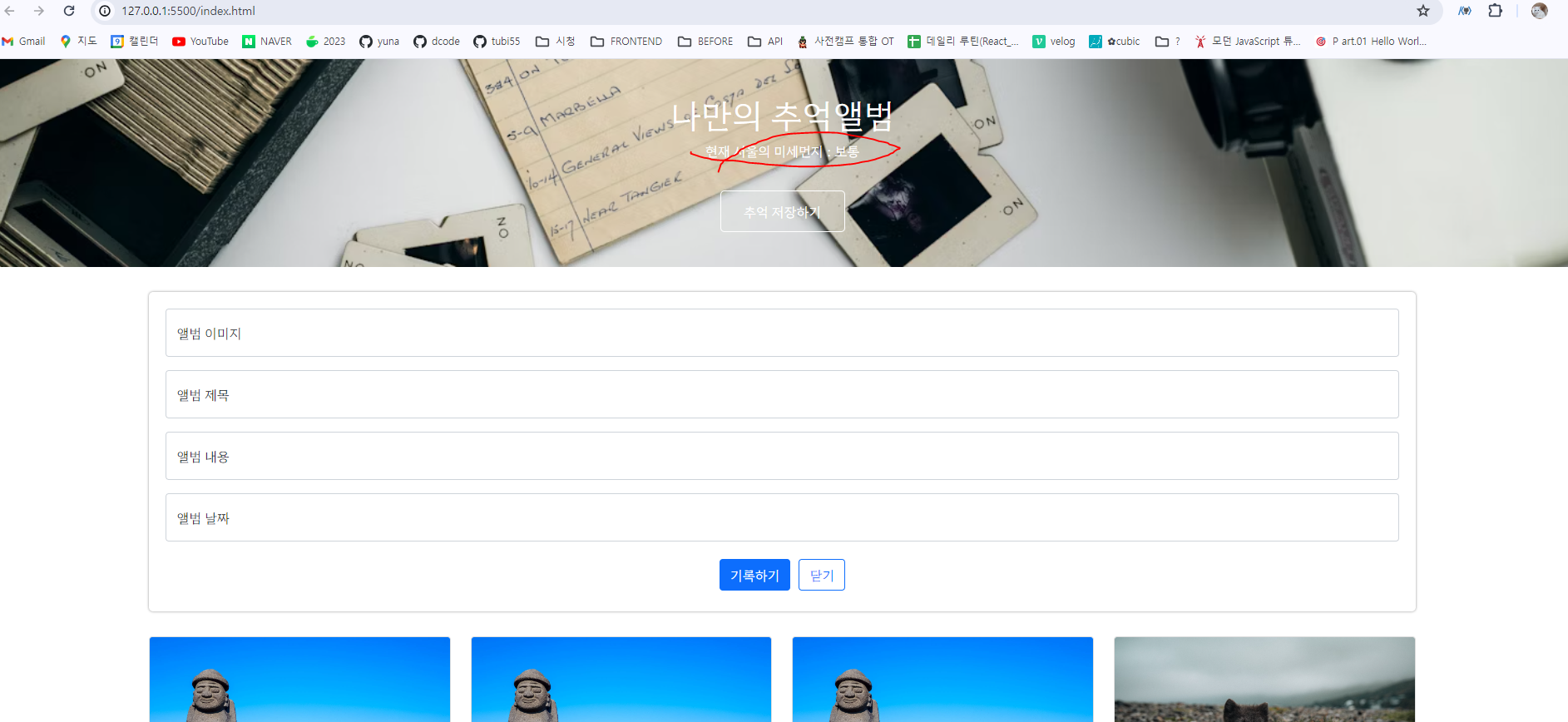
로컬에서는 잘 나오고요. (상태 좋음 나쁨 잘나옴)
그래서 구글링을 해보니 ,
Mixed Content: The page at 'https://...' was loaded over HTTPS, but requested an insecure resource '...'. This request has been blocked; the content must be served over HTTPS.
요런 에러가 뜨는데, 미세 먼지 API가 HTTP라서 서버 장애가 나는 것 같아서
헤더 상단 메타 태그에 <meta http-equiv="Content-Security-Policy" content="upgrade-insecure-requests" />
를 추가하니 깃헙 배포 페이지, 로컬 둘 다 상태가 뜨지 않습니다.
이런 경우에 제대로 배포해보고 싶은데 어떻게 해야하나요?
깃헙
로컬
Mixed Content: The page at 'https://...' was loaded over HTTPS, but requested an insecure resource '...'. This request has been blocked; the content must be served over HTTPS. (에러내용)
<!DOCTYPE html>
<html lang="en">


<head>
  <meta charset="UTF-8" />
  <meta name="viewport" content="width=device-width, initial-scale=1.0" />
  <!-- <meta http-equiv="Content-Security-Policy" content="upgrade-insecure-requests" /> -->

  <title>나만의 추억앨범</title>
  <script src="https://ajax.googleapis.com/ajax/libs/jquery/3.4.1/jquery.min.js"></script>
  <link href="https://cdn.jsdelivr.net/npm/bootstrap@5.0.2/dist/css/bootstrap.min.css" rel="stylesheet"
    integrity="sha384-EVSTQN3/azprG1Anm3QDgpJLIm9Nao0Yz1ztcQTwFspd3yD65VohhpuuCOmLASjC" crossorigin="anonymous" />

  <script type="module">
    // Firebase SDK 라이브러리 가져오기
    import { initializeApp } from "https://www.gstatic.com/firebasejs/9.22.0/firebase-app.js";
    import { getFirestore } from "https://www.gstatic.com/firebasejs/9.22.0/firebase-firestore.js";
    import { collection, addDoc, } from "https://www.gstatic.com/firebasejs/9.22.0/firebase-firestore.js";
    import { getDocs } from "https://www.gstatic.com/firebasejs/9.22.0/firebase-firestore.js";


    // For Firebase JS SDK v7.20.0 and later, measurementId is optional(Firebase 구성 정보 설정)
    const firebaseConfig = {
      apiKey: "AIzaSyCNuRi81cTJLYcOMvVKlO65f4zSX_fJ9oQ",
      authDomain: "sparta-5a01b.firebaseapp.com",
      projectId: "sparta-5a01b",
      storageBucket: "sparta-5a01b.appspot.com",
      messagingSenderId: "1027354777949",
      appId: "1:1027354777949:web:f41dfd533ecf465200f0b4",
      measurementId: "G-395DV8PFN5",
    };

    // Firebase 인스턴스 초기화
    const app = initializeApp(firebaseConfig);
    const db = getFirestore(app);

    // 데이터 추가 스켈레톤
    $("#postingBtn").click(async function () {
      let image = $("#image").val();
      let title = $("#title").val();
      let content = $("#content").val();
      let date = $("#date").val();

      let doc = {
        'image': image,
        'title': title,
        'content': content,
        'date': date,
      };

      await addDoc(collection(db, "albums"), doc);
      alert('저장 완료');
      window.location.reload();
    })

    // toggle버튼
    $("#saveBtn").click(async function () {
      $("#postingbox").toggle();
    })

    // 데이터 읽기 스켈레톤 코드
    let docs = await getDocs(collection(db, "albums"));
    docs.forEach((doc) => {
      let row = doc.data();
      // console.log(row); 가로
      let image = row['image'];
      let title = row['title'];
      let content = row['content'];
      let date = row['date'];

      let temp_html = `
      <div class="col">
        <div class="card h-100">
          <img
            src="${image}"
            class="card-img-top" alt="${title}">
          <div class="card-body">
            <h5 class="card-title">${title}</h5>
            <p class="card-text">${content}</p>
          </div>
          <div class="card-footer">
            <small class="text-body-secondary">${date}</small>
          </div>
        </div>
      </div>
      `;

      $("#card").append(temp_html);
    });

    /*
    script type="module" 작성 후 스크립트가 가장 나중에 호출 됨, 변환 과정 필요
    $(document).ready(function () {}); <- 페이지가 로딩 완료 후 작업 하세요(필요 X)
    .onclick X
    */

    // 미세먼지 API
    let url = "http://openapi.seoul.go.kr:8088/6d4d776b466c656533356a4b4b5872/json/RealtimeCityAir/1/99";
    fetch(url)
      .then((res) => res.json())
      .then((data) => {
        let mise = data['RealtimeCityAir']['row'][0]['IDEX_NM'];
        console.log(mise);


        $('#msg').text(mise);
      });


  </script>
</head>

<body>
  <div class="mytitle">
    <h1>나만의 추억앨범</h1>
    <p>현재 서울의 미세먼지 : <span id="msg">❤❤❤</span></p>
    <button id="saveBtn">추억 저장하기</button>
  </div>

  <div class="mypostingbox" id="postingbox">
    <div class="form-floating mb-3">
      <input type="email" class="form-control" id="image" placeholder="앨범 이미지" />
      <label for="image">앨범 이미지</label>
    </div>

    <div class="form-floating mb-3">
      <input type="email" class="form-control" id="title" placeholder="앨범 제목" />
      <label for="title">앨범 제목</label>
    </div>

    <div class="form-floating mb-3">
      <input type="email" class="form-control" id="content" placeholder="앨범 내용" />
      <label for="content">앨범 내용</label>
    </div>

    <div class="form-floating mb-3">
      <input type="email" class="form-control" id="date" placeholder="앨범 날짜" />
      <label for="date">앨범 날짜</label>
    </div>

    <div class="mybtn">
      <button type="button" class="btn btn-primary" id="postingBtn">
        기록하기
      </button>
      <button type="button" class="btn btn-outline-primary">닫기</button>
    </div>
  </div>

  <div class="mycards">
    <div id="card" class="row row-cols-1 row-cols-md-4 g-4"></div>
  </div>
</body>
</html>


