


* 겪고 있는 문제 상황을 최대한 자세하게 작성해주세요.
* 문제 해결을 위해 어떤 시도를 해보았는지 구체적으로 함께 알려주세요.
안녕하세요, 추억앨범 만들기 - 1에 카드 만들기가 강의와 똑같이 되지 않아, 문의드립니다.
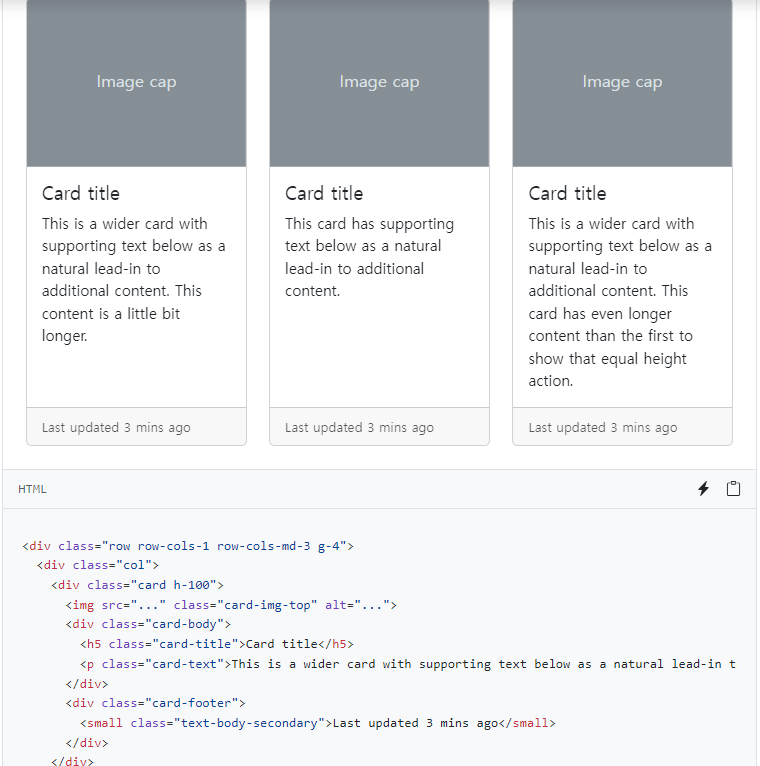
부트 스트랩의 맨 마지막에 있는 card를 복사해서, 그대로 붙여넣어 보았는데요.
아무리 해도 네모 박스로 나오는게 아니라 이렇게 한줄씩 적용이 됩니다.
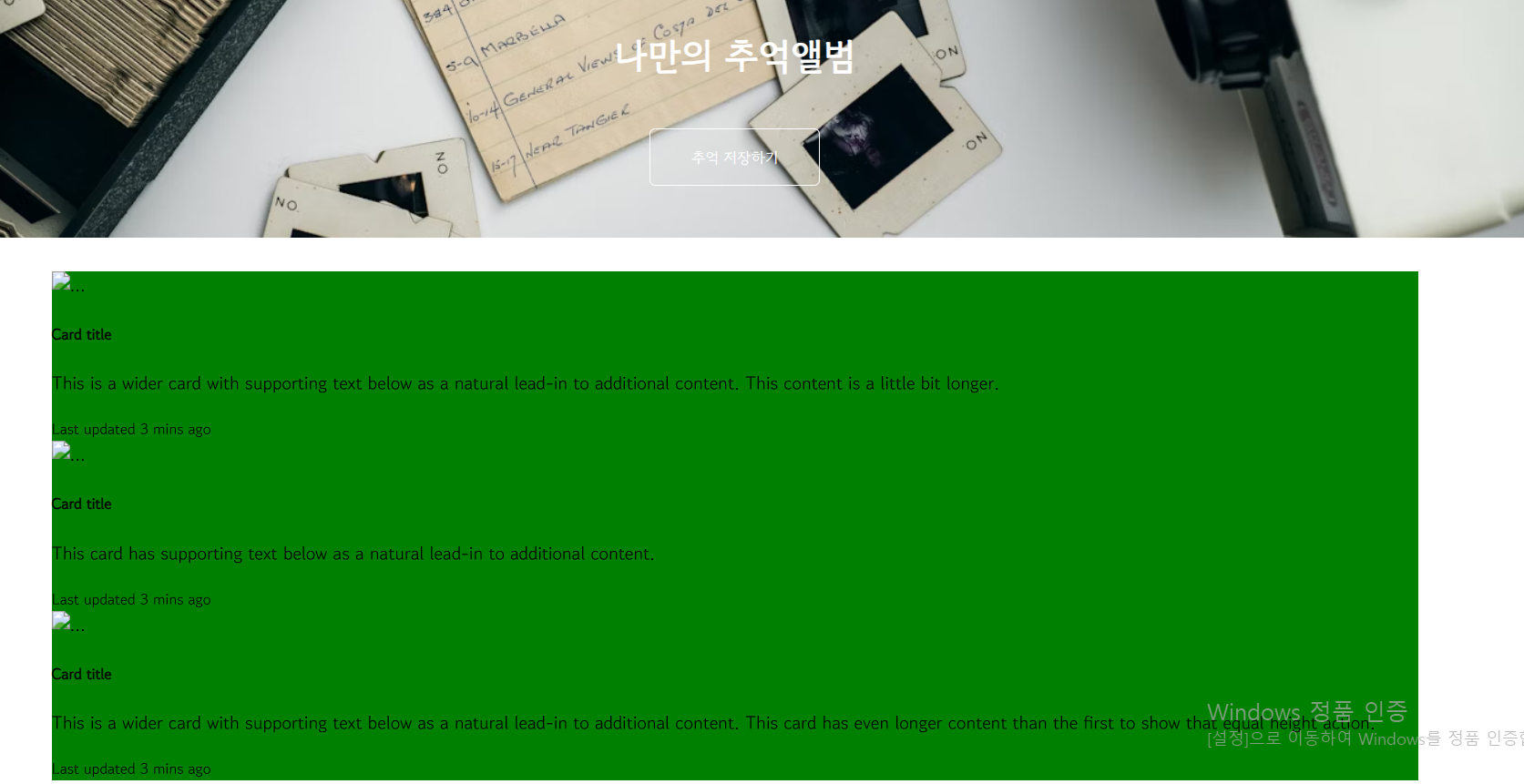
부트스트랩 카드에 다른 것들을 복사해서 넣어도, 마찬가지로 박스형으로 바뀌지 않습니다 ㅠㅠ 무엇이 문제일까요?
아래는 제가 복붙한 코드내용입니다.
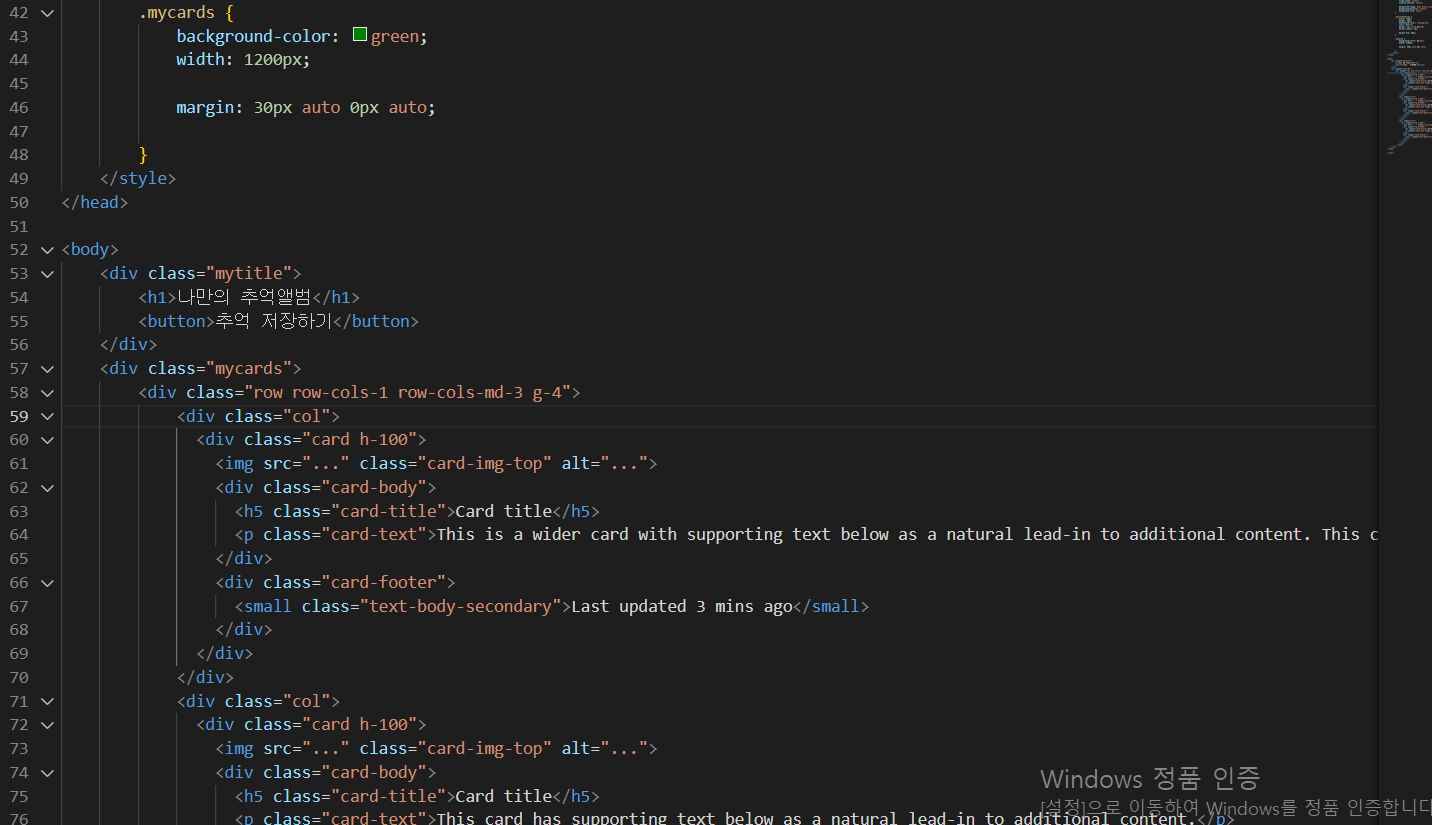
작성한 코드 및 에러 메세지
제 전체 코드는 다음과 같습니다.
<!DOCTYPE html>
<html lang="en">
<head>
<meta charset="UTF-8">
<meta http-equiv="X-UA-Compatible" content="IE=edge">
<meta name="viewport" content="width=device-width, initial-scale=1.0">
<title>나만의 추억앨범</title>
<style>
@import url('https://fonts.googleapis.com/css2?family=Gowun+Dodum&display=swap');
* {
font-family: "Gowun Dodum", sans-serif;
}
.mytitle {
height: 250px;
background-color: green;
color: white;
display: flex;
flex-direction: column;
align-items: center;
justify-content: center;
background-image: url('https://images.unsplash.com/photo-1511992243105-2992b3fd0410?ixlib=rb-4.0.3&ixid=M3wxMjA3fDB8MHxwaG90by1wYWdlfHx8fGVufDB8fHx8fA%3D%3D&auto=format&fit=crop&w=1470&q=80');
background-position: center;
background-size: cover;
}
.mytitle>button {
width: 150px;
height: 50px;
background-color: transparent;
color: white;
border: 1px solid white;
border-radius: 5px;
margin-top: 20px;
}
.mycards {
background-color: green;
width: 1200px;
margin: 30px auto 0px auto;
}
</style>
</head>
<body>
<div class="mytitle">
<h1>나만의 추억앨범</h1>
<button>추억 저장하기</button>
</div>
<div class="mycards">
<div class="row row-cols-1 row-cols-md-3 g-4">
<div class="col">
<div class="card h-100">
<img src="..." class="card-img-top" alt="...">
<div class="card-body">
<h5 class="card-title">Card title</h5>
<p class="card-text">This is a wider card with supporting text below as a natural lead-in to additional content. This content is a little bit longer.</p>
</div>
<div class="card-footer">
<small class="text-body-secondary">Last updated 3 mins ago</small>
</div>
</div>
</div>
<div class="col">
<div class="card h-100">
<img src="..." class="card-img-top" alt="...">
<div class="card-body">
<h5 class="card-title">Card title</h5>
<p class="card-text">This card has supporting text below as a natural lead-in to additional content.</p>
</div>
<div class="card-footer">
<small class="text-body-secondary">Last updated 3 mins ago</small>
</div>
</div>
</div>
<div class="col">
<div class="card h-100">
<img src="..." class="card-img-top" alt="...">
<div class="card-body">
<h5 class="card-title">Card title</h5>
<p class="card-text">This is a wider card with supporting text below as a natural lead-in to additional content. This card has even longer content than the first to show that equal height action.</p>
</div>
<div class="card-footer">
<small class="text-body-secondary">Last updated 3 mins ago</small>
</div>
</div>
</div>
</div>
</div>
</body>
</html>


