


* 겪고 있는 문제 상황을 최대한 자세하게 작성해주세요.
* 문제 해결을 위해 어떤 시도를 해보았는지 구체적으로 함께 알려주세요.
indx 부분 뼈대부분 내용부분은이해가 그래도 되겠는데..
css부분은 하나도 이해가안되요..왜저는 출력이 이렇게되는거죠?ㅠㅠㅠ
구분선이나 먼가 이런부분이 똑바로 안되어있는거같은데 머가 문제인지 모르겠어요
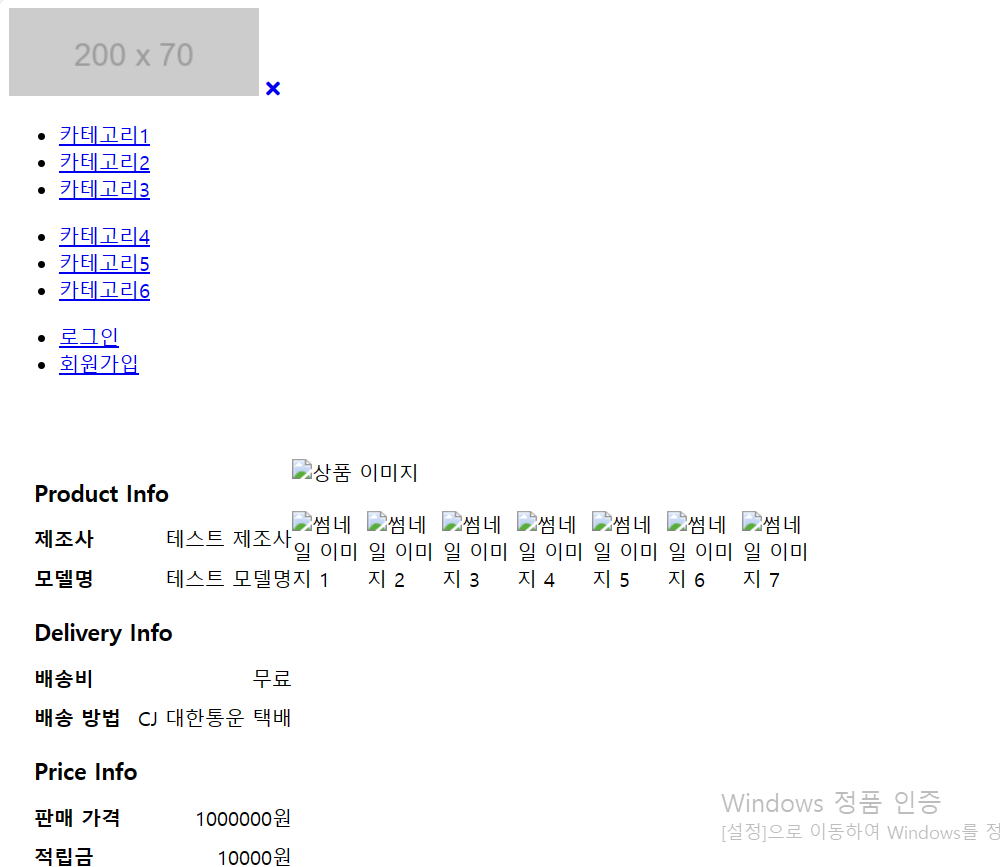
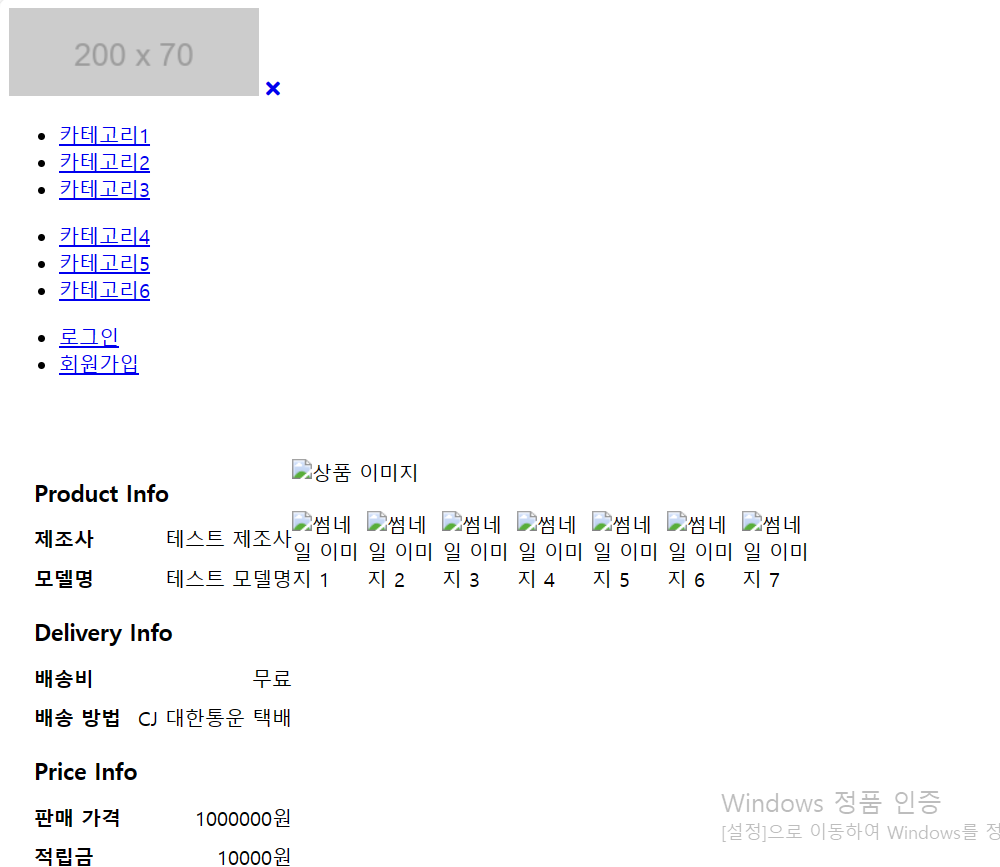
작성한 코드 및 에러 메세지
main {
max-width: 1200px;
margin: 0 auto;
display: flex;
justify-content: space-between;
padding: 50px 0;
}
.main-wrapper {
display: flex;
justify-content: space-between;
}
.main-left img {
width: 500px;
height: 600px;
}
.thumbnail-wrapper {
display: flex;
justify-content: space-between;
margin-top: 20px;
}
.thumbnail-wrapper img {
width: 60px;
height: 72px;
}
.main-right {
width: 400px;
margin-left: 20px;
}
.product-info,
.delivery-info,
.price-info,
.purchase {
margin-bottom: 20px;
}
.info-title {
font-size: 18px;
font-weight: bold;
}
.info-item {
display: flex;
justify-content: space-between;
margin-top: 10px;
}
.info-label {
font-weight: bold;
}
.total-price {
display: flex;
justify-content: space-between;
margin-top: 10px;
}
.total-label {
font-weight: bold;
}
.purchase-button {
background-color: #000;
color: #fff;
font-size: 16px;
font-weight: bold;
border: none;
padding: 10px 20px;
margin-top: 20px;
cursor: pointer;
}
오류 발생 시, 작성한 코드 전체와 에러 메시지를 첨부해 주세요.
Tip 1) </> 아이콘을 눌러 코드박스를 만들어 보세요.
Tip 2) Ctrl+A(맥의 경우 Command+A) 단축키로 코드를 한 번에 선택할 수 있어요!


