커뮤니티

포인트
쿠폰
내 강의실
국비 신청 내역
증명서
계정
로그아웃
학습 질문
개발 일지
나의 활동
답변 완료
1-14 RequestController 404에러
[개발자 입문] 웹개발의 봄, Spring v0
1주차


주*현
댓글
2
・
추천
0
・
조회수
9
조회수
9
답변 완료
* 겪고 있는 문제 상황을 최대한 자세하게 작성해주세요.
* 문제 해결을 위해 어떤 시도를 해보았는지 구체적으로 함께 알려주세요.
코드스니펫 복사 붙여넣기로 그대로 따라했는데 404에러가 표기됩니다.
접속상태
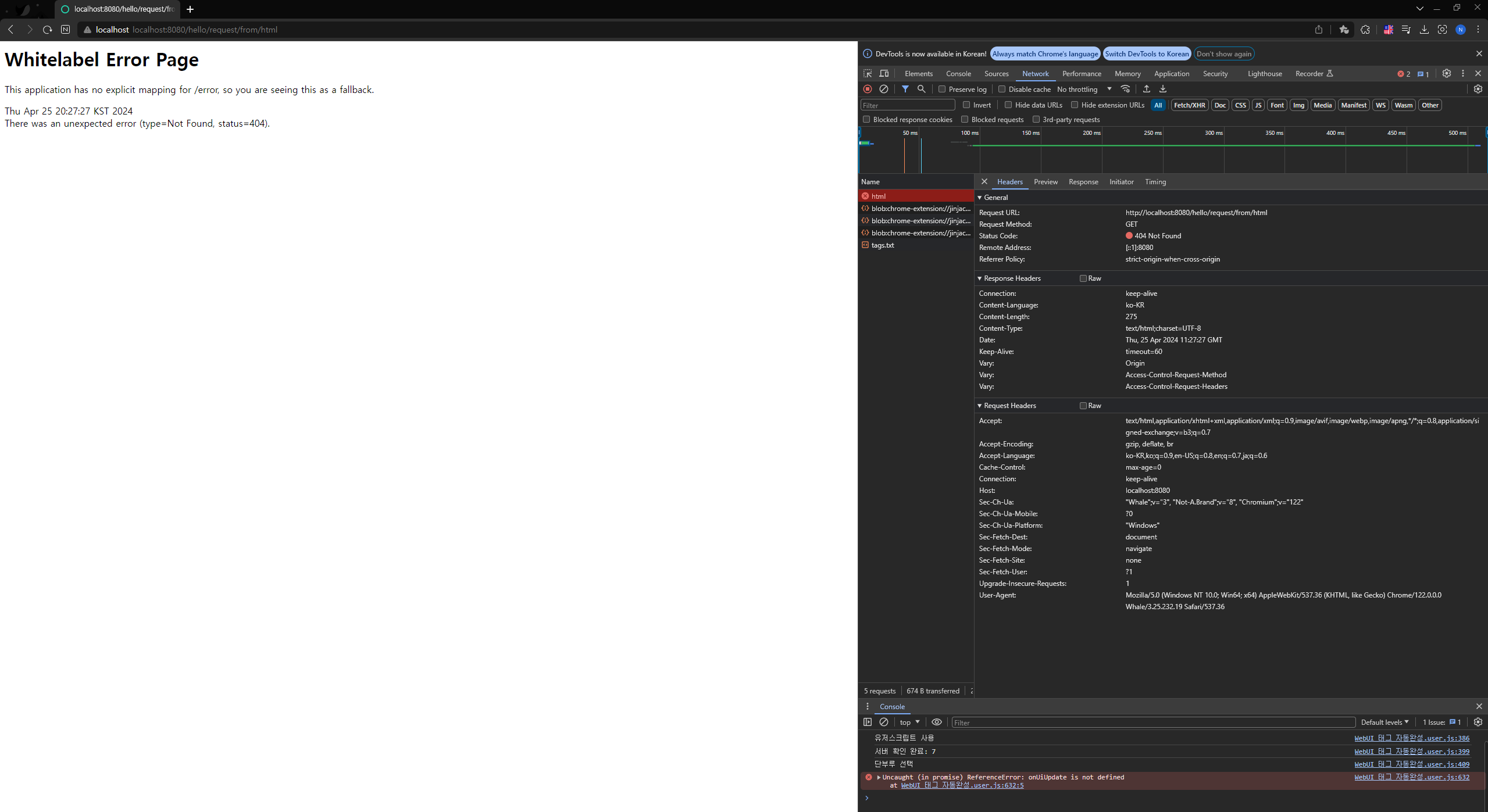
InterlliJ 화면
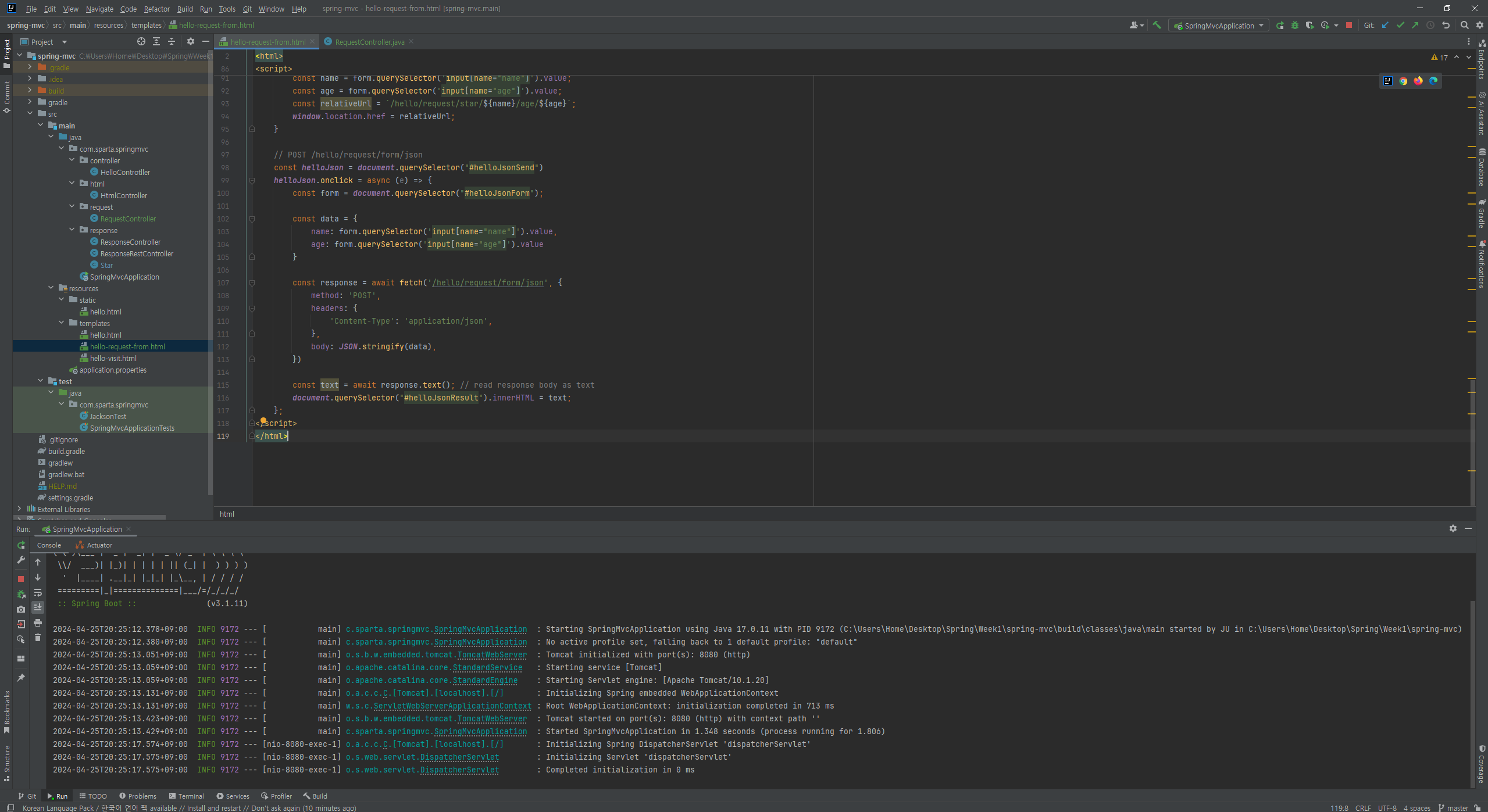
작성한 코드 및 에러 메세지
RequestController
package com.sparta.springmvc.request;

import org.springframework.stereotype.Controller;
import org.springframework.web.bind.annotation.GetMapping;
import org.springframework.web.bind.annotation.RequestMapping;

@Controller
@RequestMapping("/hello/request")
public class RequestController {

    @GetMapping("/form/html")
    public String helloForm() {
        return "hello-request-from";
    }
}
hello-request-from.html
<!DOCTYPE html>
<html>
<head>
    <title>Hello Request</title>
</head>
<body>
<h2>GET /star/{name}/age/{age}</h2>
<form id="helloPathForm">
    <div>
        이름: <input name="name" type="text">
    </div>
    <div>
        나이: <input name="age" type="text">
    </div>
</form>
<div>
    <button id="helloPathFormSend">전송</button>
</div>
<br>

<h2>GET /hello/request/form/param</h2>
<form method="GET" action="/hello/request/form/param">
    <div>
        이름: <input name="name" type="text">
    </div>
    <div>
        나이: <input name="age" type="text">
    </div>
    <button>전송</button>
</form>

<br>

<h2>POST /hello/request/form/param</h2>
<form method="POST" action="/hello/request/form/param">
    <div>
        이름: <input name="name" type="text">
    </div>
    <div>
        나이: <input name="age" type="text">
    </div>
    <button>전송</button>
</form>
<br>

<h2>POST /hello/request/form/model</h2>
<form method="POST" action="/hello/request/form/model">
    <div>
        이름: <input name="name" type="text">
    </div>
    <div>
        나이: <input name="age" type="text">
    </div>
    <button>전송</button>
</form>
<br>

<h2>GET /hello/request/form/param/model </h2>
<form method="GET" action="/hello/request/form/param/model">
    <div>
        이름: <input name="name" type="text">
    </div>
    <div>
        나이: <input name="age" type="text">
    </div>
    <button>전송</button>
</form>
<br>

<h2>POST /hello/request/form/json</h2>
<form id="helloJsonForm">
    <div>
        이름: <input name="name" type="text">
    </div>
    <div>
        나이: <input name="age" type="text">
    </div>
</form>
<div>
    <button id="helloJsonSend">전송</button>
</div>
<div>
    <div id="helloJsonResult"></div>
</div>
</body>
<script>
    // GET /star/{name}/age/{age}
    const helloPathForm = document.querySelector("#helloPathFormSend")
    helloPathForm.onclick = (e) => {
        const form = document.querySelector("#helloPathForm");
        const name = form.querySelector('input[name="name"]').value;
        const age = form.querySelector('input[name="age"]').value;
        const relativeUrl = `/hello/request/star/${name}/age/${age}`;
        window.location.href = relativeUrl;
    }

    // POST /hello/request/form/json
    const helloJson = document.querySelector("#helloJsonSend")
    helloJson.onclick = async (e) => {
        const form = document.querySelector("#helloJsonForm");

        const data = {
            name: form.querySelector('input[name="name"]').value,
            age: form.querySelector('input[name="age"]').value
        }

        const response = await fetch('/hello/request/form/json', {
            method: 'POST',
            headers: {
                'Content-Type': 'application/json',
            },
            body: JSON.stringify(data),
        })

        const text = await response.text(); // read response body as text
        document.querySelector("#helloJsonResult").innerHTML = text;
    };
</script>
</html>


댓글 알림
