


* 겪고 있는 문제 상황을 최대한 자세하게 작성해주세요.
* 문제 해결을 위해 어떤 시도를 해보았는지 구체적으로 함께 알려주세요.
점보트론 가져와서 써봤어요 일단 배경색으로 확인했습니다
그런데 이미지를 픽사베이에서 이미지주소 복사해서 넣었는데
복사한 이미지가 적용이 안되네요
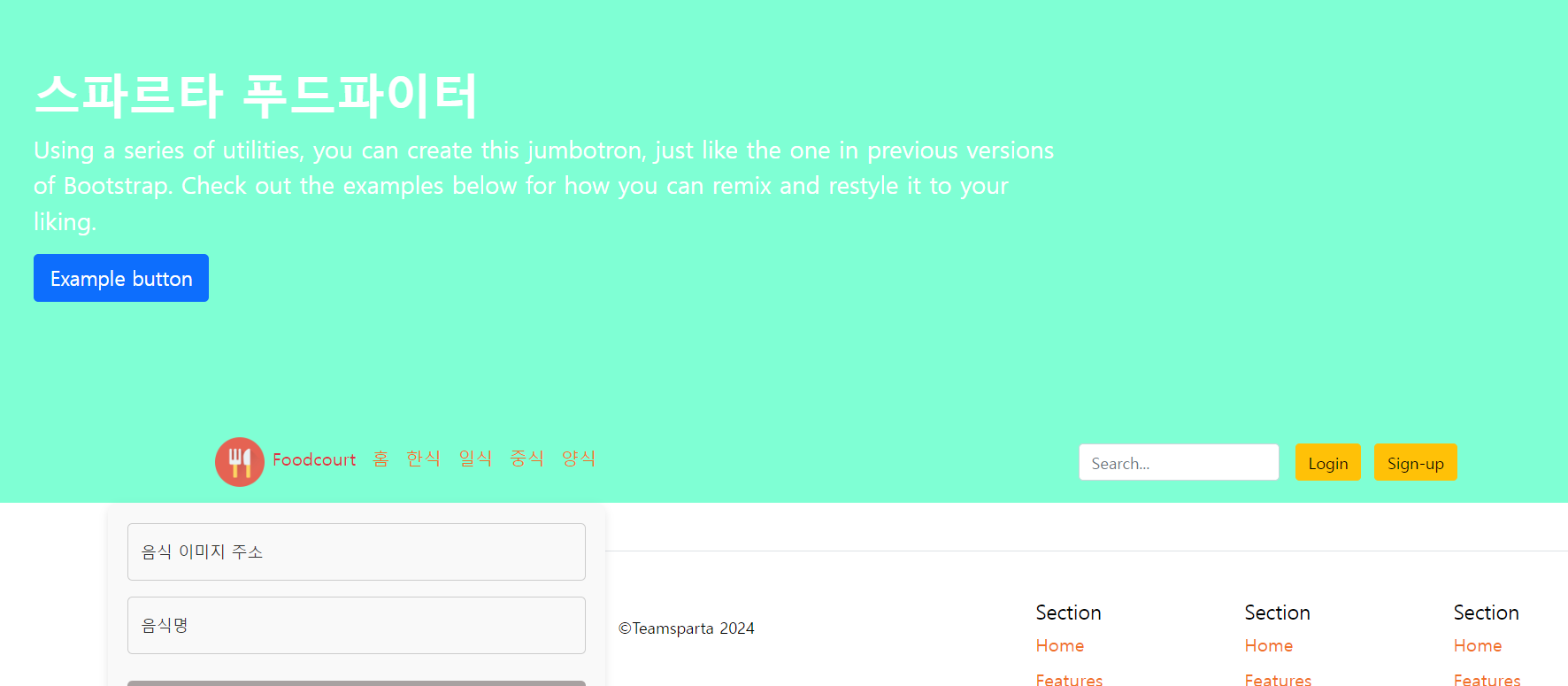
작성한 코드 및 에러 메세지
오 .main {
background-color: aquamarine;
color: white;
background-image: url('
https: //cdn.pixabay.com/photo/2016/10/07/14/11/tangerines-1721633_1280.jpg');
background-position: center;
background-size: cover;
}
</style>
</head>
<body>
<div class="main">
<div class="p-5 mb-4 bg-body-tertiary rounded-3">
<div class="container-fluid py-5">
<h1 class="display-5 fw-bold">스파르타 푸드파이터</h1>
<p class="col-md-8 fs-4">Using a series of utilities, you can create this jumbotron, just like the one
in previous versions of Bootstrap. Check out the examples below for how you can remix and restyle it
to your liking.</p>
<button class="btn btn-primary btn-lg" type="button">Example button</button>
</div>
</div>
<!-- Navbar -->
<header class="p-3 text-bg-dark">
<div class="container">
<div class="d-flex flex-wrap align-items-center justify-content-center justify-content-lg-start">
<a href="/" class="d-flex align-items-center mb-2 mb-lg-0 text-white text-decoration-none">
<svg class="bi me-2" width="40" height="32" role="img" aria-label="Bootstrap">
<use xlink:href="#bootstrap"></use>
</svg>류 발생 시, 작성한 코드 전체와 에러 메시지를 첨부해 주세요.
Tip 1) </> 아이콘을 눌러 코드박스를 만들어 보세요.
Tip 2) Ctrl+A(맥의 경우 Command+A) 단축키로 코드를 한 번에 선택할 수 있어요!


