


* 겪고 있는 문제 상황을 최대한 자세하게 작성해주세요.
* 문제 해결을 위해 어떤 시도를 해보았는지 구체적으로 함께 알려주세요.
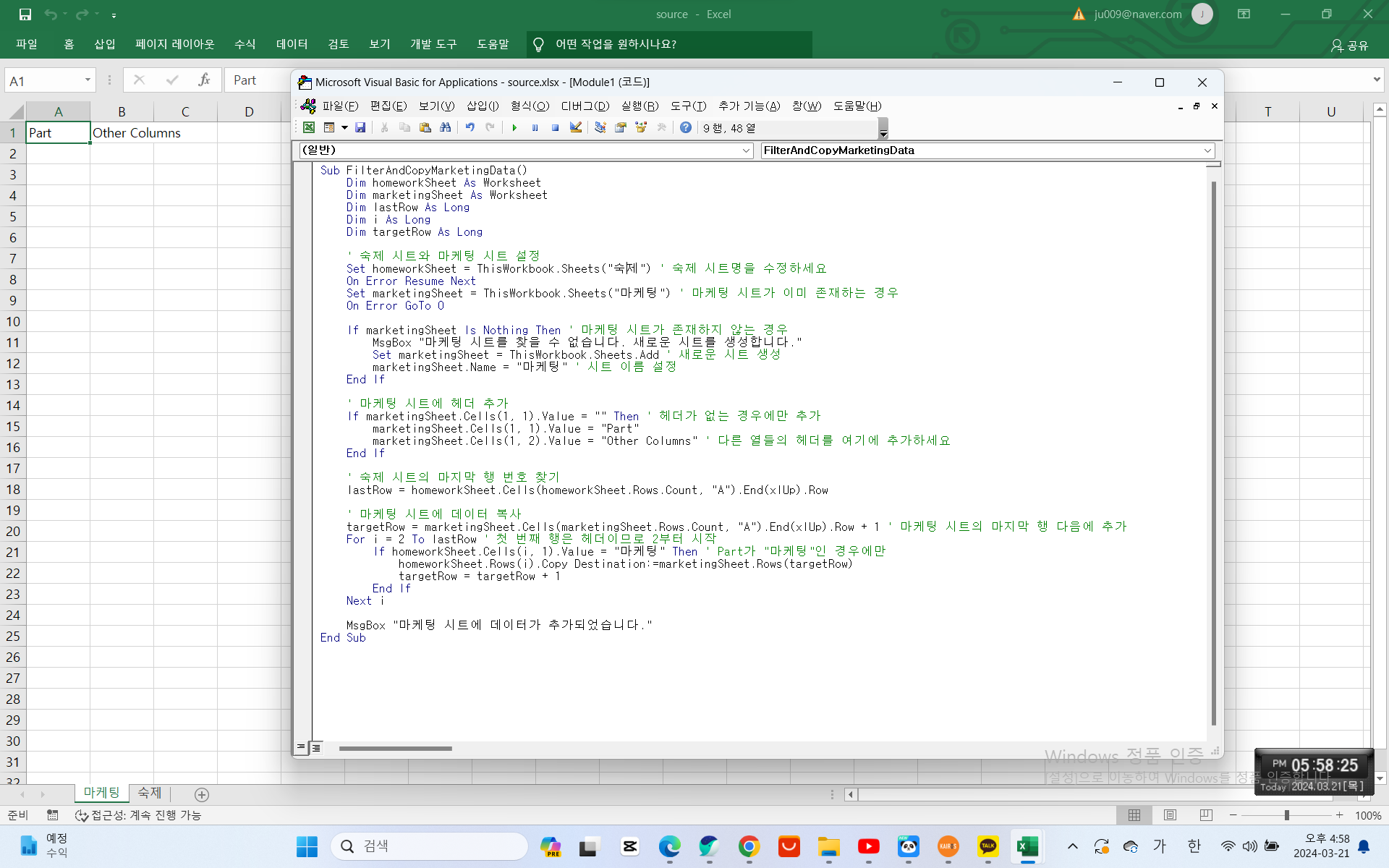
다음과 같이 VBA 실행 시켰는데 sheet는 새로 생겼는데 데이터가 넘어오지 않네요 질문을 계속 수정해봐도 바뀌지 않네요
Sub FilterAndCopyMarketingData()
Dim homeworkSheet As Worksheet
Dim marketingSheet As Worksheet
Dim lastRow As Long
Dim i As Long
Dim targetRow As Long
' 숙제 시트와 마케팅 시트 설정
Set homeworkSheet = ThisWorkbook.Sheets("숙제") ' 숙제 시트명을 수정하세요
On Error Resume Next
Set marketingSheet = ThisWorkbook.Sheets("마케팅") ' 마케팅 시트가 이미 존재하는 경우
On Error GoTo 0
If marketingSheet Is Nothing Then ' 마케팅 시트가 존재하지 않는 경우
MsgBox "마케팅 시트를 찾을 수 없습니다. 새로운 시트를 생성합니다."
Set marketingSheet = ThisWorkbook.Sheets.Add ' 새로운 시트 생성
marketingSheet.Name = "마케팅" ' 시트 이름 설정
End If
' 마케팅 시트에 헤더 추가
If marketingSheet.Cells(1, 1).Value = "" Then ' 헤더가 없는 경우에만 추가
marketingSheet.Cells(1, 1).Value = "Part"
marketingSheet.Cells(1, 2).Value = "Other Columns" ' 다른 열들의 헤더를 여기에 추가하세요
End If
' 숙제 시트의 마지막 행 번호 찾기
lastRow = homeworkSheet.Cells(homeworkSheet.Rows.Count, "A").End(xlUp).Row
' 마케팅 시트에 데이터 복사
targetRow = marketingSheet.Cells(marketingSheet.Rows.Count, "A").End(xlUp).Row + 1 ' 마케팅 시트의 마지막 행 다음에 추가
For i = 2 To lastRow ' 첫 번째 행은 헤더이므로 2부터 시작
If homeworkSheet.Cells(i, 1).Value = "마케팅" Then ' Part가 "마케팅"인 경우에만
homeworkSheet.Rows(i).Copy Destination:=marketingSheet.Rows(targetRow)
targetRow = targetRow + 1
End If
Next i
MsgBox "마케팅 시트에 데이터가 추가되었습니다."
End Sub
보고 계신 화
면 전체를 캡처해 주시면, 튜터님들이 빠르게 상황을 이해할 수 있어요.


