


* 겪고 있는 문제 상황을 최대한 자세하게 작성해주세요.
* 문제 해결을 위해 어떤 시도를 해보았는지 구체적으로 함께 알려주세요.
나만의 추억 앨범 강의에서 alt + b 를 눌러도 출력이 안됩니다.
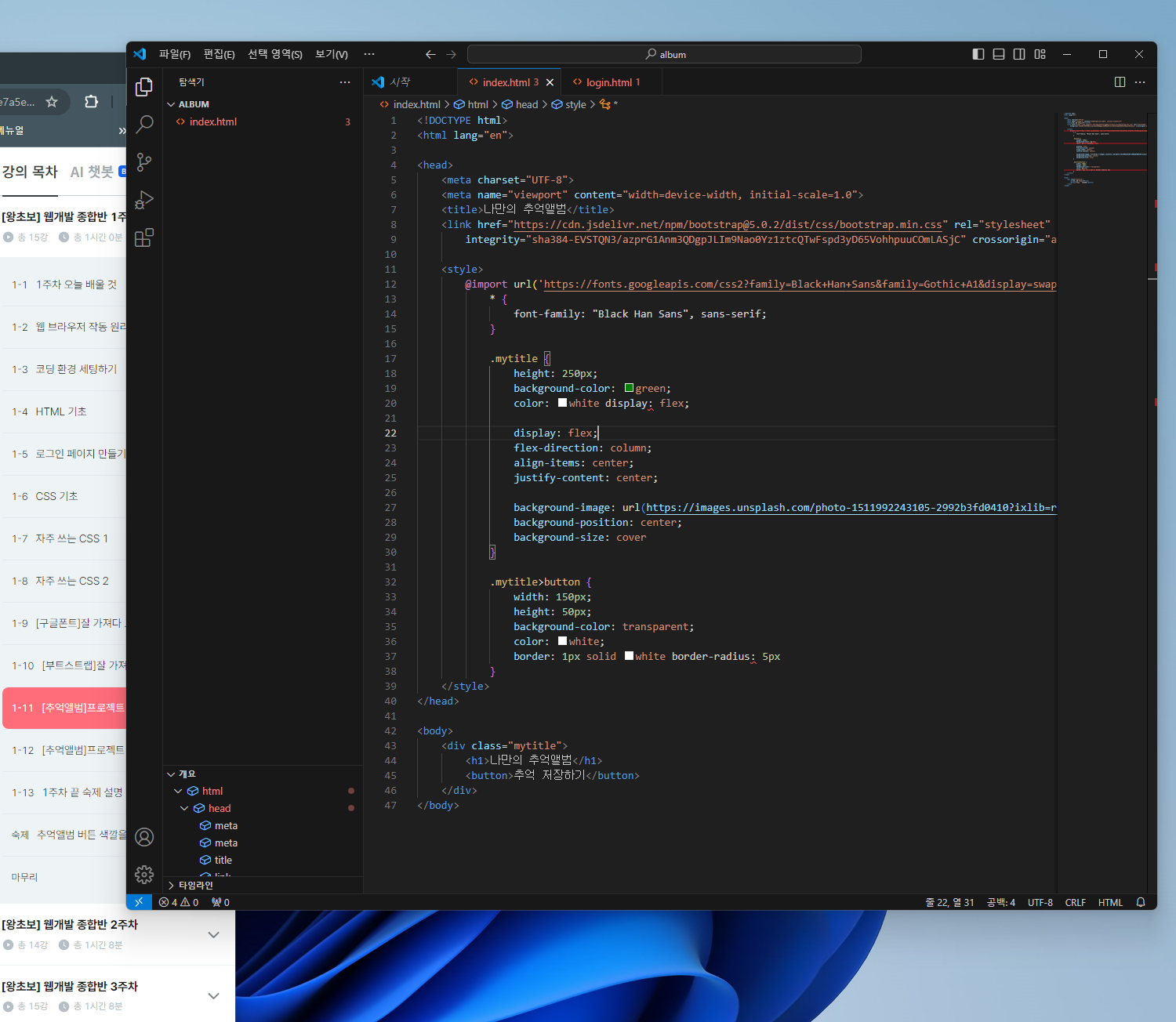
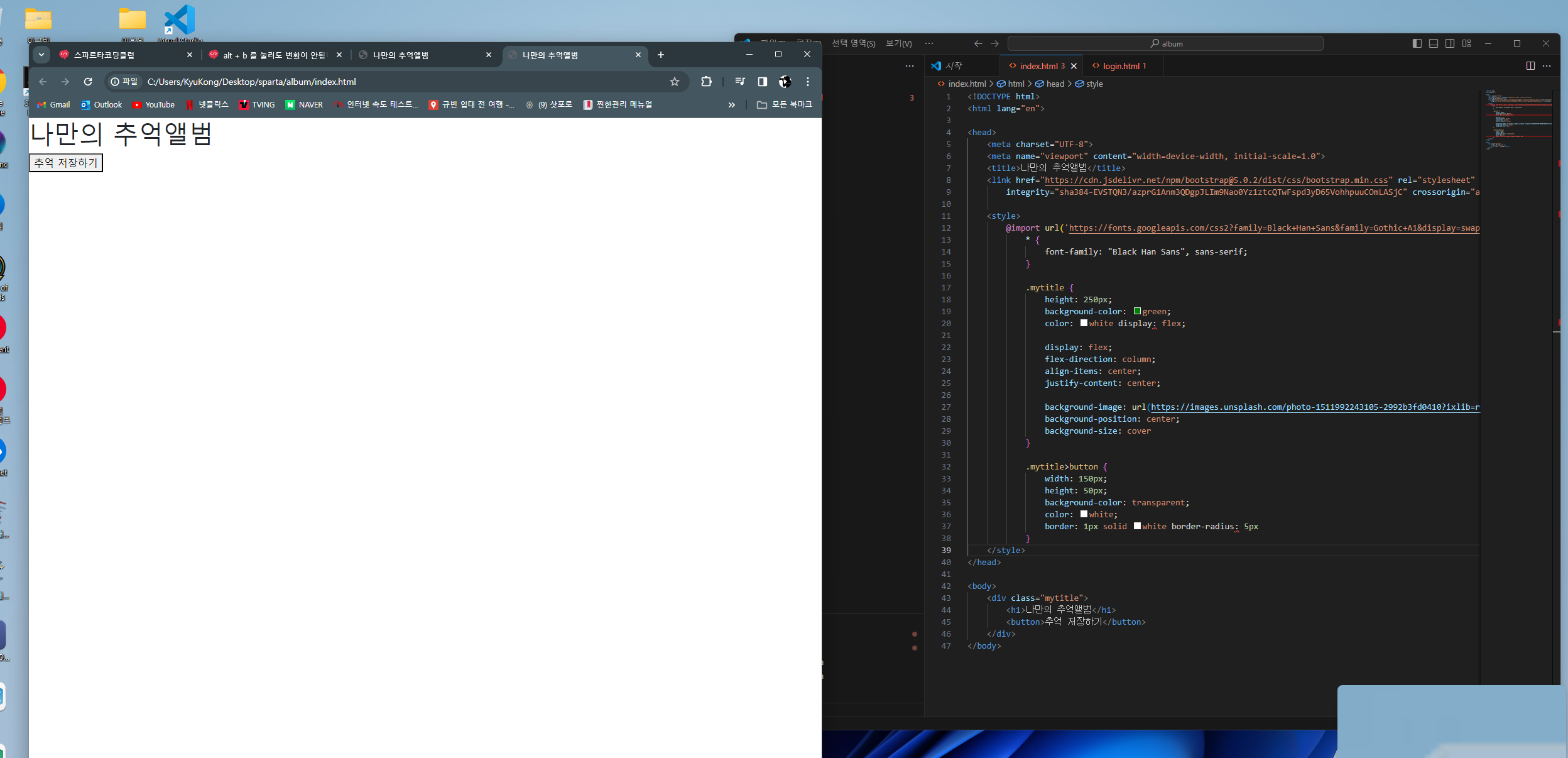
작성한 코드 및 에러 메세지
<!DOCTYPE html>
<html lang="en">
<head>
<meta charset="UTF-8">
<meta name="viewport" content="width=device-width, initial-scale=1.0">
<title>나만의 추억앨범</title>
<link href="https://cdn.jsdelivr.net/npm/bootstrap@5.0.2/dist/css/bootstrap.min.css" rel="stylesheet"
integrity="sha384-EVSTQN3/azprG1Anm3QDgpJLIm9Nao0Yz1ztcQTwFspd3yD65VohhpuuCOmLASjC" crossorigin="anonymous">
<style>
@import url('https://fonts.googleapis.com/css2?family=Black+Han+Sans&family=Gothic+A1&display=swap') * {
* {
font-family: "Black Han Sans", sans-serif;
}
.mytitle {
height: 250px;
background-color: green;
color: white display: flex;
display: flex;
flex-direction: column;
align-items: center;
justify-content: center;
background-image: url(https://images.unsplash.com/photo-1511992243105-2992b3fd0410?ixlib=rb-4.0.3&ixid=M3wxMjA3fDB8MHxwaG90by1wYWdlfHx8fGVufDB8fHx8fA%3D%3D&auto=format&fit=crop&w=1470&q=80);
background-position: center;
background-size: cover
}
.mytitle>button {
width: 150px;
height: 50px;
background-color: transparent;
color: white;
border: 1px solid white border-radius: 5px
}
</style>
</head>
<body>
<div class="mytitle">
<h1>나만의 추억앨범</h1>
<button>추억 저장하기</button>
</div>
</body>


