


* 겪고 있는 문제 상황을 최대한 자세하게 작성해주세요.
* 문제 해결을 위해 어떤 시도를 해보았는지 구체적으로 함께 알려주세요.
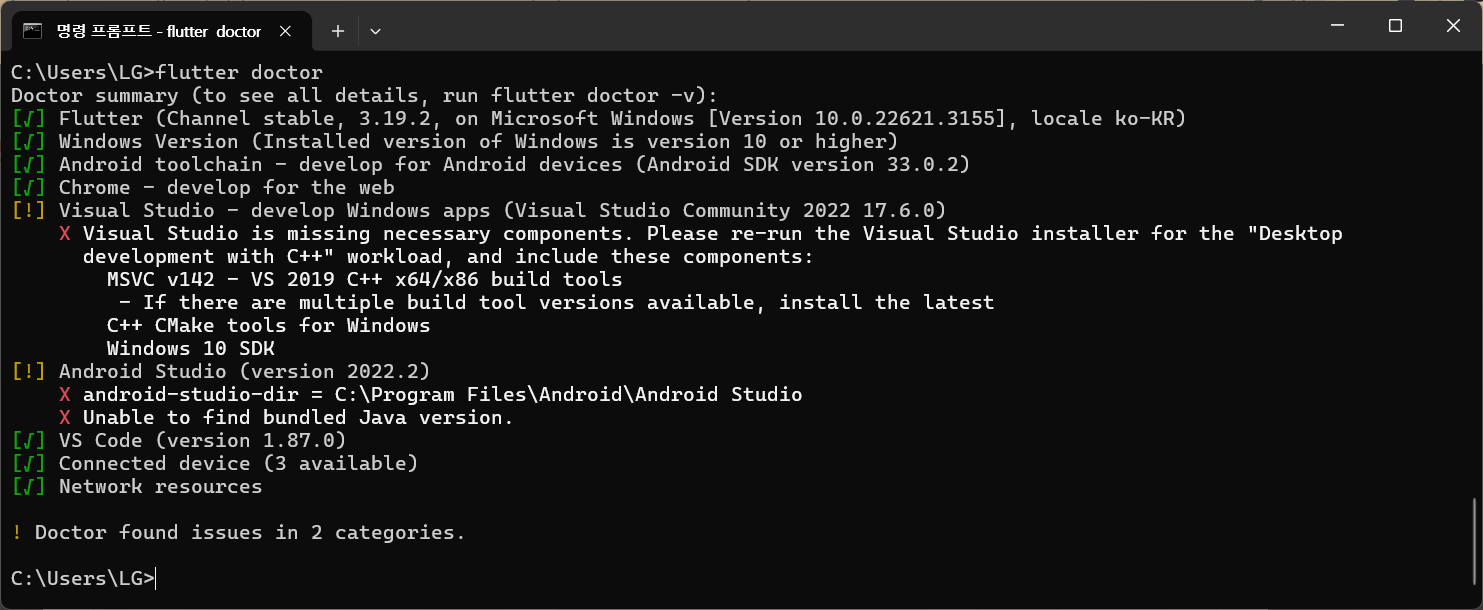
C:\Users\LG>flutter doctor
Doctor summary (to see all details, run flutter doctor -v):
[√] Flutter (Channel stable, 3.19.2, on Microsoft Windows [Version 10.0.22621.3155], locale ko-KR)
[√] Windows Version (Installed version of Windows is version 10 or higher)
[√] Android toolchain - develop for Android devices (Android SDK version 33.0.2)
[√] Chrome - develop for the web
[!] Visual Studio - develop Windows apps (Visual Studio Community 2022 17.6.0)
X Visual Studio is missing necessary components. Please re-run the Visual Studio installer for the "Desktop
development with C++" workload, and include these components:
MSVC v142 - VS 2019 C++ x64/x86 build tools
- If there are multiple build tool versions available, install the latest
C++ CMake tools for Windows
Windows 10 SDK
[!] Android Studio (version 2022.2)
X android-studio-dir = C:\Program Files\Android\Android Studio
X Unable to find bundled Java version.
[√] VS Code (version 1.87.0)
[√] Connected device (3 available)
[√] Network resources
! Doctor found issues in 2 categories.
C:\Users\LG>
보고
계신 화면 전체를 캡처해 주시면, 튜터님들이 빠르게 상황을 이해할 수 있어요.
안드로이드스튜디오를 삭제했다가 설치까지 했는데요.. 다음으로 진행이 안되네요 ㅠㅠ
위의 질문을 했는데 해결이 안됐어요... 시간은 없는데ㅠㅠ


