커뮤니티

포인트
쿠폰
내 강의실
국비 신청 내역
증명서
계정
로그아웃
학습 질문
개발 일지
나의 활동
답변 완료
엑셀 파일 불러오기
undefined주차


강*학
댓글
1
・
추천
0
・
조회수
5
조회수
5
답변 완료
* 겪고 있는 문제 상황을 최대한 자세하게 작성해주세요.
* 문제 해결을 위해 어떤 시도를 해보았는지 구체적으로 함께 알려주세요.
아래와 같이 pd.read_excel('종목데이터.xlsx') 실행시 불러오기가 안되고 에러메시지가 뜨네요.
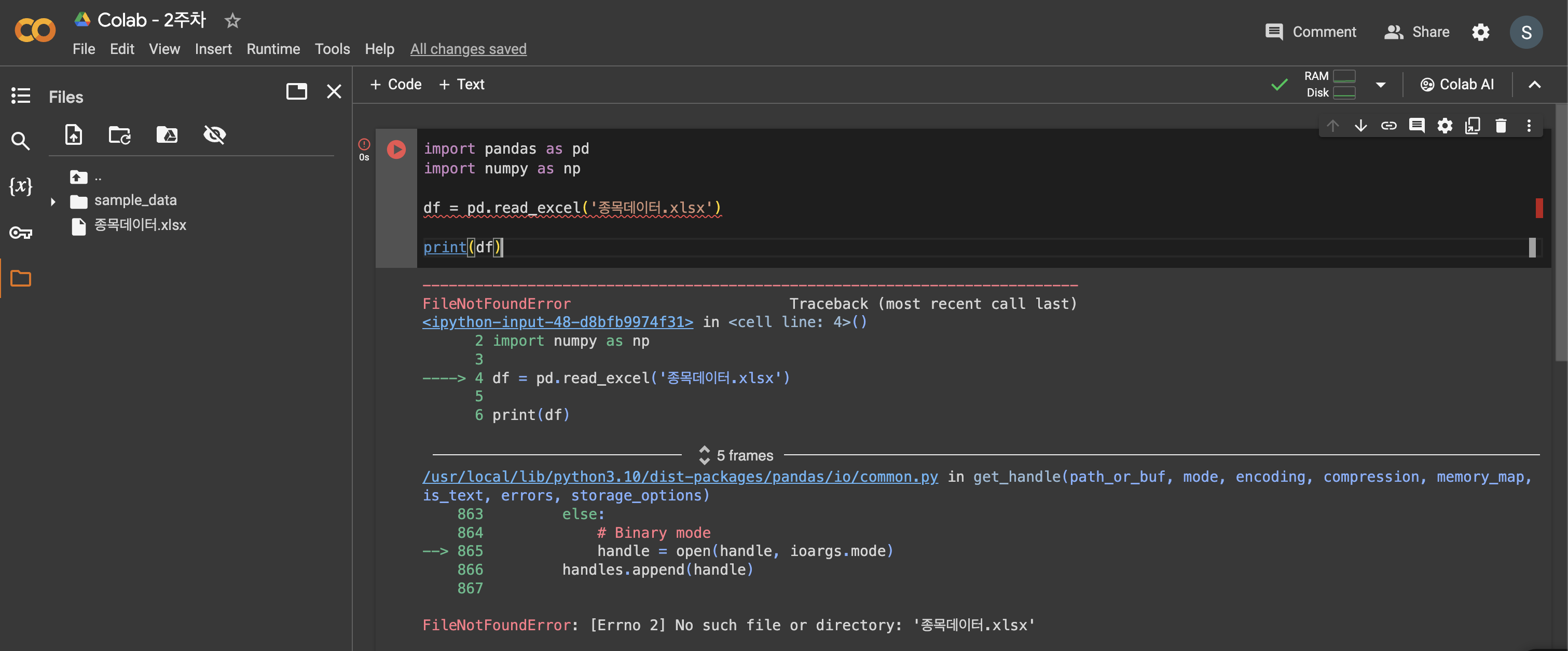
작성한 코드 및 에러 메세지
오류 발생 시, 작성한 코드 전체와 에러 메시지를 ---------------------------------------------------------------------------
FileNotFoundError                         Traceback (most recent call last)
<ipython-input-48-d8bfb9974f31> in <cell line: 4>()
      2 import numpy as np
      3
----> 4 df = pd.read_excel('종목데이터.xlsx')
      5
      6 print(df)
5 frames
/usr/local/lib/python3.10/dist-packages/pandas/io/common.py in get_handle(path_or_buf, mode, encoding, compression, memory_map, is_text, errors, storage_options)
    863         else:
    864             # Binary mode
--> 865             handle = open(handle, ioargs.mode)
    866         handles.append(handle)
    867
FileNotFoundError: [Errno 2] No such file or directory: '종목데이터.xlsx'
첨부해 주세요.
Tip 1) </> 아이콘을 눌러 코드박스를 만들어 보세요.
Tip 2) Ctrl+A(맥의 경우 Command+A) 단축키로 코드를 한 번에 선택할 수 있어요!


댓글 알림
