커뮤니티

포인트
쿠폰
내 강의실
국비 신청 내역
증명서
계정
로그아웃
학습 질문
개발 일지
나의 활동
답변 완료
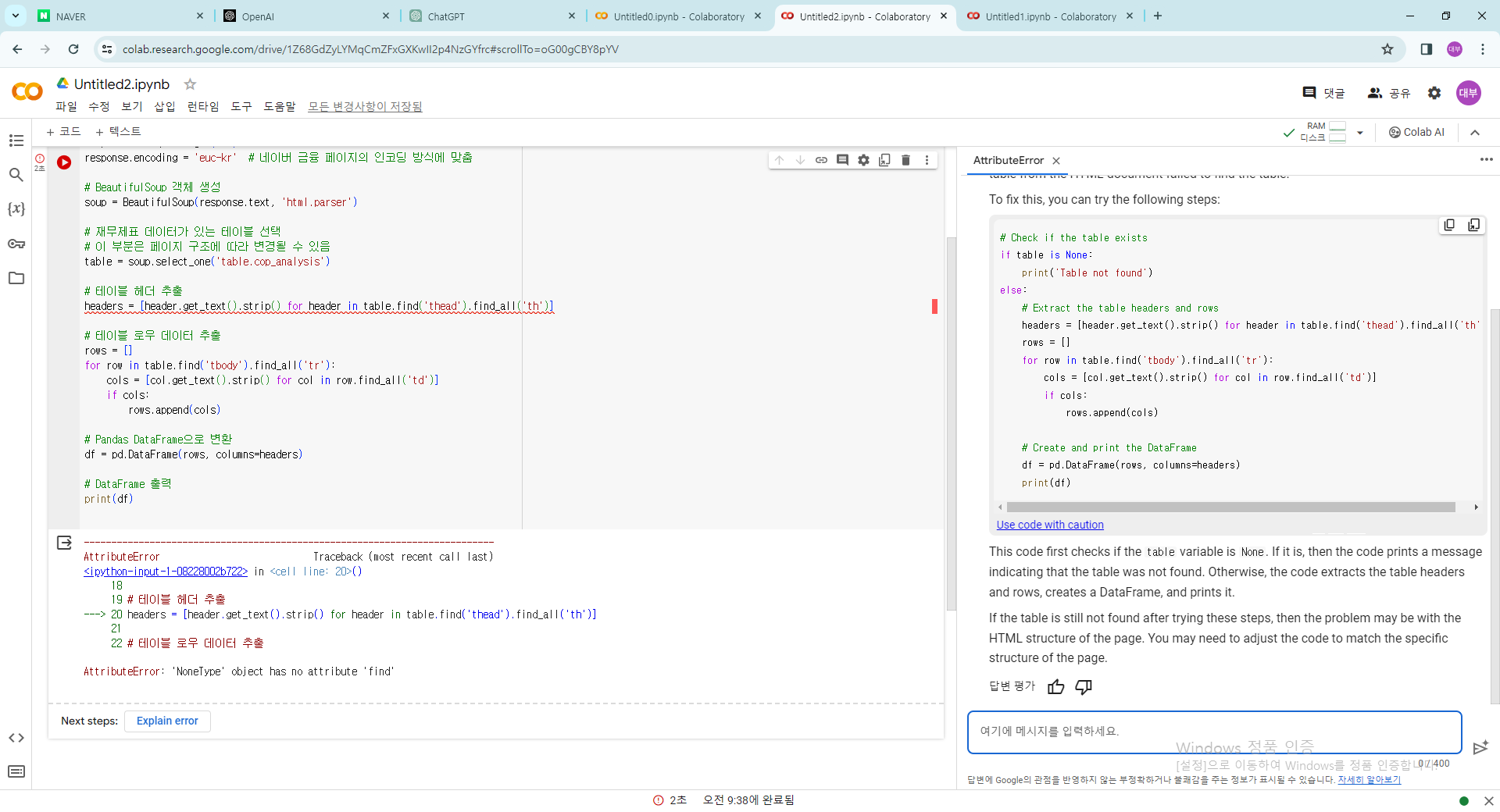
재무제표 크롤링 프롬프트 복사해서 chatgpt 입력후 나오는 코드 복사하여 넣으니 에러발생
[왕초보] ChatGPT 300% 활용하기 v0
0주차


박*형
댓글
4
・
추천
0
・
조회수
10
조회수
10
답변 완료
재무제표 크롤링 프롬프트 복사해서 chatgpt 입력후 나오는 코드 복사하여 넣으니 에러발생
재무제표 크롤링 프롬프트 복사 후 에러
ㄹㅇ
작성한 코드 및 에러 메세지
오류 발생 시, 작성한 코드 전체와 에러 메시지를 첨부해 주세요.
Tip 1) </> 아이콘을 눌러 코드박스를 만들어 보세요.
Tip 2) Ctrl+A(맥의 경우 CAttributeError                            Traceback (most recent call last)
<ipython-input-1-08228002b722> in <cell line: 20>()
     18
     19 # 테이블 헤더 추출
---> 20 headers = [header.get_text().strip() for header in table.find('thead').find_all('th')]
     21
     22 # 테이블 로우 데이터 추출
AttributeError: 'NoneType' object has no attribute 'find'
ommand+A) 단축키로 코드를 한 번에 선택할 수 있어요!


댓글 알림
