


flutter에서 오류 문구
에뮬레이터는 잘 켜지나, Run 이후에 코드가 실행되지 않는 거 같습니다.
버전의 오류일까요?
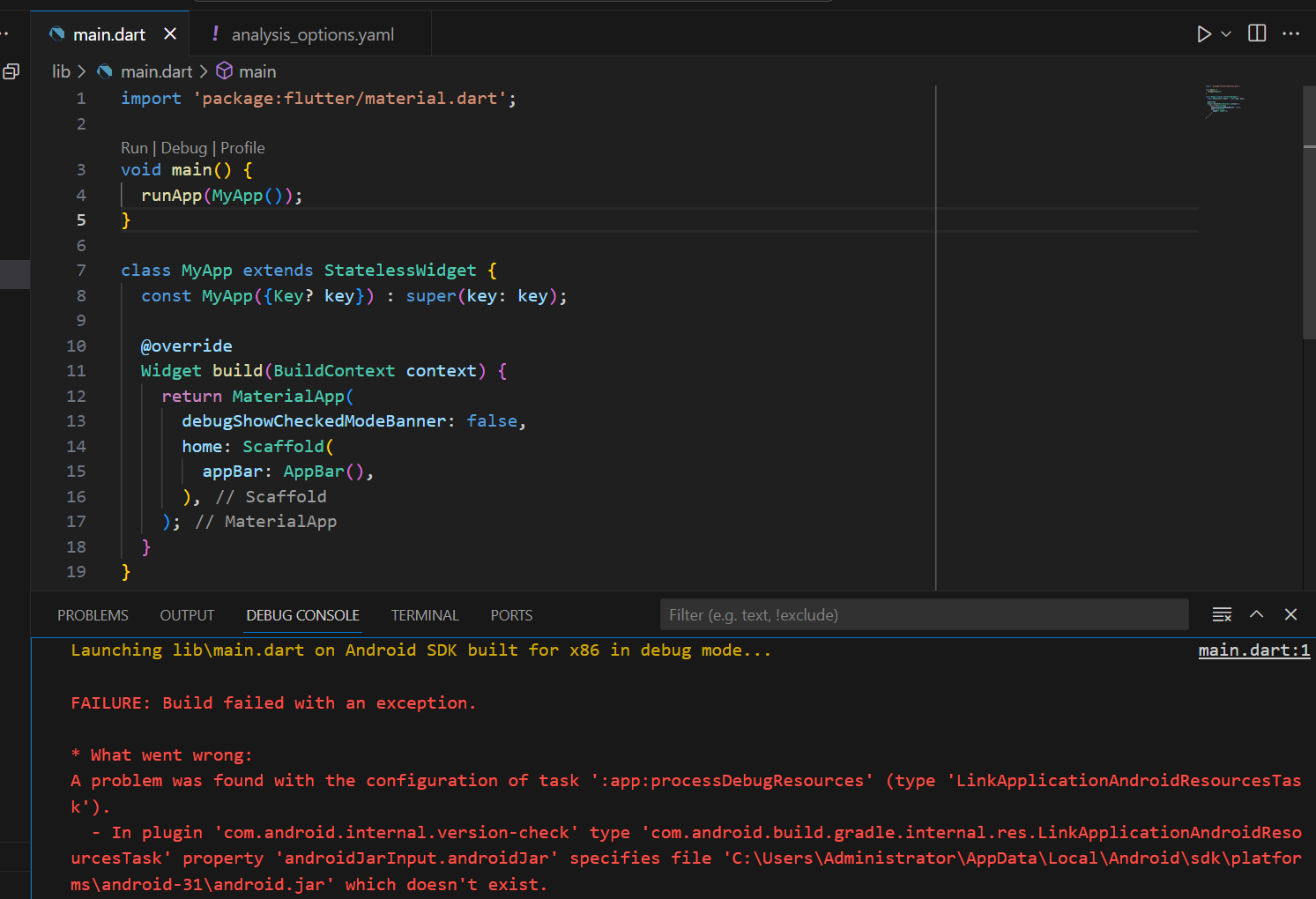
cmd에서 flutter doctor 실행 시 아래와 같은 문구가 뜹니다.
C:\Users\Administrator>flutter doctor
Doctor summary (to see all details, run flutter doctor -v):
[√] Flutter (Channel stable, 3.3.2, on Microsoft Windows [Version 10.0.22631.3007], locale ko-KR)
[√] Android toolchain - develop for Android devices (Android SDK version 34.0.0)
[√] Chrome - develop for the web
[X] Visual Studio - develop for Windows
X Visual Studio not installed; this is necessary for Windows development.
Download at https://visualstudio.microsoft.com/downloads/.
Please install the "Desktop development with C++" workload, including all of its default components
[√] Android Studio (version 2021.3)
[√] VS Code (version 1.86.1)
[√] Connected device (4 available)
[√] HTTP Host Availability
! Doctor found issues in 1 category.
SDK version 34.0이 강의 자료와 다른 점 같아 보이는데, 33.0을 설치하는 법을 모르겠습니다 ㅎㅎ
코드를 한 번에 선택할 수 있어요!


