커뮤니티

포인트
쿠폰
내 강의실
국비 신청 내역
증명서
계정
로그아웃
학습 질문
개발 일지
나의 활동
답변 완료
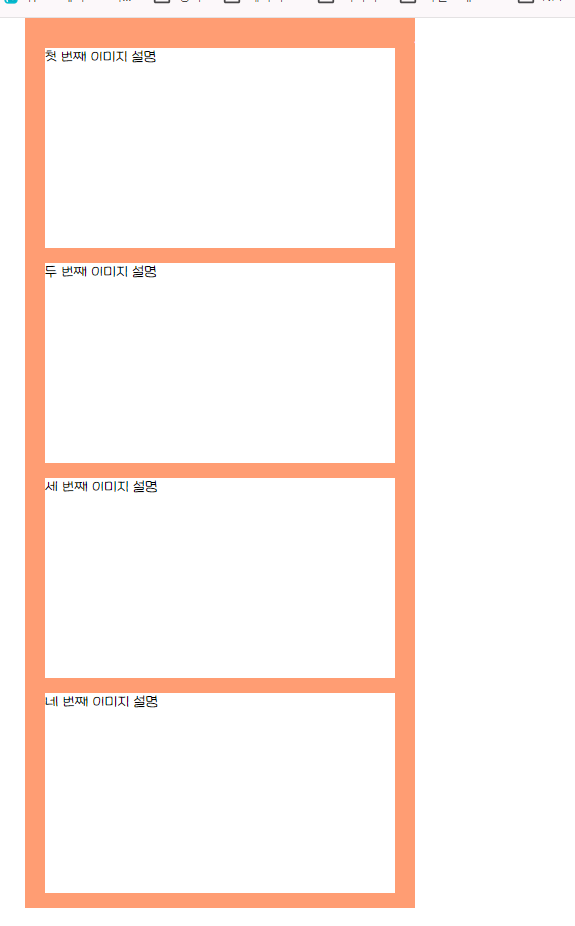
footer가 오른쪽에 나와요.
인생사진 쏙쏙 코딩네컷 v0
1주차


정*연
댓글
9
・
추천
0
・
조회수
19
조회수
19
답변 완료
* 겪고 있는 문제 상황을 최대한 자세하게 작성해주세요.
* 문제 해결을 위해 어떤 시도를 해보았는지 구체적으로 함께 알려주세요.
footer가 아래쪽으로 안 붙고
오른쪽에 나오네요.
콘테이너박스 크기를 키워봐도 안커지고
컨트롤 누르고 휠을 돌려서 화면을 작게해도 무소식이예요
코드확인도 여러번했는데.
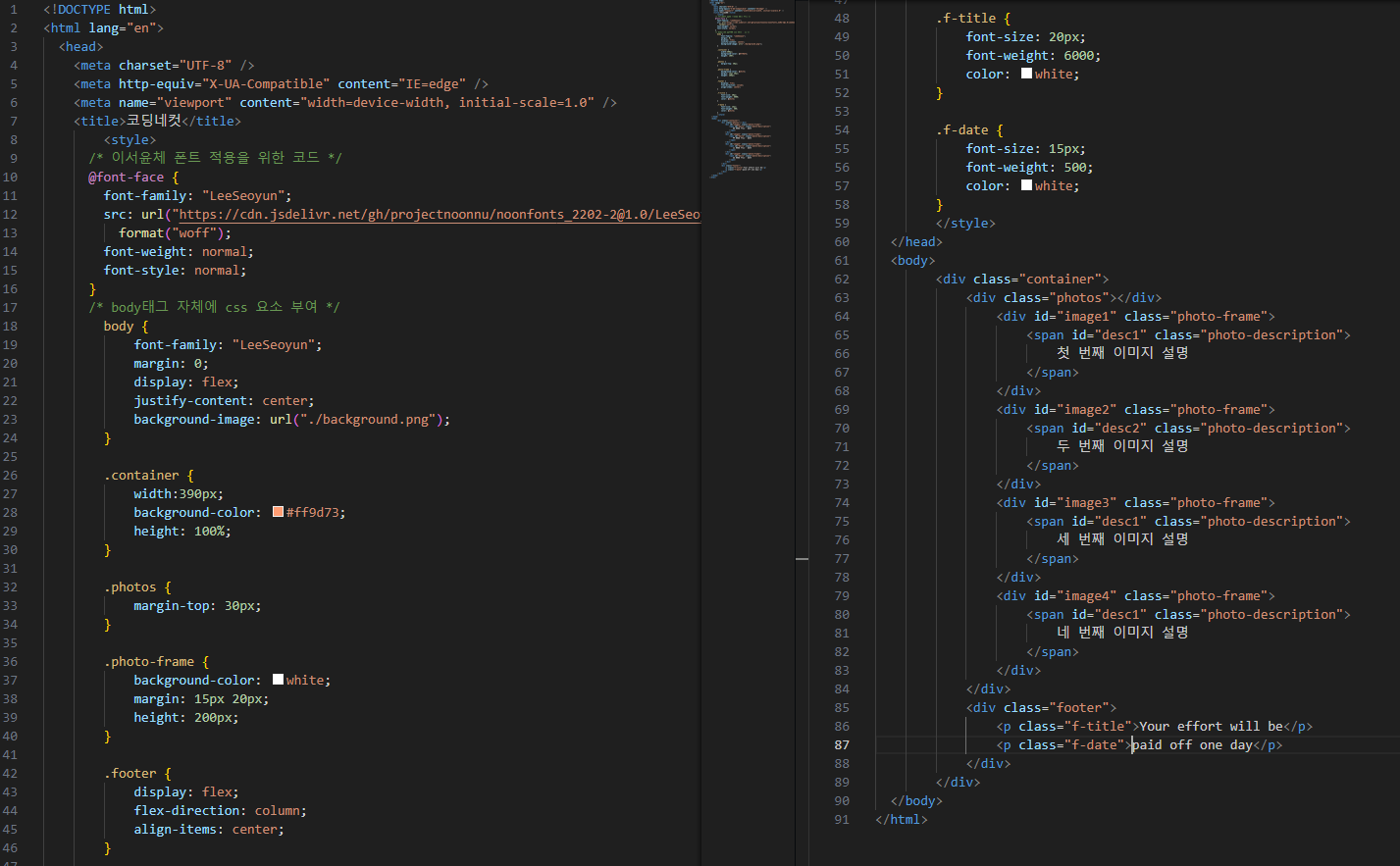
<!DOCTYPE html>
<html lang="en">
  <head>
    <meta charset="UTF-8" />
    <meta http-equiv="X-UA-Compatible" content="IE=edge" />
    <meta name="viewport" content="width=device-width, initial-scale=1.0" />
    <title>코딩네컷</title>
        <style>
      /* 이서윤체 폰트 적용을 위한 코드 */
      @font-face {
        font-family: "LeeSeoyun";
        src: url("https://cdn.jsdelivr.net/gh/projectnoonnu/noonfonts_2202-2@1.0/LeeSeoyun.woff")
          format("woff");
        font-weight: normal;
        font-style: normal;
      }
      /* body태그 자체에 css 요소 부여 */
        body {
            font-family: "LeeSeoyun";
            margin: 0;
            display: flex;
            justify-content: center;
            background-image: url("./background.png");
        }


        .container {
            width:390px;
            background-color: #ff9d73;
            height: 100%;
        }


        .photos {
            margin-top: 30px;
        }


        .photo-frame {
            background-color: white;
            margin: 15px 20px;
            height: 200px;
        }


        .footer {
            display: flex;
            flex-direction: column;
            align-items: center;
        }


        .f-title {
            font-size: 20px;
            font-weight: 6000;
            color: white;
        }


        .f-date {
            font-size: 15px;
            font-weight: 500;
            color: white;
        }
        </style>
  </head>
  <body>
        <div class="container">
            <div class="photos"></div>
                <div id="image1" class="photo-frame">
                    <span id="desc1" class="photo-description">
                        첫 번째 이미지 설명
                    </span>
                </div>
                <div id="image2" class="photo-frame">
                    <span id="desc2" class="photo-description">
                        두 번째 이미지 설명
                    </span>
                </div>
                <div id="image3" class="photo-frame">
                    <span id="desc1" class="photo-description">
                        세 번째 이미지 설명
                    </span>
                </div>
                <div id="image4" class="photo-frame">
                    <span id="desc1" class="photo-description">
                        네 번째 이미지 설명
                    </span>
                </div>
            </div>
            <div class="footer">
                <p class="f-title">Your effort will be</p>
                <p class="f-date">paid off one day</p>
            </div>
        </div>
  </body>
</html>


댓글 알림
