


* 겪고 있는 문제 상황을 최대한 자세하게 작성해주세요.
* 문제 해결을 위해 어떤 시도를 해보았는지 구체적으로 함께 알려주세요.
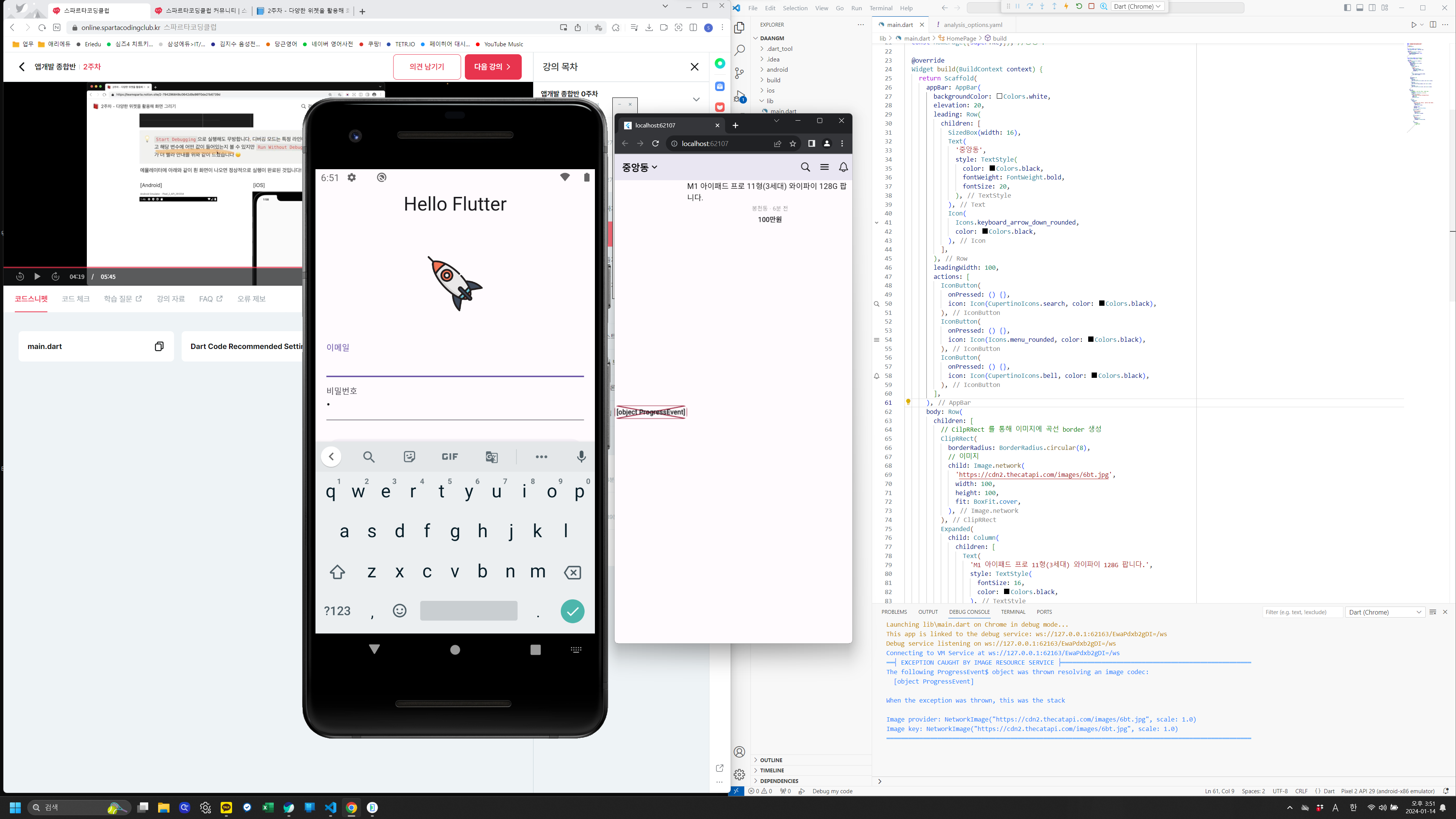
run without debugging. 으로 실행하면 크롬창으로 실행은 잘 됩니다만
안드로이드 에뮬레이터로 실행하면 지난번 헬로 플러터 창이 뜨게 되는데
혹시나 제가 놓친부분이 있을까 하여 문의드립니다.
import 'package:flutter/cupertino.dart';
import 'package:flutter/material.dart';
void main() {
runApp(MyApp());
}
class MyApp extends StatelessWidget {
const MyApp({Key? key}) : super(key: key);
@override
Widget build(BuildContext context) {
return MaterialApp(
debugShowCheckedModeBanner: false,
home: HomePage(),
);
}
}
class HomePage extends StatelessWidget {
const HomePage({super.key}); //생성자
@override
Widget build(BuildContext context) {
return Scaffold(
appBar: AppBar(
backgroundColor: Colors.white,
elevation: 20,
leading: Row(
children: [
SizedBox(width: 16),
Text(
'중앙동',
style: TextStyle(
color: Colors.black,
fontWeight: FontWeight.bold,
fontSize: 20,
),
),
Icon(
Icons.keyboard_arrow_down_rounded,
color: Colors.black,
),
],
),
leadingWidth: 100,
actions: [
IconButton(
onPressed: () {},
icon: Icon(CupertinoIcons.search, color: Colors.black),
),
IconButton(
onPressed: () {},
icon: Icon(Icons.menu_rounded, color: Colors.black),
),
IconButton(
onPressed: () {},
icon: Icon(CupertinoIcons.bell, color: Colors.black),
),
],
),
body: Row(
children: [
// CilpRRect 를 통해 이미지에 곡선 border 생성
ClipRRect(
borderRadius: BorderRadius.circular(8),
// 이미지
child: Image.network(
'https://cdn2.thecatapi.com/images/6bt.jpg',
width: 100,
height: 100,
fit: BoxFit.cover,
),
),
Expanded(
child: Column(
children: [
Text(
'M1 아이패드 프로 11형(3세대) 와이파이 128G 팝니다.',
style: TextStyle(
fontSize: 16,
color: Colors.black,
),
softWrap: false,
maxLines: 2,
overflow: TextOverflow.ellipsis,
),
SizedBox(height: 2),
Text(
'봉천동 · 6분 전',
style: TextStyle(
fontSize: 12,
color: Colors.black45,
),
),
SizedBox(height: 4),
Text(
'100만원',
style: TextStyle(
fontSize: 14,
fontWeight: FontWeight.bold,
),
),
Row(
children: [
// 빈 칸
// 하트 아이콘
// '1'
],
),
],
),
),
],
),
);
}
}


