커뮤니티

포인트
쿠폰
내 강의실
국비 신청 내역
증명서
계정
로그아웃
학습 질문
개발 일지
나의 활동
답변 완료
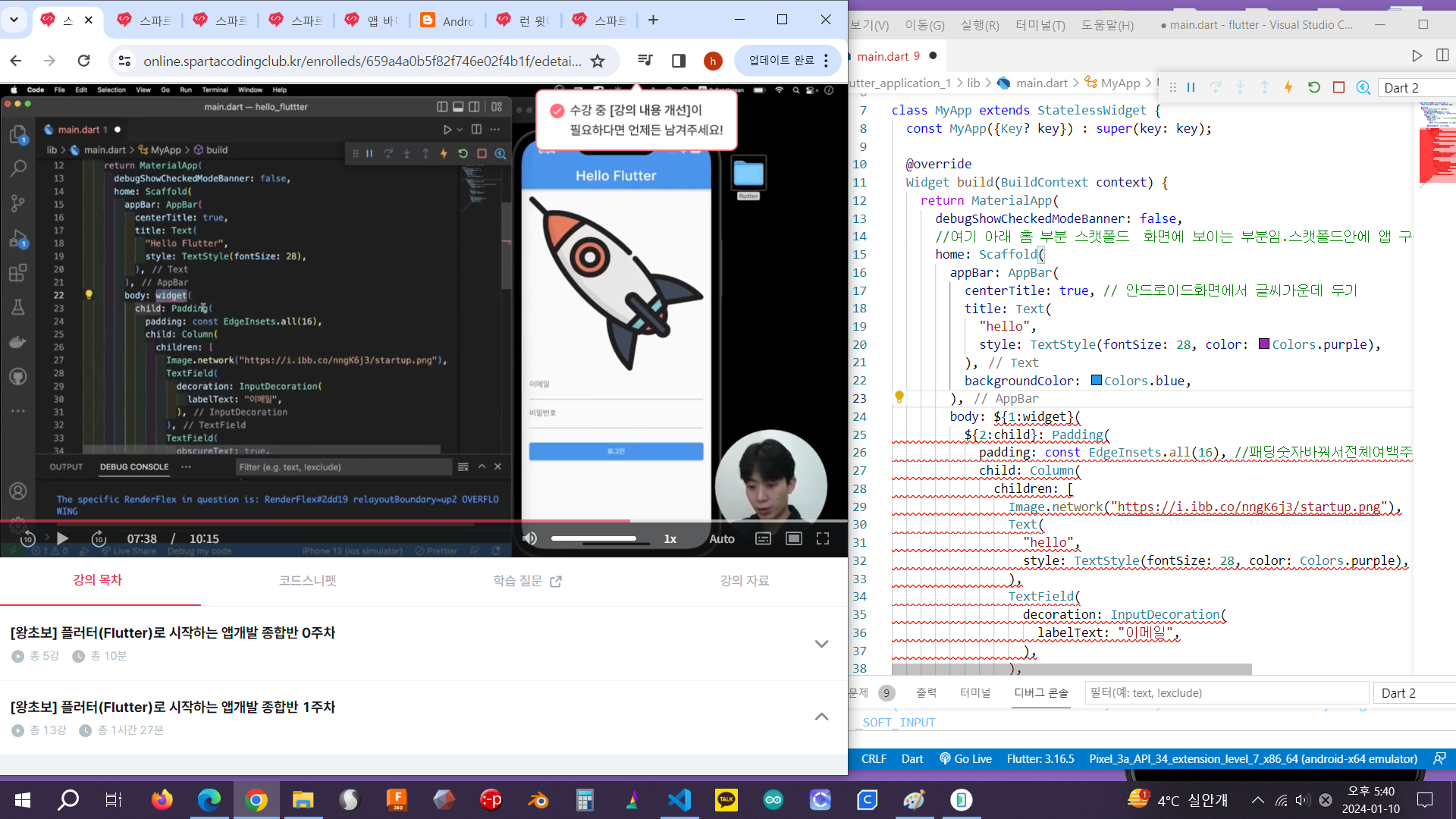
1-7 패딩을 위젯으로 감싸면
[왕초보] 플러터(Flutter)로 시작하는 앱개발 종합반 v0
1주차


양*미
댓글
13
・
추천
0
・
조회수
16
조회수
16
답변 완료
바디에 있는 패딩을 위젯으로 감싸면 계속 사진 처럼 오류가 나는데 왜 그럴까요
작성한 코드 및 에러 메세지
오류 발생 시, 작성한 코드 전체와 에러 메시지를 첨부해 주세요.
Tip 1) </> 아이콘을 눌러 코드박스를 만들어 보세요.
Tip 2) Ctrl+A(맥의 경import 'package:flutter/material.dart';


void main() {
  runApp(MyApp());
}


class MyApp extends StatelessWidget {
  const MyApp({Key? key}) : super(key: key);


  @override
  Widget build(BuildContext context) {
    return MaterialApp(
      debugShowCheckedModeBanner: false,
      //여기 아래 홈 부분 스캣폴드  화면에 보이는 부분임.스캣폴드안에 앱 구성을 넣으면 된다
      home: Scaffold(
        appBar: AppBar(
          centerTitle: true, // 안드로이드화면에서 글씨가운데 두기
          title: Text(
            "hello",
            style: TextStyle(fontSize: 28, color: Colors.purple),
          ),
          backgroundColor: Colors.blue,
        ),

//여기 부분 패딩을  위젯으로 감싸기 따라햇더니 이부분 아래로 다 오류 나요

        body: ${1:widget}(
          ${2:child}: Padding(
            padding: const EdgeInsets.all(16), //패딩숫자바꿔서전체여백주기
            child: Column(
              children: [
                Image.network("https://i.ibb.co/nngK6j3/startup.png"),
                Text(
                  "hello",
                  style: TextStyle(fontSize: 28, color: Colors.purple),
                ),
                TextField(
                  decoration: InputDecoration(
                    labelText: "이메일",
                  ),
                ),
                TextField(
                  obscureText: true, //입력받은글씨안보이게 하기
                  decoration: InputDecoration(
                    labelText: "비밀번호",
                  ),
                ),
                Container(
                  width: double.infinity,
                  //부모(컬럼)이 가지는 만큼 가득채우고키우겟다
                  margin: EdgeInsets.only(top: 24), //버튼 줄 간격조절
                  child: ElevatedButton(
                      //버튼은 크기속성이 없어서 상위컨데이너만들어서크기조절해야됨
                      onPressed: () {
                        print('버튼클릭');
                      },
                      child: Text('로그인')),
                )
              ],
            ),
          ),
        ),
      ),
    );
  }
}

우 Command+A) 단축키로 코드를 한 번에 선택할 수 있어요!


댓글 알림
