


* 겪고 있는 문제 상황을 최대한 자세하게 작성해주세요.
* 문제 해결을 위해 어떤 시도를 해보았는지 구체적으로 함께 알려주세요.
플러터 설치를 다 했는데 비주얼 스튜디오가 설치가 안되었다고 뜨네요... 어떻게 해야 하나요?
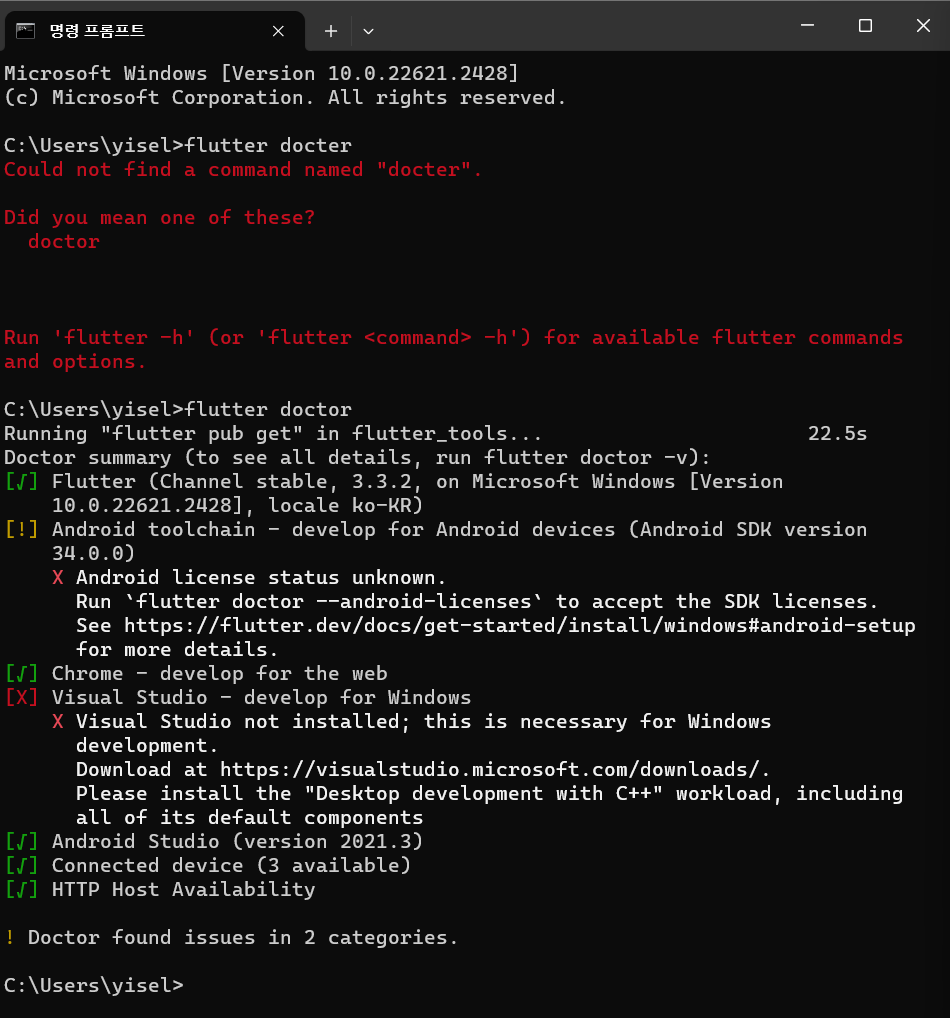
작성한 코드 및 에러 메세지
오Microsoft Windows [Version 10.0.22621.2428]
(c) Microsoft Corporation. All rights reserved.
C:\Users\yisel>flutter docter
Could not find a command named "docter".
Did you mean one of these?
doctor
Run 'flutter -h' (or 'flutter <command> -h') for available flutter commands
and options.
C:\Users\yisel>flutter doctor
Running "flutter pub get" in flutter_tools... 22.5s
Doctor summary (to see all details, run flutter doctor -v):
[√] Flutter (Channel stable, 3.3.2, on Microsoft Windows [Version
10.0.22621.2428], locale ko-KR)
[!] Android toolchain - develop for Android devices (Android SDK version
34.0.0)
X Android license status unknown.
Run `flutter doctor --android-licenses` to accept the SDK licenses.
See https://flutter.dev/docs/get-started/install/windows#android-setup for more details.
[√] Chrome - develop for the web
[X] Visual Studio - develop for Windows
X Visual Studio not installed; this is necessary for Windows
development.
Download at https://visualstudio.microsoft.com/downloads/.
Please install the "Desktop development with C++" workload, including
all of its default components
[√] Android Studio (version 2021.3)
[√] Connected device (3 available)
[√] HTTP Host Availability
! Doctor found issues in 2 categories.
C:\Users\yisel>류 발생 시, 작성한 코드 전체와 에러 메시지를 첨부해 주세요.
Tip 1) </> 아이콘을 눌러 코드박스를 만들어 보세요.
Tip 2) Ctrl+A(맥의 경우 Command+A) 단축키로 코드를 한 번에 선택할 수 있어요!


