


* 겪고 있는 문제 상황을 최대한 자세하게 작성해주세요.
* 문제 해결을 위해 어떤 시도를 해보았는지 구체적으로 함께 알려주세요.
Run Without Debugging
시 아래와 간이 나오네요,,
저번에 웹뷰 설치시 에러가 나서 고쳐준 부분이 있는데 그쪽하고 연관 되어 있는것
같기도 하고 저번 답변 참고로 붙혀드립니다/
서정은
튜터
・
2024년 1월 6일 오후 3:31
현재 webview_flutter 패키지가 실행 가능한 android SDK 버전 변경이 필요하여 다음과 같이 진행해주세요
C:\flutter\watcha_pedia\android\app\build.gradle:
해당 경로의 build.gradle 파일을 열어 compileSdkVersion 이 적혀있는 부분의 버전을 32로 변경해주세요.
android {
compileSdkVersion 32
...
}
변경 후 해당 파일 저장, 에뮬레이터 종료 후 재실행하여 확인 부탁드립니다
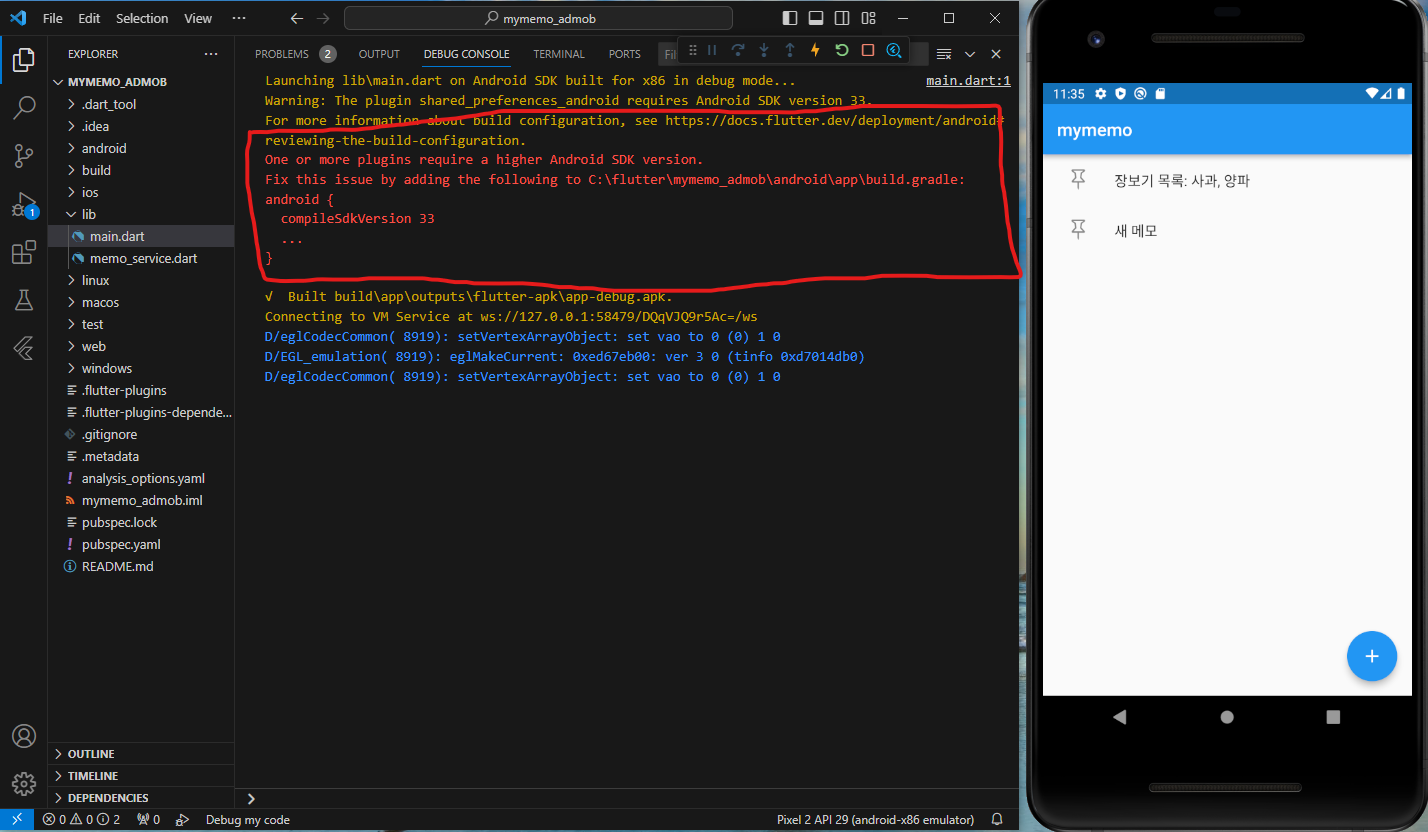
작성한 코드 및 에러 메세지
Launching lib\main.dart on Android SDK built for x86 in debug mode...
main.dart:1
Warning: The plugin shared_preferences_android requires Android SDK version 33.
For more information about build configuration, see https://docs.flutter.dev/deployment/android#reviewing-the-build-configuration.
One or more plugins require a higher Android SDK version.
Fix this issue by adding the following to C:\flutter\mymemo_admob\android\app\build.gradle:
android {
compileSdkVersion 33
...
}
√ Built build\app\outputs\flutter-apk\app-debug.apk.
Connecting to VM Service at ws://127.0.0.1:58479/DQqVJQ9r5Ac=/ws
D/eglCodecCommon( 8919): setVertexArrayObject: set vao to 0 (0) 1 0
D/EGL_emulation( 8919): eglMakeCurrent: 0xed67eb00: ver 3 0 (tinfo 0xd7014db0)
D/eglCodecCommon( 8919): setVertexArrayObject: set vao to 0 (0) 1 0
오류 발생 시, 작성한 코드 전체와 에러 메시지를 첨부해 주세요.
Tip 1) </> 아이콘을 눌러 코드박스를 만들어 보세요.
Tip 2) Ctrl+A(맥의 경우 Command+A) 단축키로 코드를 한 번에 선택할 수 있어요!


