


* 겪고 있는 문제 상황을 최대한 자세하게 작성해주세요.
* 문제 해결을 위해 어떤 시도를 해보았는지 구체적으로 함께 알려주세요.
앱비밀번호 생성까지 진행했는데 계속 colab에서 에러가 나고 있어서 뭐가 잘못 된건지 뒤죽박죽이예요ㅠㅠ 괜히 바꾼건가요?
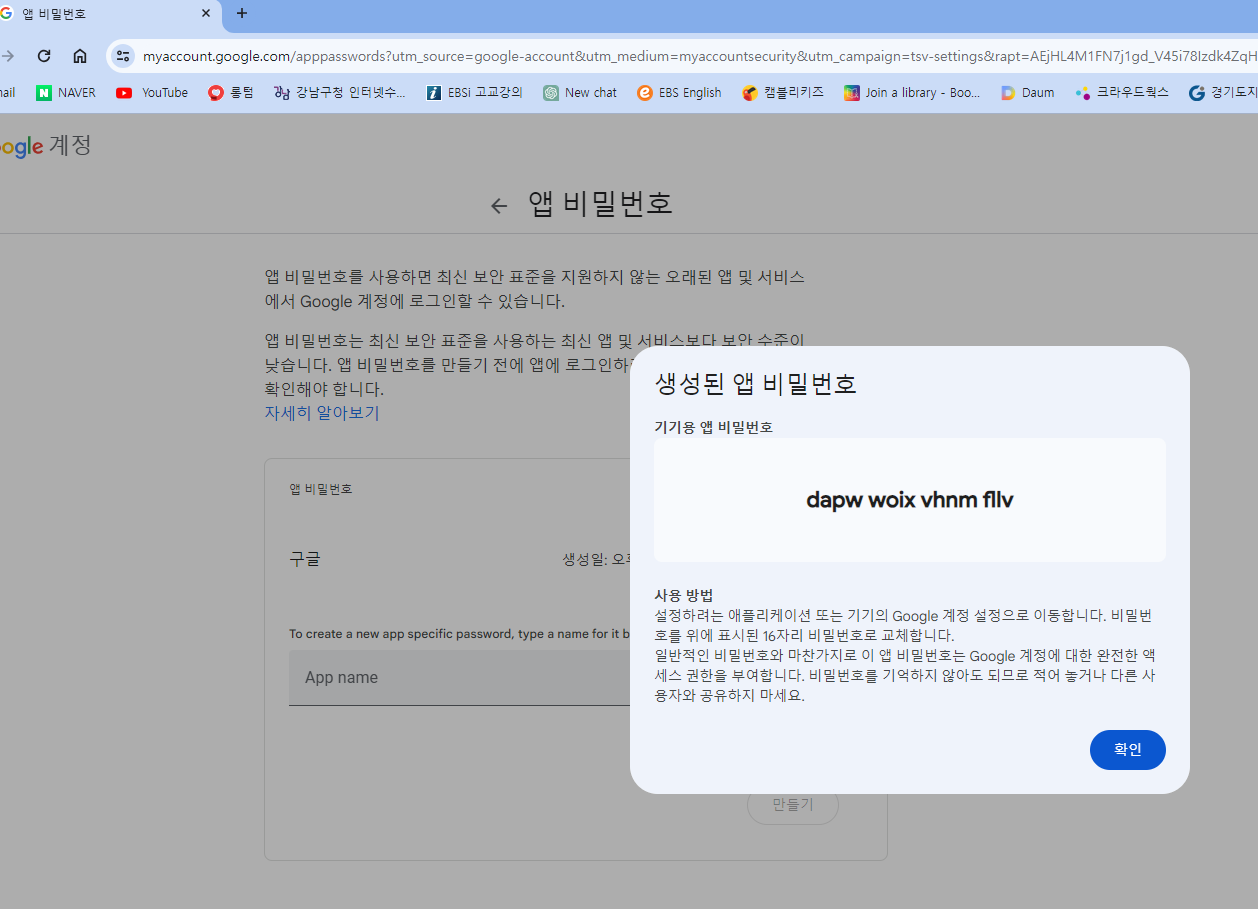
작성한 코드 및 에러 메세지
import openpyxl
import smtplib
from email.mime.text import MIMEText
from email.mime.multipart import MIMEMultipart
# Gmail SMTP 서버 설정
smtp_server = 'smtp.gmail.com'
smtp_port = 587
smtp_username = 'enhyee71@gmail.com' #여러분들의 실사용 이메일 주소
smtp_password = 'dapwwoixvhnmfllv' #여러분들의 실사용 이메일 비밀번호
# 메일 제목, 본문 내용 등 설정
mail_subject = '메일 제목'
mail_body = '메일 본문 내용'
# Excel 파일에서 이름과 이메일 추출
wb = openpyxl.load_workbook('customer_data_test.xlsx')
ws = wb['test_name_email']
name_list = []
email_list = []
for row in ws.iter_rows(min_row=2, values_only=True):
name = row[0]
email = row[1]
name_list.append(name)
email_list.append(email)
# Gmail 서버 연결 및 메일 전송
with smtplib.SMTP(smtp_server, smtp_port) as smtp:
smtp.starttls()
smtp.login(smtp_username, smtp_password)
for name, email in zip(name_list, email_list):
# 메일 생성
message = MIMEMultipart()
message['From'] = smtp_username
message['To'] = email
message['Subject'] = mail_subject
# 메일 본문 추가
message.attach(MIMEText(mail_body))
# 메일 전송
-------------------------------------------------------------------------------
SMTPAuthenticationError                   Traceback (most recent call last)
<ipython-input-8-33dfc51d33c0> in <cell line: 30>()
     30 with smtplib.SMTP(smtp_server, smtp_port) as smtp:
     31     smtp.starttls()
---> 32     smtp.login(smtp_username, smtp_password)
     33
     34     for name, email in zip(name_list, email_list):
2 frames
/usr/lib/python3.10/smtplib.py in auth(self, mechanism, authobject, initial_response_ok)
    660         if code in (235, 503):
    661             return (code, resp)
--> 662         raise SMTPAuthenticationError(code, resp)
    663
    664     def auth_cram_md5(self, challenge=None):
SMTPAuthenticationError: (535, b'5.7.8 Username and Password not accepted. For more information, go to\n5.7.8 https://support.google.com/mail/?p=BadCredentials u16-20020a6b4910000000b007b7372af699sm676533iob.9 - gsmtp') smtp.send_message(message)오류 발생 시, 작성한 코드 전체와 에러 메시지를 첨부해 주세요.
Tip 1) </> 아이콘을 눌러 코드박스를 만들어 보세요.
Tip 2) Ctrl+A(맥의 경우 Command+A) 단축키로 코드를 한 번에 선택할 수 있어요!


