


* 겪고 있는 문제 상황을 최대한 자세하게 작성해주세요.
* 문제 해결을 위해 어떤 시도를 해보았는지 구체적으로 함께 알려주세요.
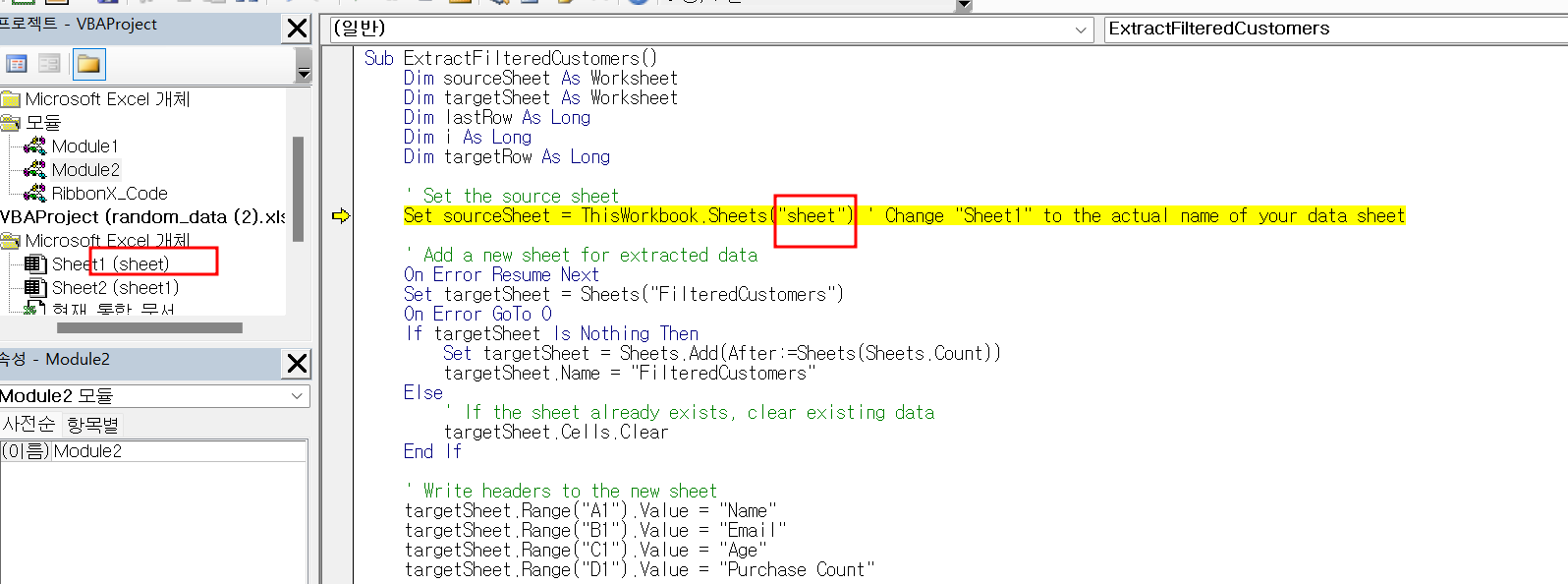
4-2 vba코드실행 제가 작성 시트를 찾을 수 없다고 하는데, 분명히 통일하였습니다.... 어떻게 해야할까요?
Sub ExtractFilteredCustomers()
Dim sourceSheet As Worksheet
Dim targetSheet As Worksheet
Dim lastRow As Long
Dim i As Long
Dim targetRow As Long
' Set the source sheet
Set sourceSheet = ThisWorkbook.Sheets("sheet") ' Change "Sheet1" to the actual name of your data sheet
' Add a new sheet for extracted data
On Error Resume Next
Set targetSheet = Sheets("FilteredCustomers")
On Error GoTo 0
If targetSheet Is Nothing Then
Set targetSheet = Sheets.Add(After:=Sheets(Sheets.Count))
targetSheet.Name = "FilteredCustomers"
Else
' If the sheet already exists, clear existing data
targetSheet.Cells.Clear
End If
' Write headers to the new sheet
targetSheet.Range("A1").Value = "Name"
targetSheet.Range("B1").Value = "Email"
targetSheet.Range("C1").Value = "Age"
targetSheet.Range("D1").Value = "Purchase Count"
' Find the last row in the source sheet
lastRow = sourceSheet.Cells(sourceSheet.Rows.Count, "A").End(xlUp).Row
' Loop through the data and extract filtered customers
targetRow = 2 ' Start writing data from row 2 in the new sheet
For i = 2 To lastRow ' Assuming data starts from row 2 in the source sheet
Dim age As Long
Dim purchaseCount As Long
' Assuming age is in column B and purchase count is in column E
age = sourceSheet.Cells(i, 2).Value
purchaseCount = sourceSheet.Cells(i, 5).Value
If age >= 20 And age <= 50 And purchaseCount <= 4 Then
' Extract name, email, age, and purchase count to the new sheet
targetSheet.Cells(targetRow, 1).Value = sourceSheet.Cells(i, 1).Value ' Assuming name is in column A
targetSheet.Cells(targetRow, 2).Value = sourceSheet.Cells(i, 3).Value ' Assuming email is in column C
targetSheet.Cells(targetRow, 3).Value = age
targetSheet.Cells(targetRow, 4).Value = purchaseCount
targetRow = targetRow + 1
End If
Next i
MsgBox "Extraction completed successfully!", vbInformation
End Sub


