커뮤니티

포인트
쿠폰
내 강의실
국비 신청 내역
증명서
계정
로그아웃
학습 질문
개발 일지
나의 활동
답변 완료
flutter doctor 실행했을 때 뜨는 화면과 해결법 문의합니다.
[왕초보] 플러터(Flutter)로 시작하는 앱개발 종합반 v0
1주차


이*조
댓글
24
・
추천
0
・
조회수
38
조회수
38
답변 완료
* 겪고 있는 문제 상황을 최대한 자세하게 작성해주세요.
* 문제 해결을 위해 어떤 시도를 해보았는지 구체적으로 함께 알려주세요.
제목처럼 flutter doctor 실행했을 때 캡쳐한 화면과 같이 뜨면서 X표가 안바뀝니다. 경로도 sdk Manager에 있는 경로대로 새로 설정했습니다.
보고 계신 화면 전체를 캡처해 주시면, 튜터님들이
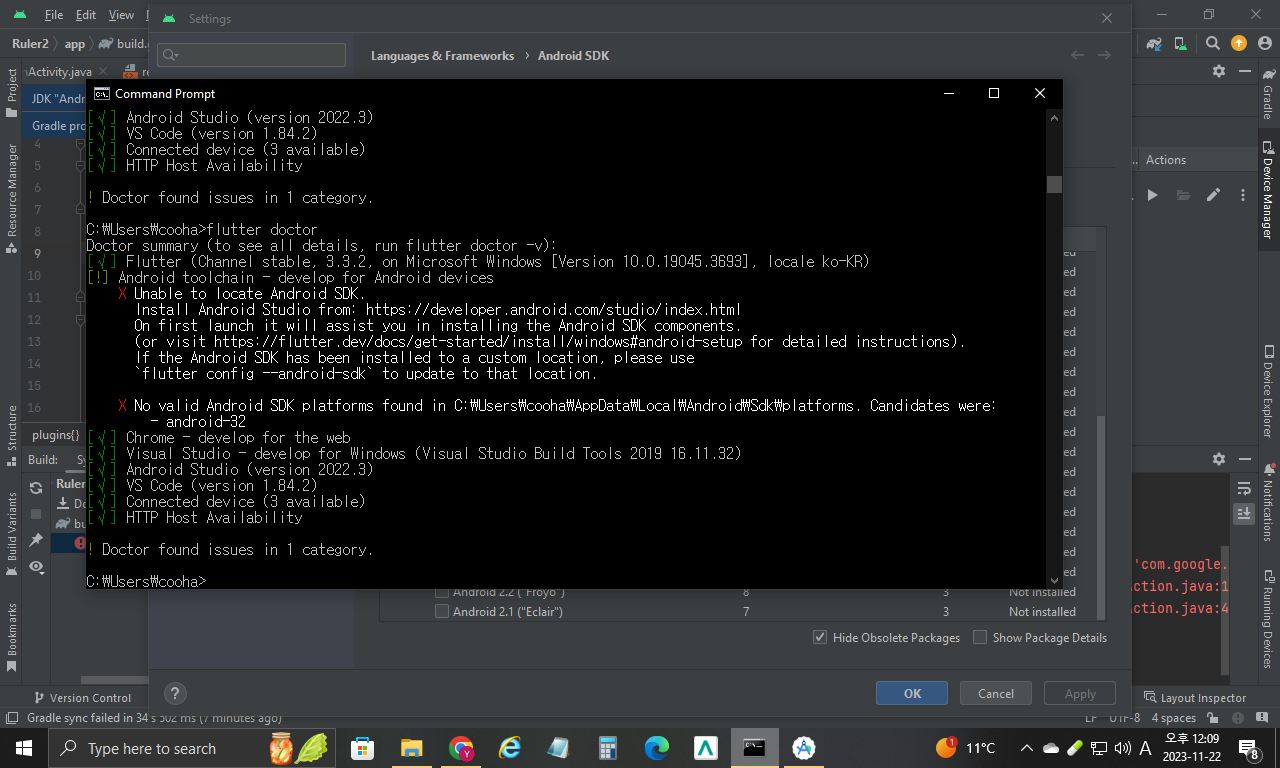
빠르게 상황을 이해할 수 있어요.
작성한 코드 및 에러 메세지
C:\Users\cooha>flutter doctor

Doctor summary (to see all details, run flutter doctor -v):

[√] Flutter (Channel stable, 3.3.2, on Microsoft Windows [Version 10.0.19045.3693], locale ko-KR)

[!] Android toolchain - develop for Android devices
  X Unable to locate Android SDK.
   Install Android Studio from: https://developer.android.com/studio/index.html
   On first launch it will assist you in installing the Android SDK components.
   (or visit https://flutter.dev/docs/get-started/install/windows#android-setup for detailed instructions).
   If the Android SDK has been installed to a custom location, please use
   `flutter config --android-sdk` to update to that location.

  X No valid Android SDK platforms found in C:\Users\cooha\AppData\Local\Android\Sdk\platforms. Candidates were:
    - android-32

[√] Chrome - develop for the web
[√] Visual Studio - develop for Windows (Visual Studio Build Tools 2019 16.11.32)
[√] Android Studio (version 2022.3)
[√] VS Code (version 1.84.2)
\[√] Connected device (3 available)
[√] HTTP Host Availability
! Doctor found issues in 1 category.의 경우 Command+A) 단축키로 코드를 한 번에 선택할 수 있어요!


댓글 알림
