


* 겪고 있는 문제 상황을 최대한 자세하게 작성해주세요.
* 문제 해결을 위해 어떤 시도를 해보았는지 구체적으로 함께 알려주세요.
from selenium import webdriver
from selenium.webdriver.common.by import By
from selenium.webdriver.common.keys import Keys
from selenium.webdriver.chrome.options import Options
import time
chrome_options = Options()
chrome_options.add_experimental_option("detach", True)
chrome_options.add_experimental_option("excludeSwitches", ["enable-logging"])
browser = webdriver.Chrome(options=chrome_options)
# Website URL
url = 'https://www.naver.com'
# Open the website
browser.get(url)
time.sleep(1)
# Find and click the shopping icon
shopping_icon = browser.find_element(By.CSS_SELECTOR, '.service_icon.type_shopping')
shopping_icon.click()
time.sleep(1)
# Switch to the new window
new_window = browser.window_handles[1]
browser.switch_to.window(new_window)
# Maximize the window (optional)
browser.maximize_window()
time.sleep(2)
# Find the search input and perform a search
search = browser.find_element(By.CLASS_NAME, '_searchInput_search_text_3CUDs')
search.click()
search.send_keys('아이스크림')
search.send_keys(Keys.ENTER)
# Get the initial scroll height
before_h = browser.execute_script('return window.scrollY')
# Scroll down to the end of the page
while True:
browser.find_element(By.CSS_SELECTOR, 'body').send_keys(Keys.END)
time.sleep(2) # Add a sleep to allow the page to load and the scroll to take effect
after_h = browser.execute_script('return window.scrollY')
if before_h == after_h:
break
before_h = after_h
# Find and print the names of the items
items = browser.find_elements(By.CSS_SELECTOR, '.product_list_item__b84TO')
for item in items:
name = item.find_element(By.CSS_SELECTOR, '.product_info_tit__c5_pb').text
print(name)
# Quit the browser
browser.quit()
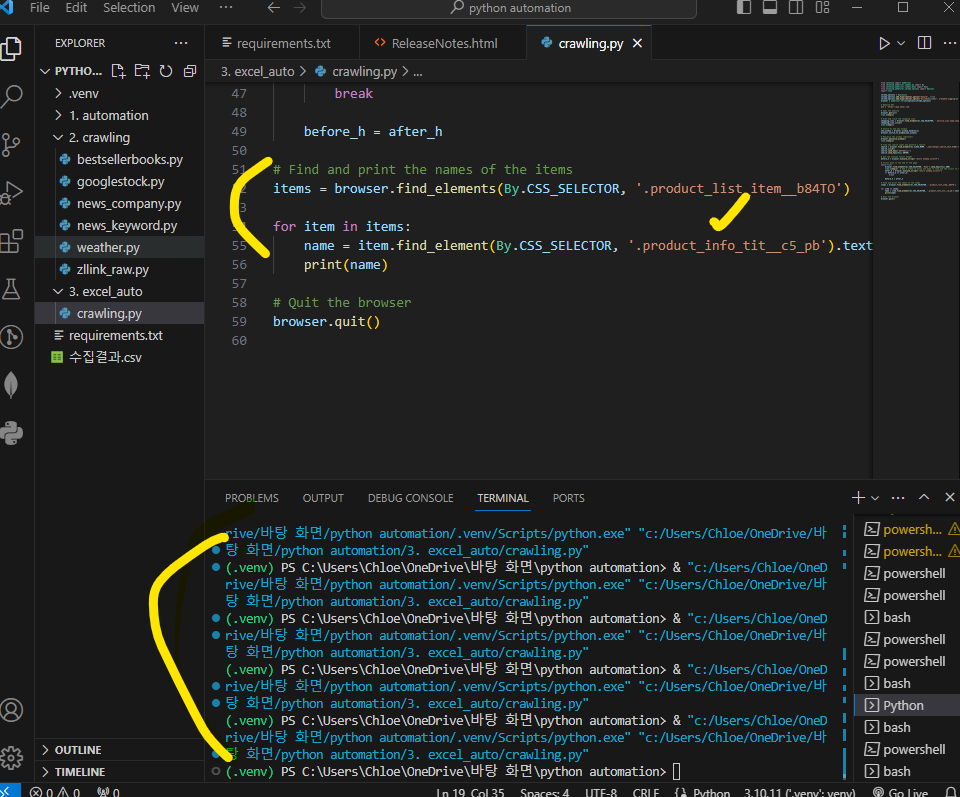
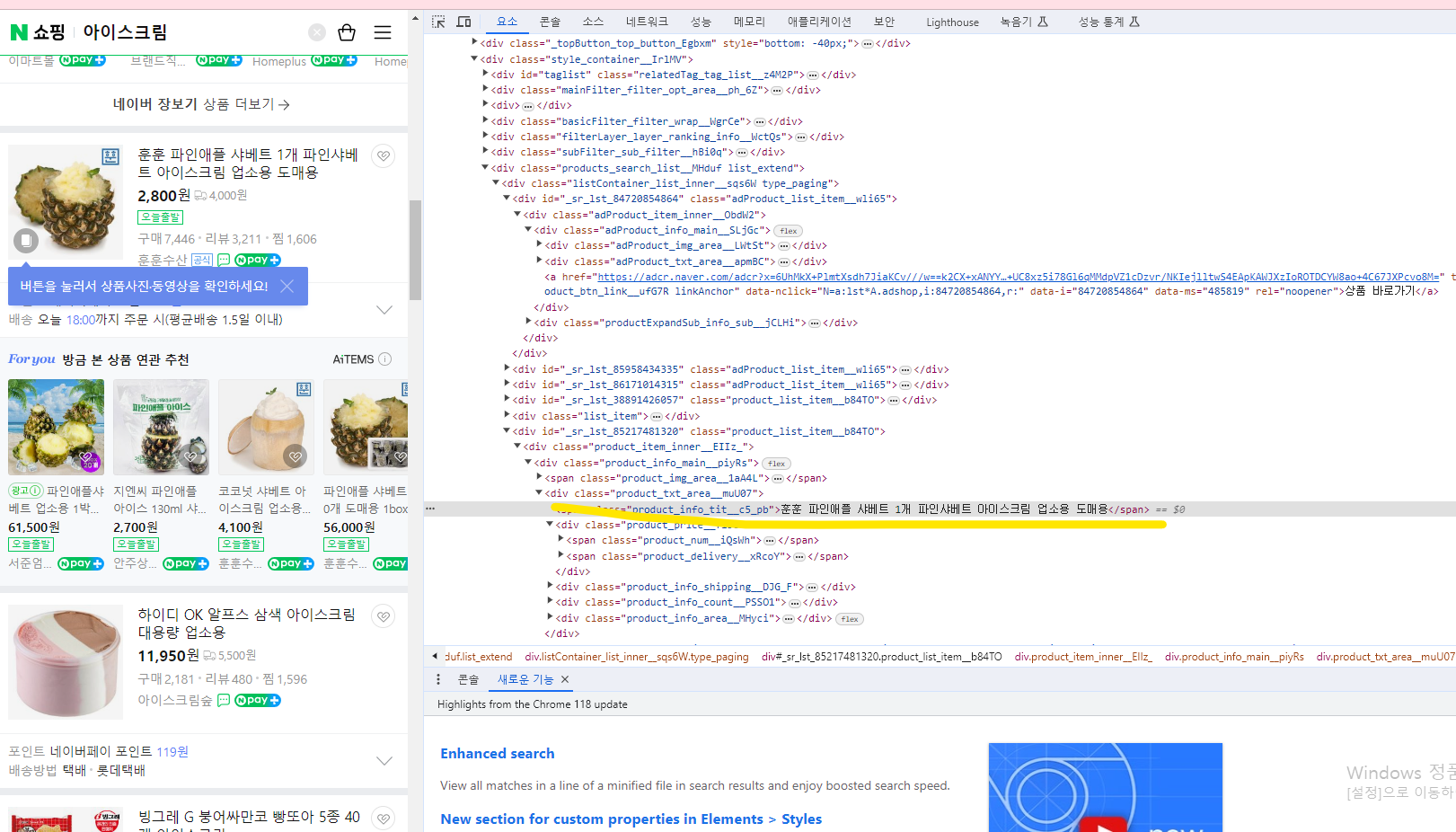
작성한 코드 및 에러 메세지
아이스크림 title이 terminal에 끌려와야 하는데, 스크롤까지는되는데 이름이 안끌려옵니다.
네이버에서 검사 눌러서 봤을 때 title class는 span class밖에 조회가 안되어, 해당 class이름으로 가져오는게 맞는지 궁금합니다.
오류 발생 시, 작성한 코드 전체와 에러 메시지를 첨부해 주세요.
Tip 1) </> 아이콘을 눌러 코드박스를 만들어 보세요.
Tip 2) Ctrl+A(맥의 경우 Command+A) 단축키로 코드를 한 번에 선택할 수 있어요!


