


* 겪고 있는 문제 상황을 최대한 자세하게 작성해주세요.
* 문제 해결을 위해 어떤 시도를 해보았는지 구체적으로 함께 알려주세요.
is setBool 까지 했는데요
실행잘되는데 클릭하면 디버그로그에 다음이 뜹니다.
이스불이 파라미터도 있고한데 왜 애니메이션 아님이 없다는지 모르겠네요.
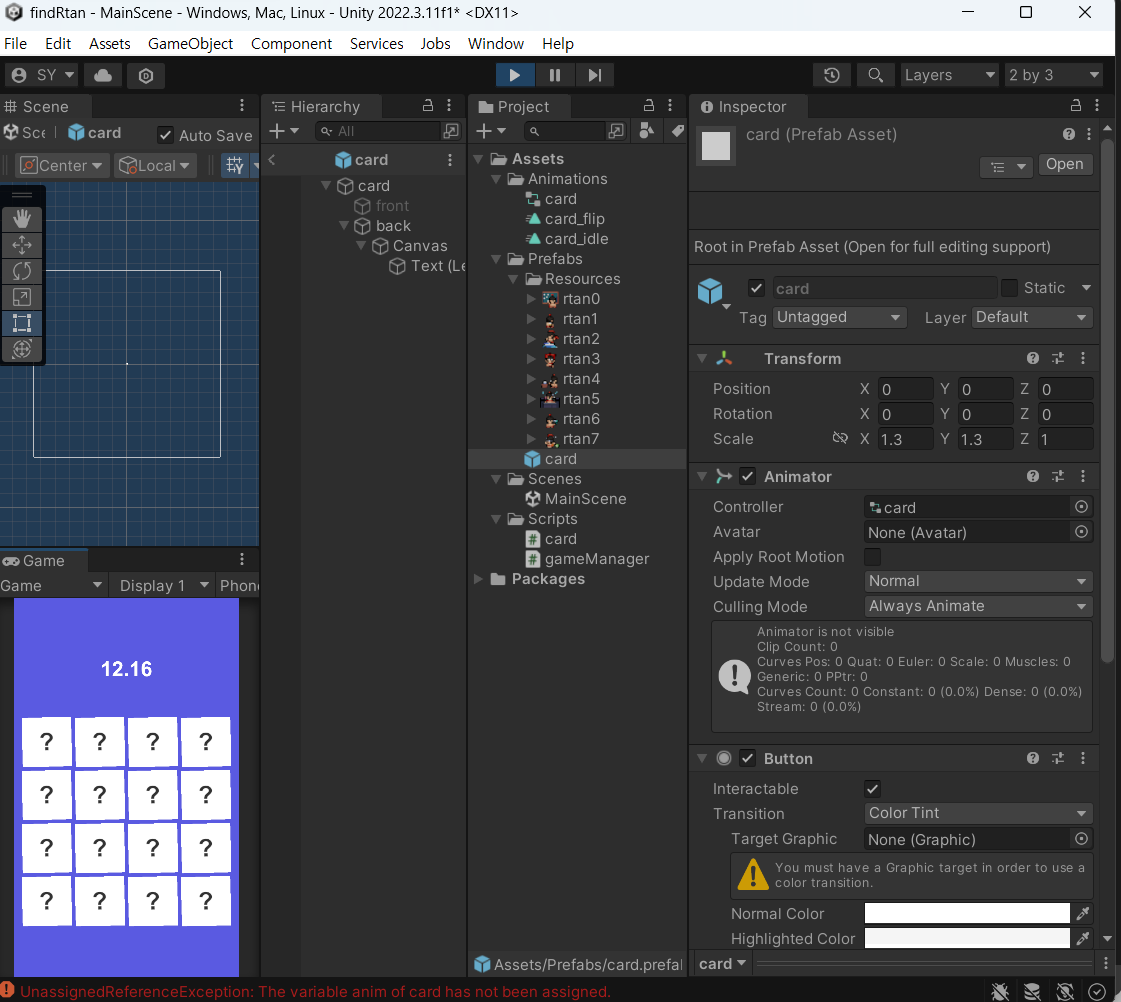
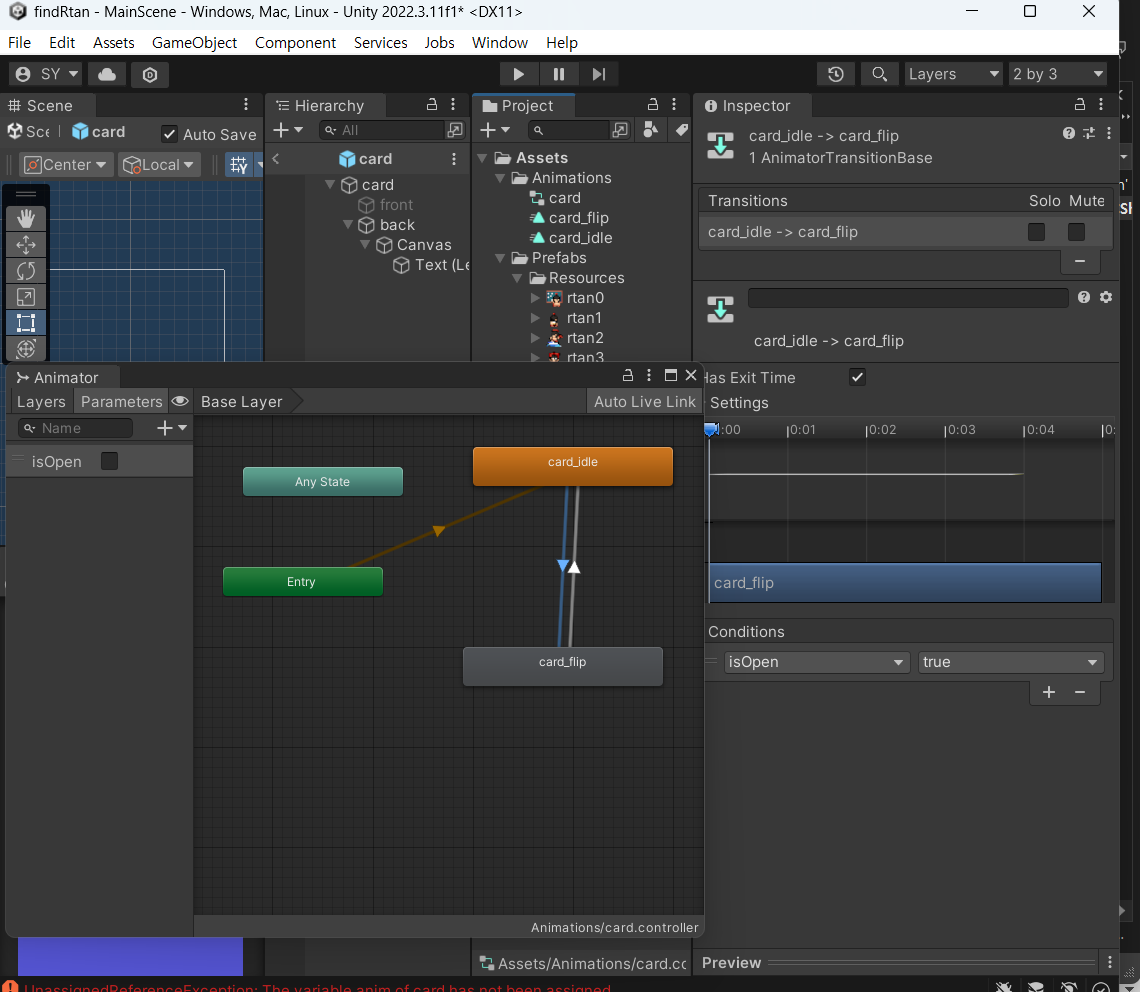
작성한 코드 및 에러 메세지
오류 발생 시, 작성한 코드 전체와 에러 메시지를 첨부해 주세요.
Tip 1) </> 아이콘을 눌러 코드박스를 만들어 보세요.코드는
using System.Collections;
using System.Collections.Generic;
using UnityEngine;
public class card : MonoBehaviour
{
public Animator anim;
// Start is called before the first frame update
void Start()
{
}
// Update is called once per frame
void Update()
{
}
public void openCard()
{
anim.SetBool("isOpen", true);
transform.Find("front").gameObject.SetActive(true);
transform.Find("back").gameObject.SetActive(false);
}
}
Tip 2) Ctrl+A(맥의 경우 Command+A) 단축키로 코드를 한 번에 선택할 수 있어요!
디버그로그
UnassignedReferenceException: The variable anim of card has not been assigned.
You probably need to assign the anim variable of the card script in the inspector.
UnityEngine.Animator.SetBool (System.String name, System.Boolean value) (at <09b73943024848a39f1d3fcc20f997b7>:0)
card.openCard () (at Assets/Scripts/card.cs:22)
UnityEngine.Events.InvokableCall.Invoke () (at <b1fe495152fd4f0180f79e56e3bccacc>:0)
UnityEngine.Events.UnityEvent.Invoke () (at <b1fe495152fd4f0180f79e56e3bccacc>:0)
UnityEngine.UI.Button.Press () (at ./Library/PackageCache/com.unity.ugui@1.0.0/Runtime/UI/Core/Button.cs:70)
UnityEngine.UI.Button.OnPointerClick (UnityEngine.EventSystems.PointerEventData eventData) (at ./Library/PackageCache/com.unity.ugui@1.0.0/Runtime/UI/Core/Button.cs:114)
UnityEngine.EventSystems.ExecuteEvents.Execute (UnityEngine.EventSystems.IPointerClickHandler handler, UnityEngine.EventSystems.BaseEventData eventData) (at ./Library/PackageCache/com.unity.ugui@1.0.0/Runtime/EventSystem/ExecuteEvents.cs:57)
UnityEngine.EventSystems.ExecuteEvents.Execute[T] (UnityEngine.GameObject target, UnityEngine.EventSystems.BaseEventData eventData, UnityEngine.EventSystems.ExecuteEvents+EventFunction`1[T1] functor) (at ./Library/PackageCache/com.unity.ugui@1.0.0/Runtime/EventSystem/ExecuteEvents.cs:272)
UnityEngine.EventSystems.EventSystem:Update() (at ./Library/PackageCache/com.unity.ugui@1.0.0/Runtime/EventSystem/EventSystem.cs:530)


