


* 겪고 있는 문제 상황을 최대한 자세하게 작성해주세요.
* 문제 해결을 위해 어떤 시도를 해보았는지 구체적으로 함께 알려주세요.
아무것도 건드리지 않았는데, 잘 되다가 갑자기 안되네요 ㅠㅠ
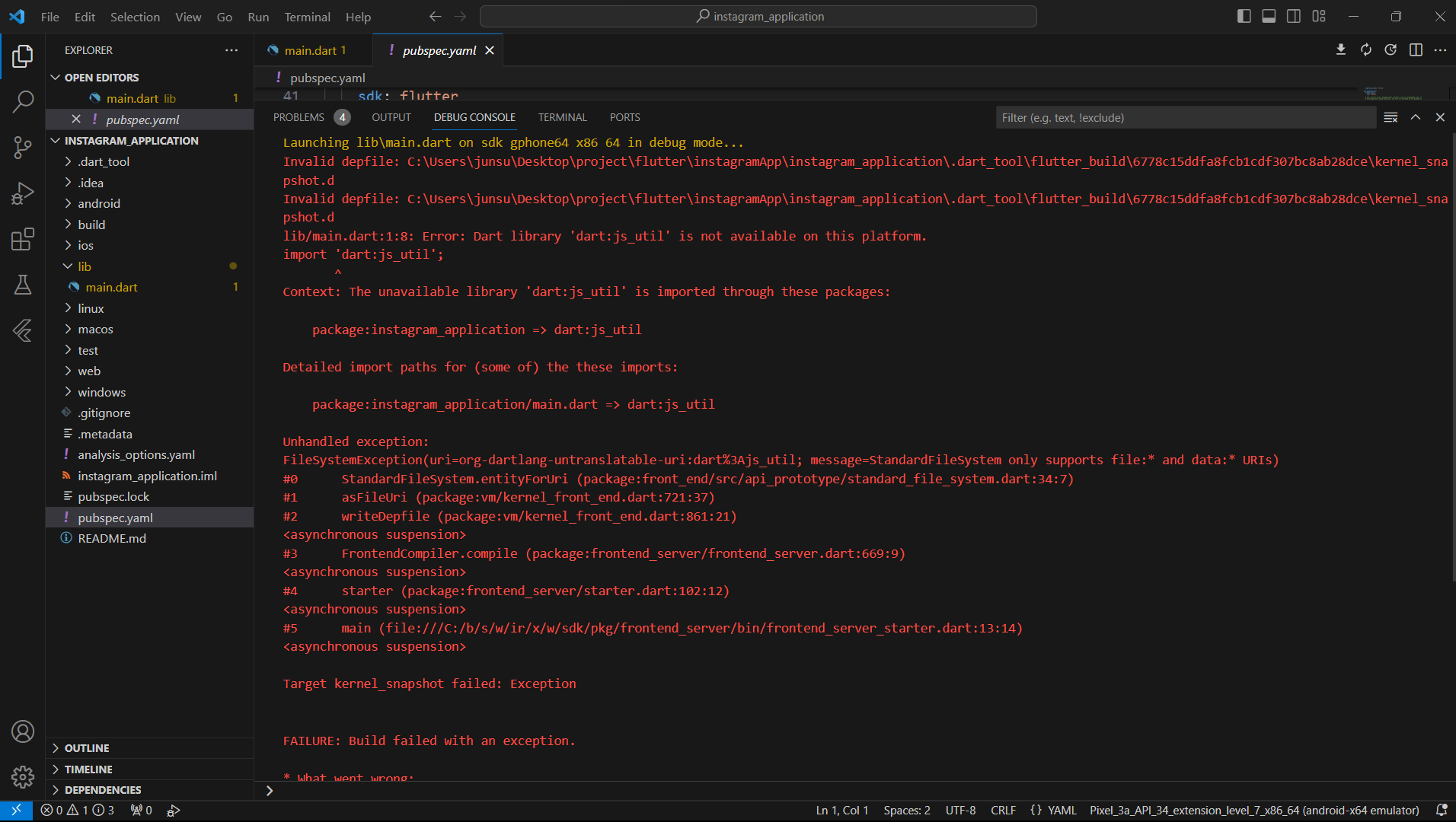
run without debug 에뮬레이터 실행을 하면 에러가 나옵니다.
에러내용
package:instagram_application => dart:js_util
Detailed import paths for (some of) the these imports:
package:instagram_application/main.dart => dart:js_util
Unhandled exception:
FileSystemException(uri=org-dartlang-untranslatable-uri:dart%3Ajs_util; message=StandardFileSystem only supports file:* and data:* URIs)
#0 StandardFileSystem.entityForUri (package:front_end/src/api_prototype/standard_file_system.dart:34:7)
#1 asFileUri (package:vm/kernel_front_end.dart:721:37)
#2 writeDepfile (package:vm/kernel_front_end.dart:861:21)
<asynchronous suspension>
#3 FrontendCompiler.compile (package:frontend_server/frontend_server.dart:669:9)
<asynchronous suspension>
#4 starter (package:frontend_server/starter.dart:102:12)
<asynchronous suspension>
#5 main (file:///C:/b/s/w/ir/x/w/sdk/pkg/frontend_server/bin/frontend_server_starter.dart:13:14)
<asynchronous suspension>
Target kernel_snapshot failed: Exception
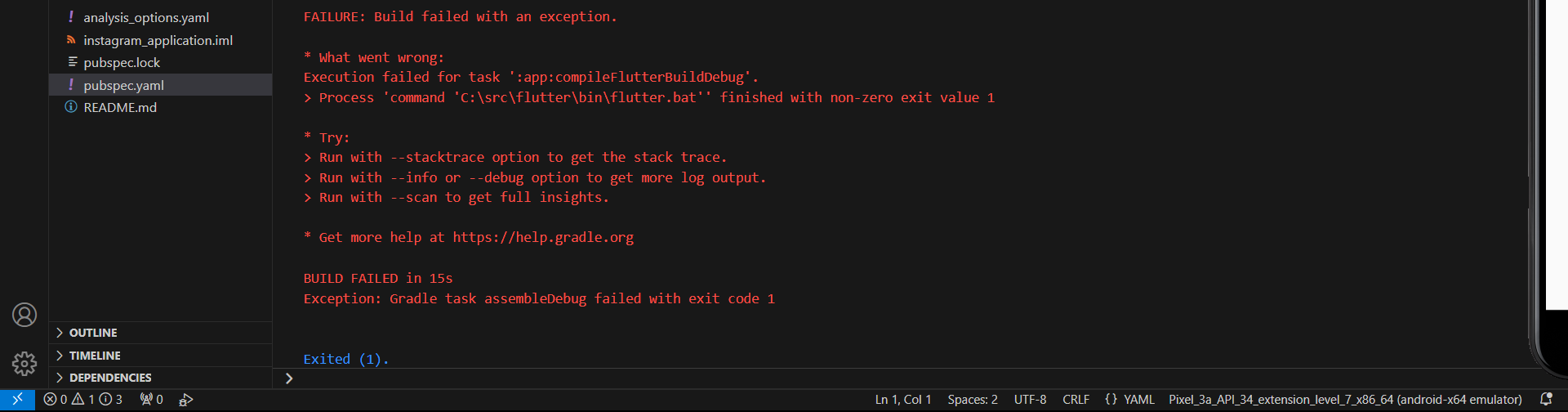
FAILURE: Build failed with an exception.
* What went wrong:
Execution failed for task ':app:compileFlutterBuildDebug'.
> Process 'command 'C:\src\flutter\bin\flutter.bat'' finished with non-zero exit value 1
* Try:
> Run with --stacktrace option to get the stack trace.
> Run with --info or --debug option to get more log output.
> Run with --scan to get full insights.
* Get more help at https://help.gradle.org
BUILD FAILED in 15s
Exception: Gradle task assembleDebug failed with exit code 1
보고 계신 화면 전체를 캡처해 주시면, 튜터님들이
빠르게 상황을 이해할 수 있어요.
작성한 코드 및 에러 메세지
오류 발생 import 'dart:js_util';
import 'package:flutter/material.dart';
void main() {
runApp(
MaterialApp(
theme: ThemeData(
iconTheme: IconThemeData(
color: Colors.green,
),
appBarTheme: AppBarTheme(
// backgroundColor: Colors.black,
color: Colors.white,
elevation: 0,
actionsIconTheme: IconThemeData(
size: 35,
color: Color.fromARGB(255, 0, 0, 0),
),
),
textTheme: TextTheme(
bodyText2: TextStyle(color: Colors.lightBlue),
),
),
home: MyApp(),
),
);
}
var titleTheme =
TextStyle(fontSize: 35, fontWeight: FontWeight.bold, color: Colors.black);
class MyApp extends StatelessWidget {
const MyApp({super.key});
@override
Widget build(BuildContext context) {
return Scaffold(
appBar: AppBar(
title: Text(
"Instagram",
style: titleTheme,
),
actions: [Icon(Icons.add_box_outlined)],
),
body: Container(
child: Text("aaaaa"),
),
);
}
}
시, 작성한 코드 전체와 에러 메시지를 첨부해 주세요.
Tip 1) </> 아이콘을 눌러 코드박스를 만들어 보세요.
Tip 2) Ctrl+A(맥의 경우 Command+A) 단축키로 코드를 한 번에 선택할 수 있어요!


