


* 겪고 있는 문제 상황을 최대한 자세하게 작성해주세요.
* 문제 해결을 위해 어떤 시도를 해보았는지 구체적으로 함께 알려주세요.
2주차 2-2
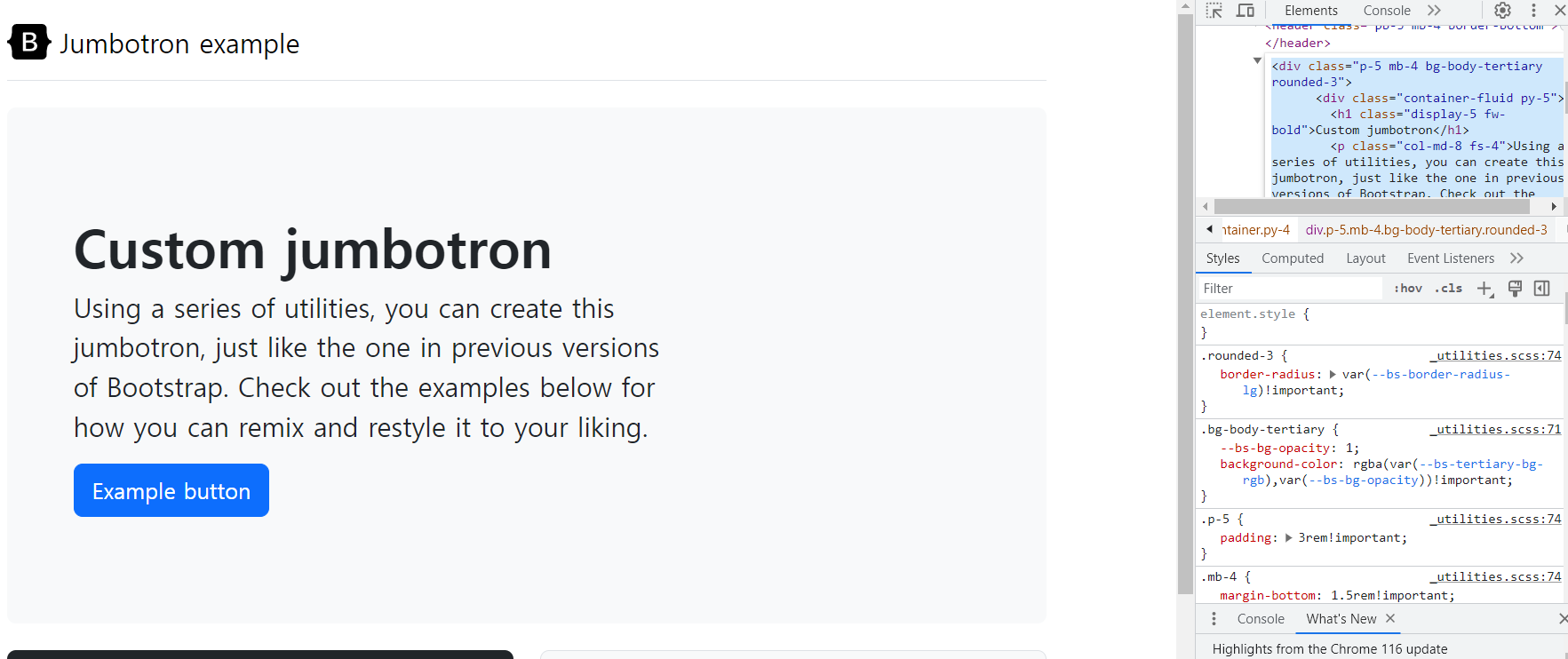
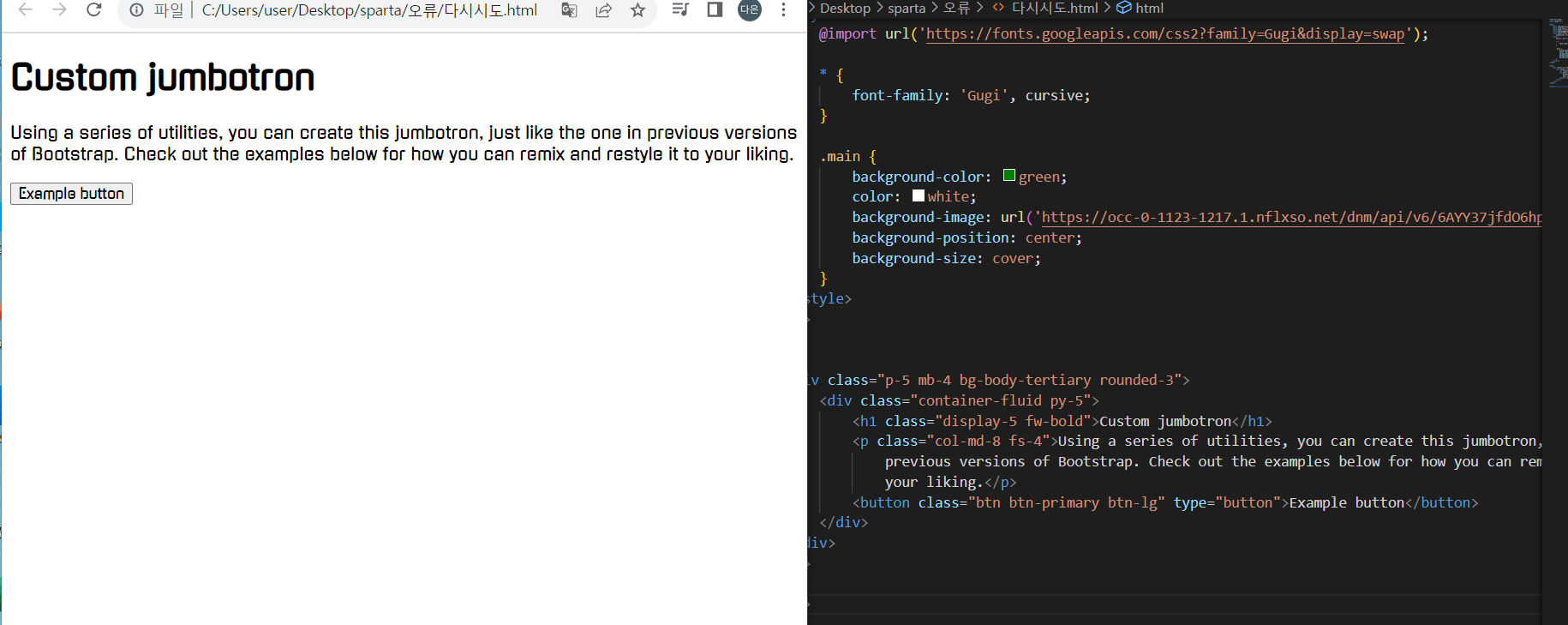
3:10 구간에서 해당 부트스트랩 그대로 복사해서 넣었는데 자꾸 달라요 ㅠ
첫번째 사진처럼 나와야되는데 자꾸 아래쪽 사진처럼 나와요..
어디가 틀린건지도 알려주시면 감사하겠습니당..
<!DOCTYPE html>
<html lang="en">
<head>
<meta charset="UTF-8">
<meta http-equiv="X-UA-Compatible" content="IE=edge">
<meta name="viewport" content="width=device-width, initial-scale=1.0">
<title>스파르타플릭스</title>
<link href="https://cdn.jsdelivr.net/npm/bootstrap@5.0.2/dist/css/bootstrap.min.css" rel="stylesheet"
integrity="sha384-EVSTQN3/azprG1Anm3QDgpJLIm90Yz1ztcQTwFspd3yD65VohhpuuCOmLASjC" crossorigin="anonymous">
<style>
@import url('https://fonts.googleapis.com/css2?family=Gugi&display=swap');
* {
font-family: 'Gugi', cursive;
}
.main {
background-color: green;
color: white;
background-image: url('https://occ-0-1123-1217.1.nflxso.net/dnm/api/v6/6AYY37jfdO6hpXcMjf9Yu5cnmO0/AAAABeIfo7VL_VDyKnljV66IkR-4XLb6xpZqhpLSo3JUtbivnEW4s60PD27muH1mdaANM_8rGpgbm6L2oDgA_iELHZLZ2IQjG5lvp5d2.jpg?r=e6e.jpg');
background-position: center;
background-size: cover;
}
</style>
</head>
<body>
<div class="p-5 mb-4 bg-body-tertiary rounded-3">
<div class="container-fluid py-5">
<h1 class="display-5 fw-bold">Custom jumbotron</h1>
<p class="col-md-8 fs-4">Using a series of utilities, you can create this jumbotron, just like the one in
previous versions of Bootstrap. Check out the examples below for how you can remix and restyle it to
your liking.</p>
<button class="btn btn-primary btn-lg" type="button">Example button</button>
</div>
</div>
</body>
</html>


