


* 겪고 있는 문제 상황을 최대한 자세하게 작성해주세요.
* 문제 해결을 위해 어떤 시도를 해보았는지 구체적으로 함께 알려주세요.
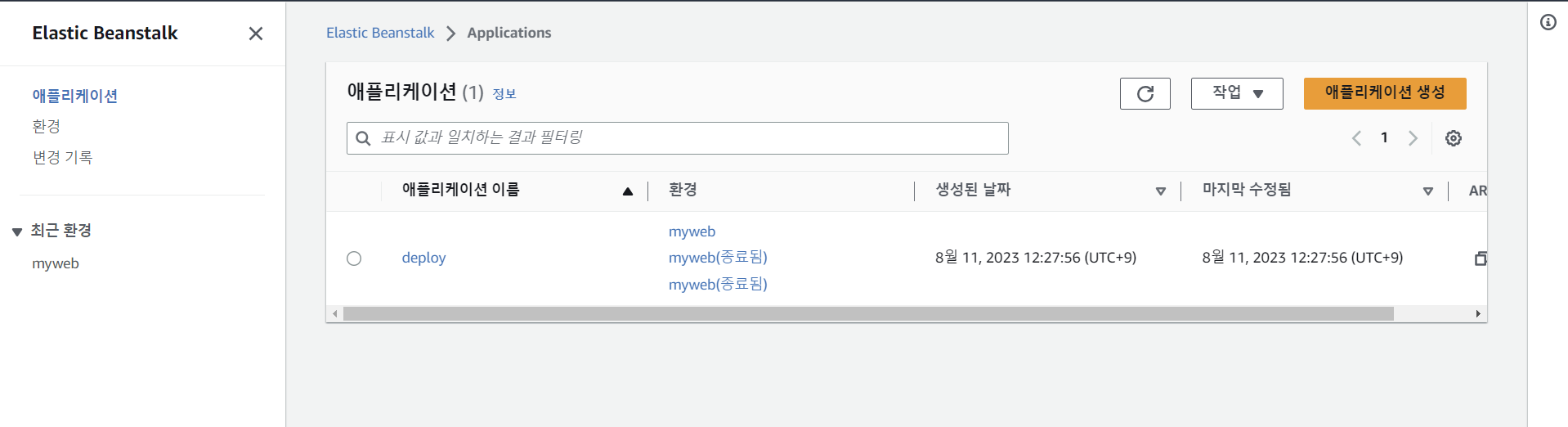
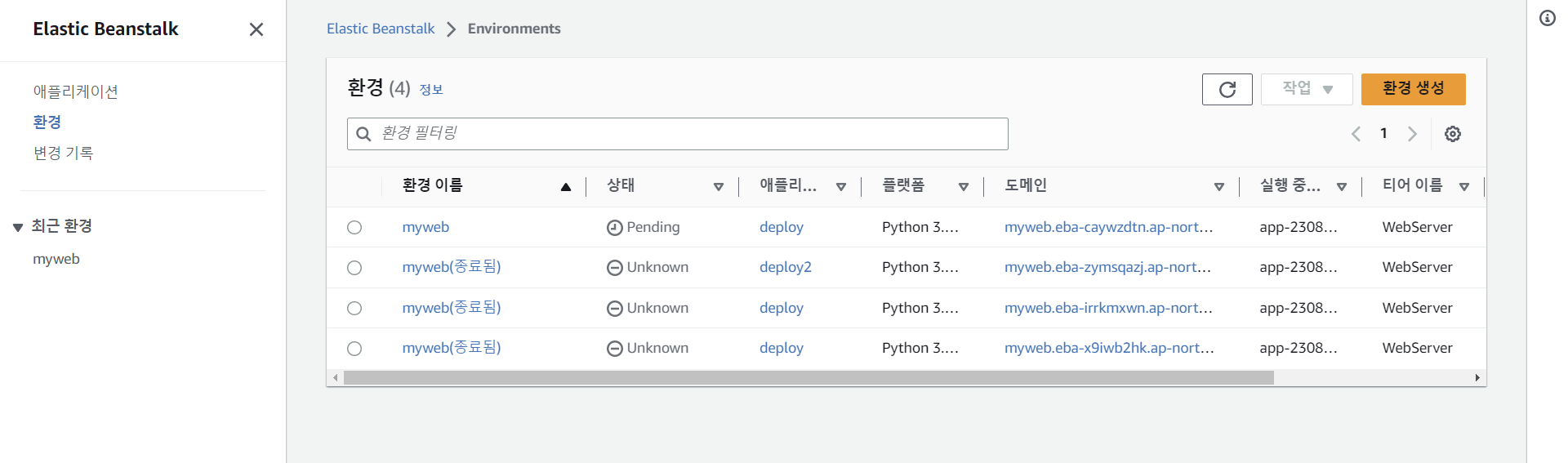
-AWS에 업로드하는 과정에서 에러가 지속적으로 발생합니다
eb init 진행 이후,
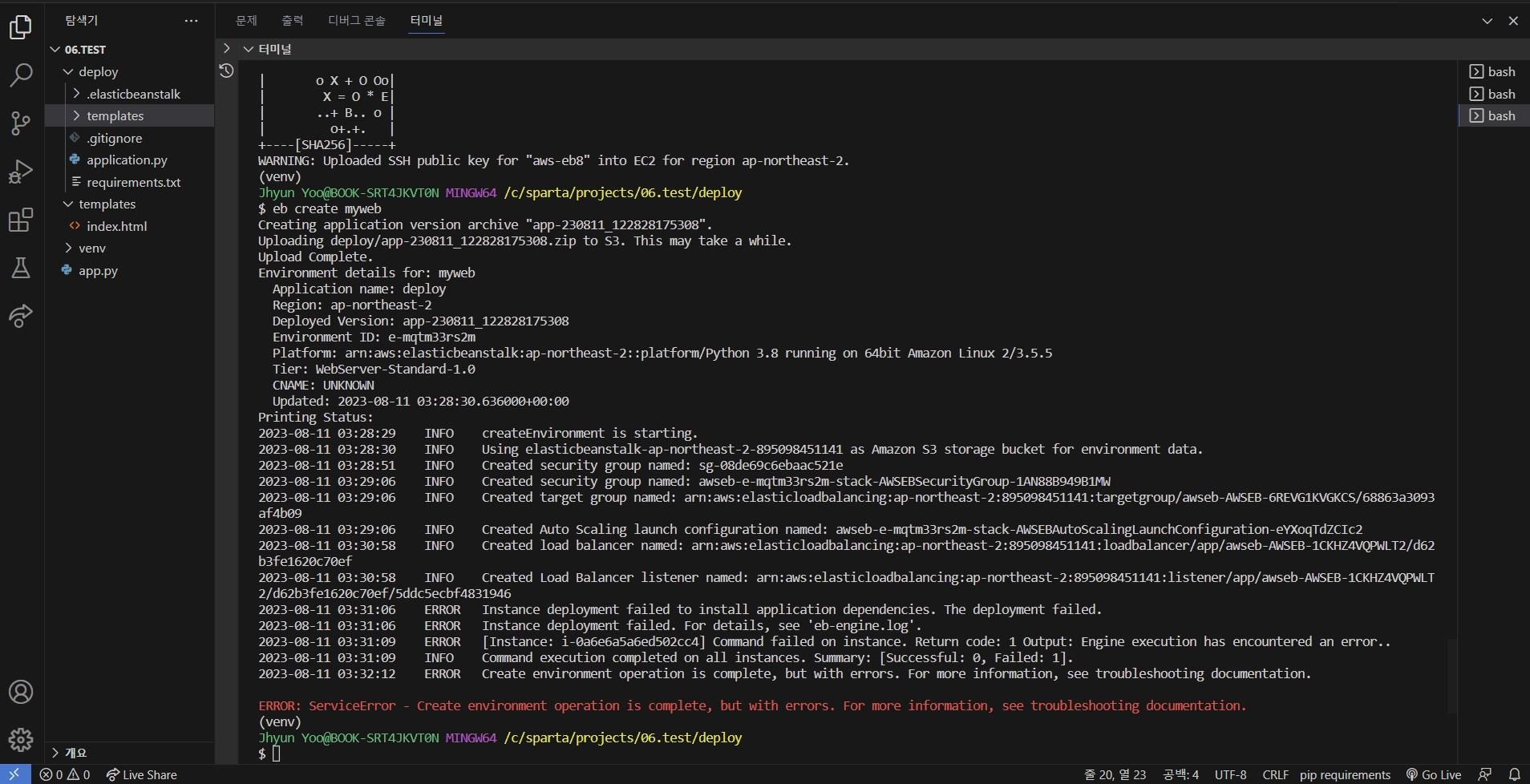
eb create myweb입력하여 업로드하는데 같은 에러가 반복 지속되어,
다른 튜터님들이 올려주신 솔루션을 따라
AWS에서 myweb종료, 그리고 .elsasticbeanstalk 폴더를 삭제한 후, eb init --interactive 로 실행해보았으나
같은 에러가 발생하여 도움 요청드립니다.
$ eb init --interactive
Select a default region
1) us-east-1 : US East (N. Virginia)
2) us-west-1 : US West (N. California)
3) us-west-2 : US West (Oregon)
4) eu-west-1 : EU (Ireland)
5) eu-central-1 : EU (Frankfurt)
6) ap-south-1 : Asia Pacific (Mumbai)
7) ap-southeast-1 : Asia Pacific (Singapore)
8) ap-southeast-2 : Asia Pacific (Sydney)
9) ap-northeast-1 : Asia Pacific (Tokyo)
10) ap-northeast-2 : Asia Pacific (Seoul)
11) sa-east-1 : South America (Sao Paulo)
12) cn-north-1 : China (Beijing)
13) cn-northwest-1 : China (Ningxia)
14) us-east-2 : US East (Ohio)
15) ca-central-1 : Canada (Central)
16) eu-west-2 : EU (London)
17) eu-west-3 : EU (Paris)
18) eu-north-1 : EU (Stockholm)
19) eu-south-1 : EU (Milano)
20) ap-east-1 : Asia Pacific (Hong Kong)
21) me-south-1 : Middle East (Bahrain)
22) af-south-1 : Africa (Cape Town)
23) ap-southeast-3 : Asia Pacific (Jakarta)
24) ap-northeast-3 : Asia Pacific (Osaka)
(default is 3): 10
Enter Application Name
(default is "deploy"):
Application deploy has been created.
It appears you are using Python. Is this correct?
(Y/n): y
Select a platform branch.
1) Python 3.11 running on 64bit Amazon Linux 2023
2) Python 3.9 running on 64bit Amazon Linux 2023
3) Python 3.8 running on 64bit Amazon Linux 2
4) Python 3.7 running on 64bit Amazon Linux 2
(default is 1): 3
Cannot setup CodeCommit because there is no Source Control setup, continuing with initialization
Do you want to set up SSH for your instances?
(Y/n): y
Select a keypair.
1) aws-eb
2) aws-eb2
3) aws-eb3
4) aws-eb4
5) aws-eb5
6) aws-eb6
7) aws-eb7
8) [ Create new KeyPair ]
(default is 7): 8
Type a keypair name.
(Default is aws-eb8):
Generating public/private rsa key pair.
Enter passphrase (empty for no passphrase):
Enter same passphrase again:
Your identification has been saved in C:\Users\Jhyun Yoo\.ssh\aws-eb8
Your public key has been saved in C:\Users\Jhyun Yoo\.ssh\aws-eb8.pub
The key fingerprint is:
SHA256:PmkvD5xN9QbrqYH9xD5O0fwmWdyAKpD/3Rhv5WR8mfk aws-eb8
The key's randomart image is:
+---[RSA 3072]----+
| |
| . . |
| o + . |
| o o * +=|
| S o + =+X|
| o X + O Oo|
| X = O * E|
| ..+ B.. o |
| o+.+. |
+----[SHA256]-----+
WARNING: Uploaded SSH public key for "aws-eb8" into EC2 for region ap-northeast-2.
(venv)
Jhyun Yoo@BOOK-SRT4JKVT0N MINGW64 /c/sparta/projects/06.test/deploy
$ eb create myweb
Creating application version archive "app-230811_122828175308".
Uploading deploy/app-230811_122828175308.zip to S3. This may take a while.
Upload Complete.
Environment details for: myweb
Application name: deploy
Region: ap-northeast-2
Deployed Version: app-230811_122828175308
Environment ID: e-mqtm33rs2m
Platform: arn:aws:elasticbeanstalk:ap-northeast-2::platform/Python 3.8 running on 64bit Amazon Linux 2/3.5.5
Tier: WebServer-Standard-1.0
CNAME: UNKNOWN
Updated: 2023-08-11 03:28:30.636000+00:00
Printing Status:
2023-08-11 03:28:29 INFO createEnvironment is starting.
2023-08-11 03:28:30 INFO Using elasticbeanstalk-ap-northeast-2-895098451141 as Amazon S3 storage bucket for environment data.
2023-08-11 03:28:51 INFO Created security group named: sg-08de69c6ebaac521e
2023-08-11 03:29:06 INFO Created security group named: awseb-e-mqtm33rs2m-stack-AWSEBSecurityGroup-1AN88B949B1MW
2023-08-11 03:29:06 INFO Created target group named: arn:aws:elasticloadbalancing:ap-northeast-2:895098451141:targetgroup/awseb-AWSEB-6REVG1KVGKCS/68863a3093af4b09
2023-08-11 03:29:06 INFO Created Auto Scaling launch configuration named: awseb-e-mqtm33rs2m-stack-AWSEBAutoScalingLaunchConfiguration-eYXoqTdZCIc2
2023-08-11 03:30:58 INFO Created load balancer named: arn:aws:elasticloadbalancing:ap-northeast-2:895098451141:loadbalancer/app/awseb-AWSEB-1CKHZ4VQPWLT2/d62b3fe1620c70ef
2023-08-11 03:30:58 INFO Created Load Balancer listener named: arn:aws:elasticloadbalancing:ap-northeast-2:895098451141:listener/app/awseb-AWSEB-1CKHZ4VQPWLT2/d62b3fe1620c70ef/5ddc5ecbf4831946
2023-08-11 03:31:06 ERROR Instance deployment failed to install application dependencies. The deployment failed.
2023-08-11 03:31:06 ERROR Instance deployment failed. For details, see 'eb-engine.log'.
2023-08-11 03:31:09 ERROR [Instance: i-0a6e6a5a6ed502cc4] Command failed on instance. Return code: 1 Output: Engine execution has encountered an error..
2023-08-11 03:31:09 INFO Command execution completed on all instances. Summary: [Successful: 0, Failed: 1].
2023-08-11 03:32:12 ERROR Create environment operation is complete, but with errors. For more information, see troubleshooting documentation.
ERROR: ServiceError - Create environment operation is complete, but with errors. For more information, see troubleshooting documentation.


