


* 겪고 있는 문제 상황을 최대한 자세하게 작성해주세요.
* 문제 해결을 위해 어떤 시도를 해보았는지 구체적으로 함께 알려주세요.
애물레이터 실행 후 해당 오류를 접하게 되었는데 메이페이지가 아닌 박스페이지부분에서 오류가 나왔습니다.
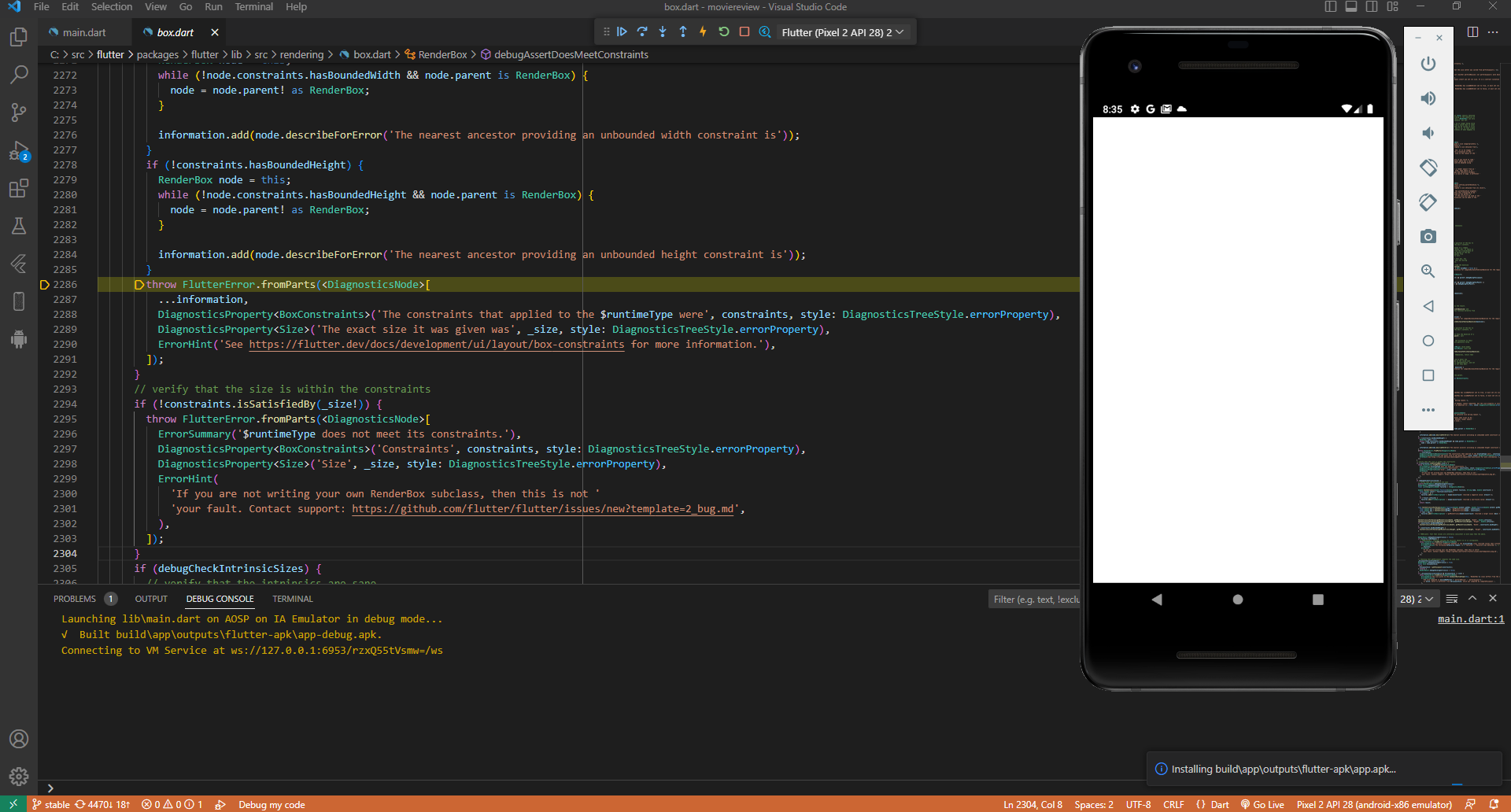
작성한 코드 및 에러 메세지
throw FlutterError.fromParts(<DiagnosticsNode>[
...information,
DiagnosticsProperty<BoxConstraints>('The constraints that applied to the $runtimeType were', constraints, style: DiagnosticsTreeStyle.errorProperty),
DiagnosticsProperty<Size>('The exact size it was given was', _size, style: DiagnosticsTreeStyle.errorProperty),
ErrorHint('See https://flutter.dev/docs/development/ui/layout/box-constraints for more information.'),
]);
}
// verify that the size is within the constraints
if (!constraints.isSatisfiedBy(_size!)) {
throw FlutterError.fromParts(<DiagnosticsNode>[
ErrorSummary('$runtimeType does not meet its constraints.'),
DiagnosticsProperty<BoxConstraints>('Constraints', constraints, style: DiagnosticsTreeStyle.errorProperty),
DiagnosticsProperty<Size>('Size', _size, style: DiagnosticsTreeStyle.errorProperty),
ErrorHint(
'If you are not writing your own RenderBox subclass, then this is not '
'your fault. Contact support: https://github.com/flutter/flutter/issues/new?template=2_bug.md',
),
]);오z류 발생 시, 작성한 코드 전체와 에러 메시지를 첨부해 주세요.
Tip 1) </> 아이콘을 눌러 코드박스를 만들어 보세요.
Tip 2) Ctrl+A(맥의 경우 Command+A) 단축키로 코드를 한 번에 선택할 수 있어요!


