커뮤니티

포인트
쿠폰
내 강의실
국비 신청 내역
증명서
계정
로그아웃
학습 질문
개발 일지
나의 활동
답변 완료
1-5 에뮬레이터 실행 오류
앱개발 종합반 - 플러터 v8
1주차


정*현
댓글
5
・
추천
0
・
조회수
16
조회수
16
답변 완료
* 겪고 있는 문제 상황을 최대한 자세하게 작성해주세요.
* 문제 해결을 위해 어떤 시도를 해보았는지 구체적으로 함께 알려주세요.
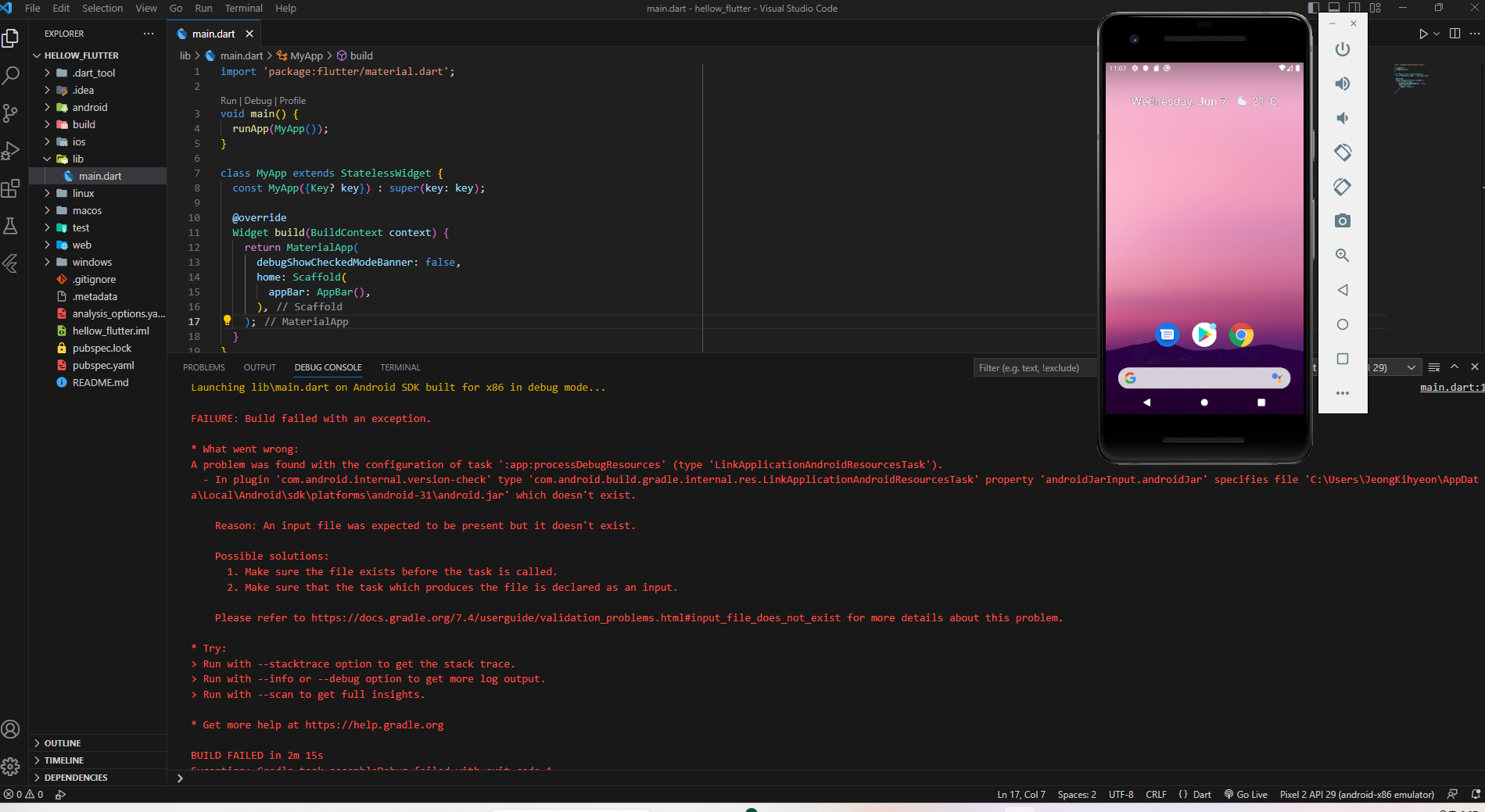
1-5 강의 마지막 부분에서 Run Without Debugging 으로 앱을 실행 하는 부분에서 실행이 안됩니다 ㅠ
보고 계신 화면 전체를 캡처해 주시면, 튜터님
들이 빠르게 상황을 이해할 수 있어요.
Launching lib\main.dart on Android SDK built for x86 in debug mode...

main.dart:1


FAILURE: Build failed with an exception.

* What went wrong:
A problem was found with the configuration of task ':app:processDebugResources' (type 'LinkApplicationAndroidResourcesTask').
  - In plugin 'com.android.internal.version-check' type 'com.android.build.gradle.internal.res.LinkApplicationAndroidResourcesTask' property 'androidJarInput.androidJar' specifies file 'C:\Users\JeongKihyeon\AppData\Local\Android\sdk\platforms\android-31\android.jar' which doesn't exist.

    Reason: An input file was expected to be present but it doesn't exist.

    Possible solutions:
      1. Make sure the file exists before the task is called.
      2. Make sure that the task which produces the file is declared as an input.

    Please refer to https://docs.gradle.org/7.4/userguide/validation_problems.html#input_file_does_not_exist for more details about this problem.

* Try:
> Run with --stacktrace option to get the stack trace.
> Run with --info or --debug option to get more log output.
> Run with --scan to get full insights.

* Get more help at https://help.gradle.org

BUILD FAILED in 2m 15s


댓글 알림
