


* 겪고 있는 문제 상황을 최대한 자세하게 작성해주세요.
* 문제 해결을 위해 어떤 시도를 해보았는지 구체적으로 함께 알려주세요.
배너자리에 테스트 광고 들어가도록 코드 추가 후 run Without Debugging 하면 하기 화면과 같이 오류가 발생합니다.
구글링 해봐도 해결 되지 않아 문의 드립니다.
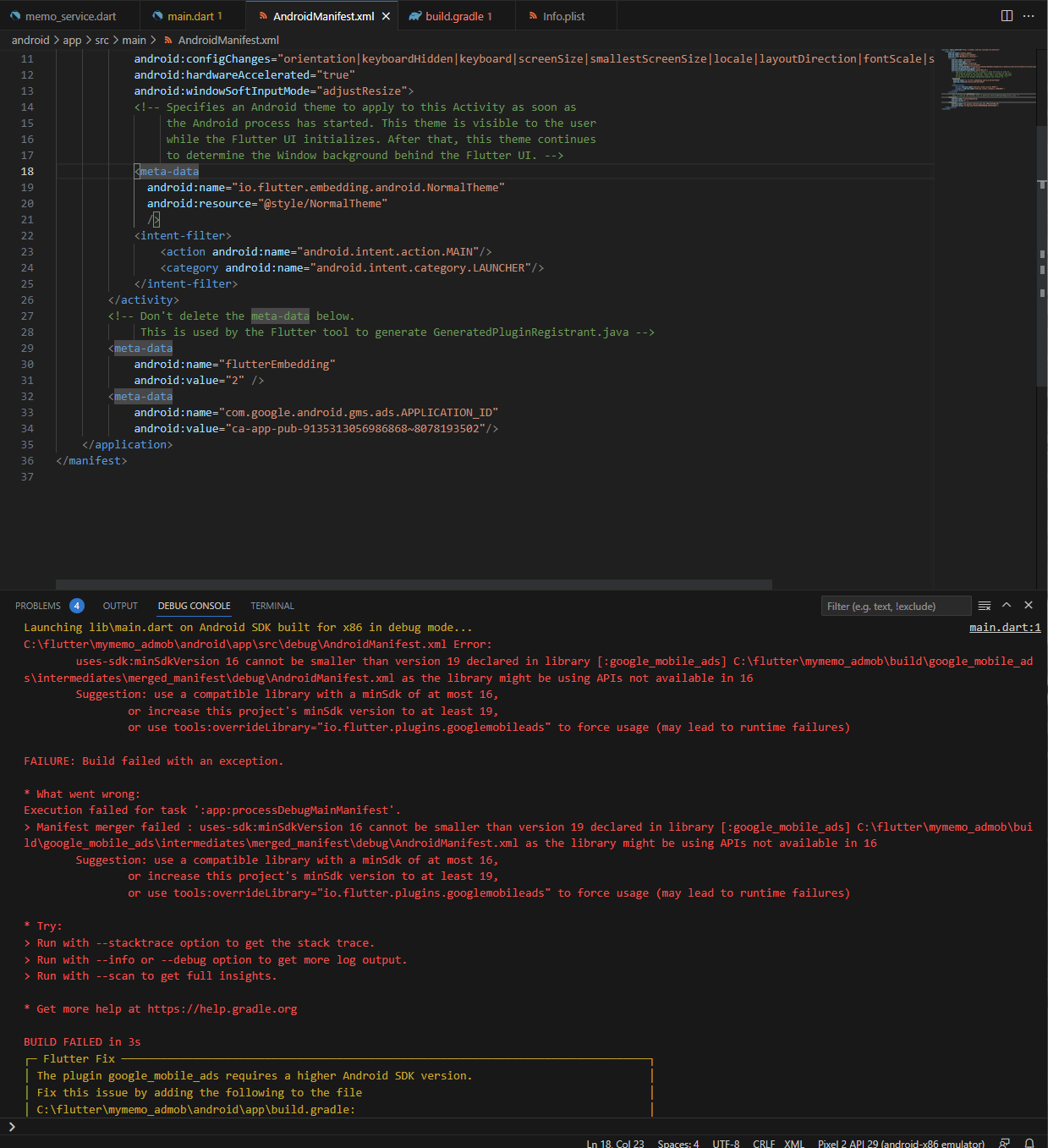
작성한 코드 및 에러 메세지
Launching lib\main.dart on Android SDK built for x86 in debug mode...
C:\flutter\mymemo_admob\android\app\src\debug\AndroidManifest.xml Error:
uses-sdk:minSdkVersion 16 cannot be smaller than version 19 declared in library [:google_mobile_ads] C:\flutter\mymemo_admob\build\google_mobile_ads\intermediates\merged_manifest\debug\AndroidManifest.xml as the library might be using APIs not available in 16
Suggestion: use a compatible library with a minSdk of at most 16,
or increase this project's minSdk version to at least 19,
or use tools:overrideLibrary="io.flutter.plugins.googlemobileads" to force usage (may lead to runtime failures)
FAILURE: Build failed with an exception.
* What went wrong:
Execution failed for task ':app:processDebugMainManifest'.
> Manifest merger failed : uses-sdk:minSdkVersion 16 cannot be smaller than version 19 declared in library [:google_mobile_ads] C:\flutter\mymemo_admob\build\google_mobile_ads\intermediates\merged_manifest\debug\AndroidManifest.xml as the library might be using APIs not available in 16
Suggestion: use a compatible library with a minSdk of at most 16,
or increase this project's minSdk version to at least 19,
or use tools:overrideLibrary="io.flutter.plugins.googlemobileads" to force usage (may lead to runtime failures)
* Try:
> Run with --stacktrace option to get the stack trace.
> Run with --info or --debug option to get more log output.
> Run with --scan to get full insights.
* Get more help at https://help.gradle.org
BUILD FAILED in 3s
┌─ Flutter Fix ─────────────────────────────────────────────────────────────────────────────────┐
│ The plugin google_mobile_ads requires a higher Android SDK version. │
│ Fix this issue by adding the following to the file │
│ C:\flutter\mymemo_admob\android\app\build.gradle: │
│ android { │
│ defaultConfig { │
│ minSdkVersion 19 │
│ } │
│ } │
│ │
│ Following this change, your app will not be available to users running Android SDKs below 19. │
│ Consider searching for a version of this plugin that supports these lower versions of the │
│ Android SDK instead. │
│ For more information, see: │
│ https://docs.flutter.dev/deployment/android#reviewing-the-gradle-build-configuration ;│
└───────────────────────────────────────────────────────────────────────────────────────────────┘
Exception: Gradle task assembleDebug failed with exit code 1
Exited (sigterm)
오류 발생 시, 작성한 코드 전체와 에러 메시지를 첨부해 주세요.
Tip 1) </> 아이콘을 눌러 코드박스를 만들어 보세요.
Tip 2) Ctrl+A(맥의 경우 Command+A) 단축키로 코드를 한 번에 선택할 수 있어요!


