


* 겪고 있는 문제 상황을 최대한 자세하게 작성해주세요.
* 문제 해결을 위해 어떤 시도를 해보았는지 구체적으로 함께 알려주세요.
숙제 제출입니다. 그런데 문제 발견!
실제로 전시 사이트에서 현재 진행중인 사이트는 5개인데
제가 만든 사이트에서는 현재 진행중인 사이트 1개만 뜨네요?
수정할 부분 알려주세요!
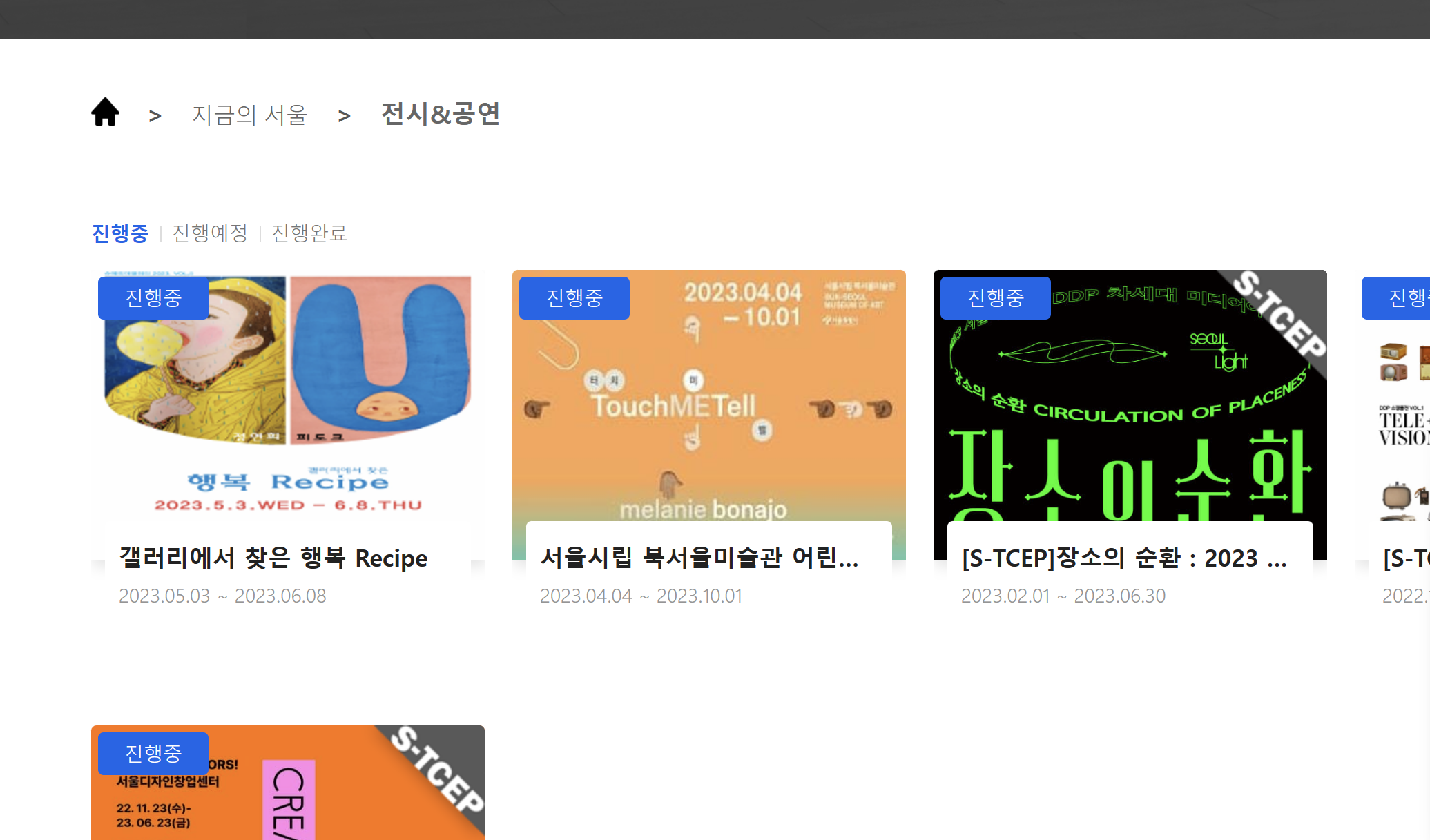
나의 localhost 현재진행준 1개 뜸
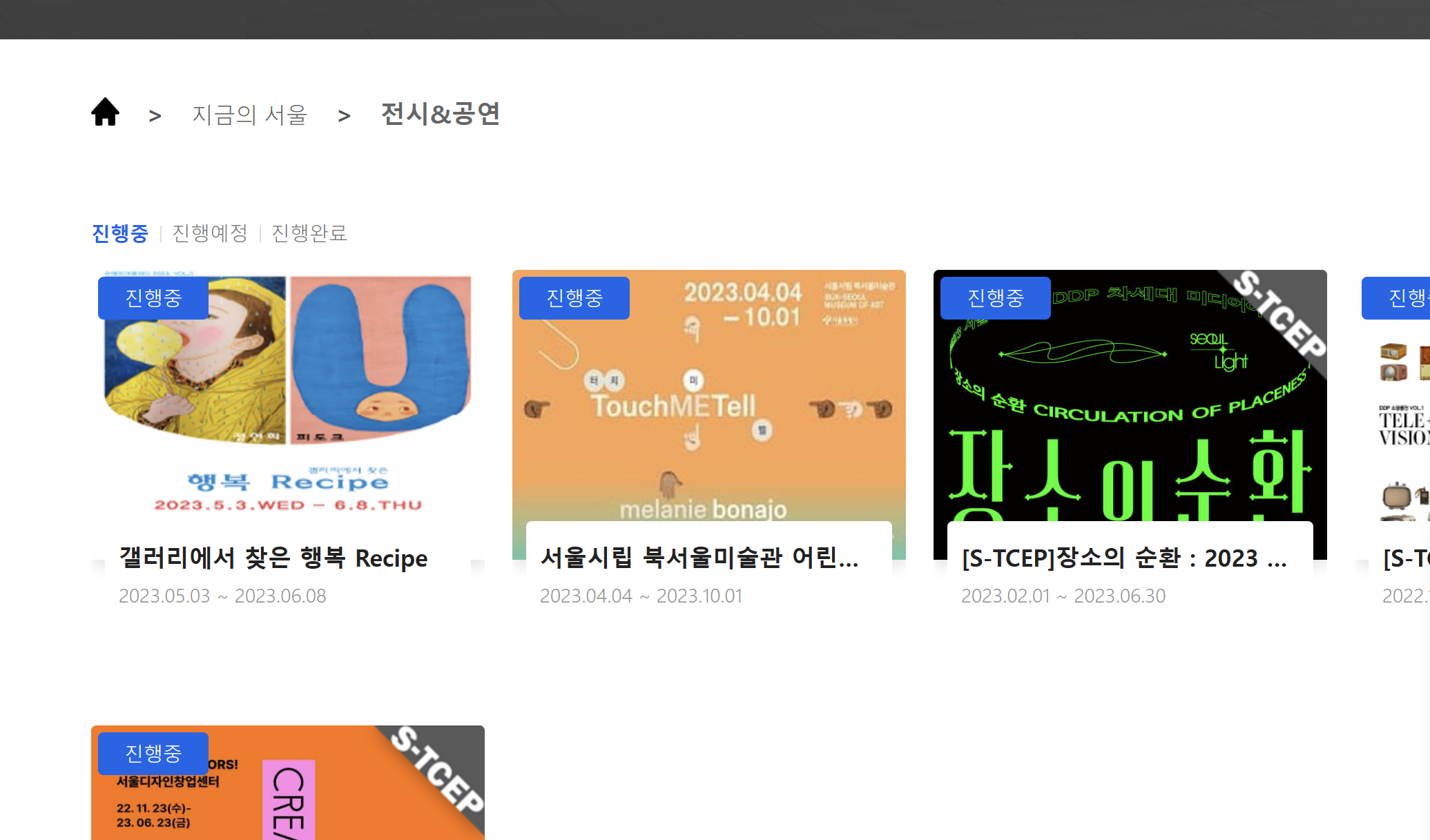
실제 전시중인 사이트 5개
<!DOCTYPE html>
<html lang="en">
<head>
<meta charset="UTF-8">
<meta http-equiv="X-UA-Compatible" content="IE=edge">
<meta name="viewport" content="width=device-width, initial-scale=1.0">
<title>오늘의 전시</title>
<script src="http://ajax.aspnetcdn.com/ajax/jQuery/jquery-1.12.4.min.js"></script>
<style>
html,
body,
h1,
h2,
h3,
p,
a,
span {
margin: 0;
padding: 0;
}
.wrap {
width: 1050px;
margin: auto;
}
.card {
width: 320px;
height: 340px;
display: flex;
flex-direction: column;
align-items: flex-start;
justify-content: flex-start;
margin: 16px 10px;
border: 1px solid black;
cursor: pointer;
}
.card-wrap {
display: flex;
flex-direction: row;
flex-wrap: wrap;
}
.card-image {
background-position: center;
background-size: cover;
width: 100%;
height: 200px;
}
.card>span {
margin: 8px;
}
.card-title {
font-size: 18px;
font-weight: bold;
}
.period {
color: yellowgreen;
font-size: 14px;
}
.tags {
color: gray;
font-size: 14px;
word-break: keep-all;
}
.url-form {
align-items: center;
justify-content: space-around;
}
.plus-form {
align-items: center;
justify-content: center;
cursor: pointer;
}
</style>
<script>
$(document).ready(() => {
listing()
showPlusForm()
now()
})
const showUrlForm = () => {
$('#url-form').show();
$('#plus-form').hide();
}
const showPlusForm = () => {
$('#url-form').hide();
$('#plus-form').show();
}
const posting = () => {
let url = $('#url').val()
let formData = new FormData()
formData.append("url_give", url)
fetch('/exhibit', { method: "POST", body: formData }).then(res => res.json()).then(data => {
alert(data['msg'])
window.location.reload();
})
}
const move = (url) => {
window.open(url, '_blank');
}// _blank : 새창에서 띄운다는 뜻
const listing = () => {
fetch('/exhibit').then(res => res.json()).then(data => {
let rows = data['exhibitions']
rows.forEach((row) => {
let title = row['title']
let period = row['period']
let image = row['image']
let tags = row['tags']
let url = row['url']
let temp_html = `<div onclick="move('${url}')" class="card">
<div style="background-image: url('${image}');" class="card-image"></div>
<span class="card-title">${title}</span>
<span class="period">${period}</span>
<span class="tags">${tags}</span>
</div>`
$('#card-wrap').prepend(temp_html)
//prepend (카드를 앞에다 붙여줘)
})
})
}
const now = () => {
fetch('/now').then(res => res.json()).then(data => {
let rows = data['now']
rows.forEach((row) => {
let title = row['title']
let period = row['period']
let image = row['image']
let url = row['url']
let temp_html = `<div onclick="move('${url}')" class="card">
<div style="background-image: url('${image}');" class="card-image"></div>
<span class="card-title">${title}</span>
<span class="period">${period}</span>
<span class="tags"></span>
</div>`
$('#card-now').prepend(temp_html)
//prepend (카드를 앞에다 붙여줘)
})
})
}
</script>
</head>
<body>
<div class="wrap">
<h1>오늘의 전시</h1>
<h2>내가 추가한 전시</h2>
<div id="card-wrap" class="card-wrap">
<div id="url-form" class="url-form card">
<input id="url" placeholder="전시 URL을 입력해주세요!">
<div>
<button onclick="showPlusForm()">취소하기</button>
<button onclick="posting()">등록하기</button>
</div>
</div>
<div id="plus-form" onclick="showUrlForm()" class="plus-form card">
<span>+</span>
<span>추가하기</span>
</div>
</div>
<h2>현재 진행중인 전시</h2>
<div id="card-now" class="card-wrap">
</div>
</body>
</html>


