


* 겪고 있는 문제 상황을 최대한 자세하게 작성해주세요.
* 문제 해결을 위해 어떤 시도를 해보았는지 구체적으로 함께 알려주세요.
1주차 내용대로 따라하며 안드로이드 화면도 띄우고 마지막인 Run without Debugging 을 누르면 빈 화면이 나와야 되는데 나오지 않습니다.
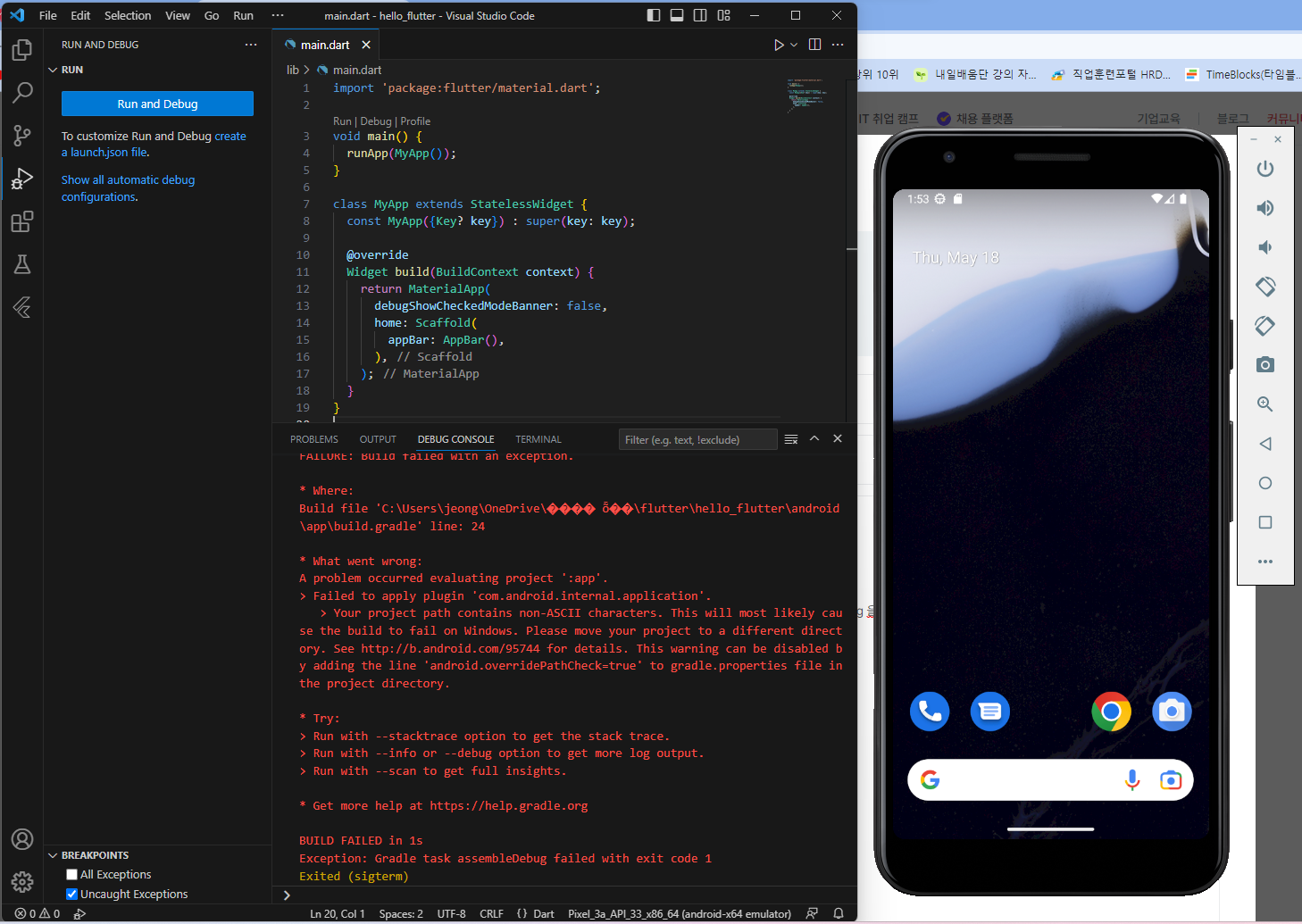
import 'package:flutter/material.dart';
void main() {
runApp(MyApp());
}
class MyApp extends StatelessWidget {
const MyApp({Key? key}) : super(key: key);
@override
Widget build(BuildContext context) {
return MaterialApp(
debugShowCheckedModeBanner: false,
home: Scaffold(
appBar: AppBar(),
),
);
}
}
----------
Launching lib\main.dart on sdk gphone x86 64 in debug mode...
FAILURE: Build failed with an exception.
* Where:
Build file 'C:\Users\jeong\OneDrive\���� ȭ��\flutter\hello_flutter\android\app\build.gradle' line: 24
* What went wrong:
A problem occurred evaluating project ':app'.
> Failed to apply plugin 'com.android.internal.application'.
> Your project path contains non-ASCII characters. This will most likely cause the build to fail on Windows. Please move your project to a different directory. See http://b.android.com/95744 for details. This warning can be disabled by adding the line 'android.overridePathCheck=true' to gradle.properties file in the project directory.
* Try:
> Run with --stacktrace option to get the stack trace.
> Run with --info or --debug option to get more log output.
> Run with --scan to get full insights.
* Get more help at https://help.gradle.org
BUILD FAILED in 1s
Exception: Gradle task assembleDebug failed with exit code 1
Exited (sigterm)


