


* 겪고 있는 문제 상황을 최대한 자세하게 작성해주세요.
* 문제 해결을 위해 어떤 시도를 해보았는지 구체적으로 함께 알려주세요.
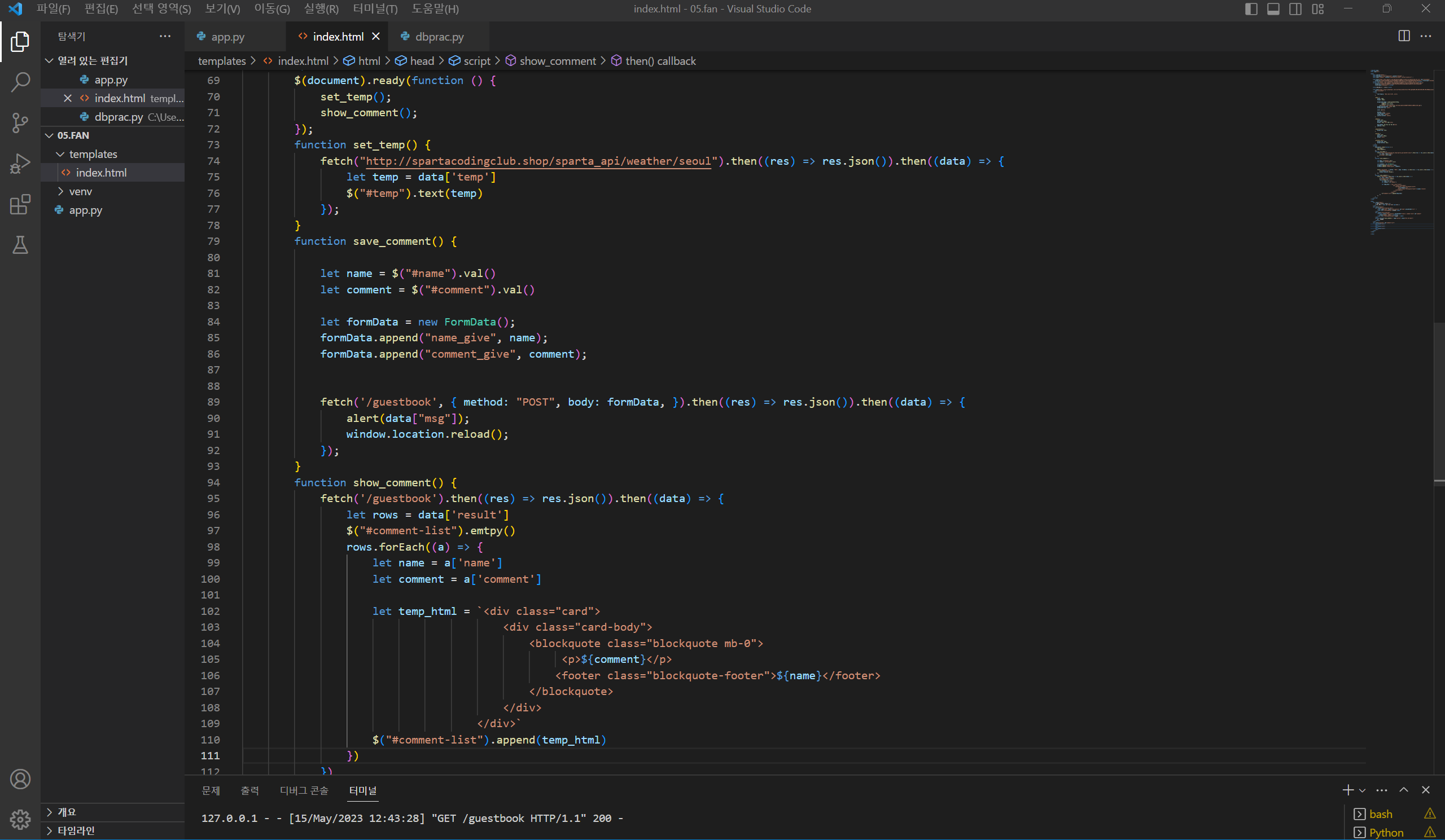
아래 코드 내용 중에 틀린 부분이 있을까요?
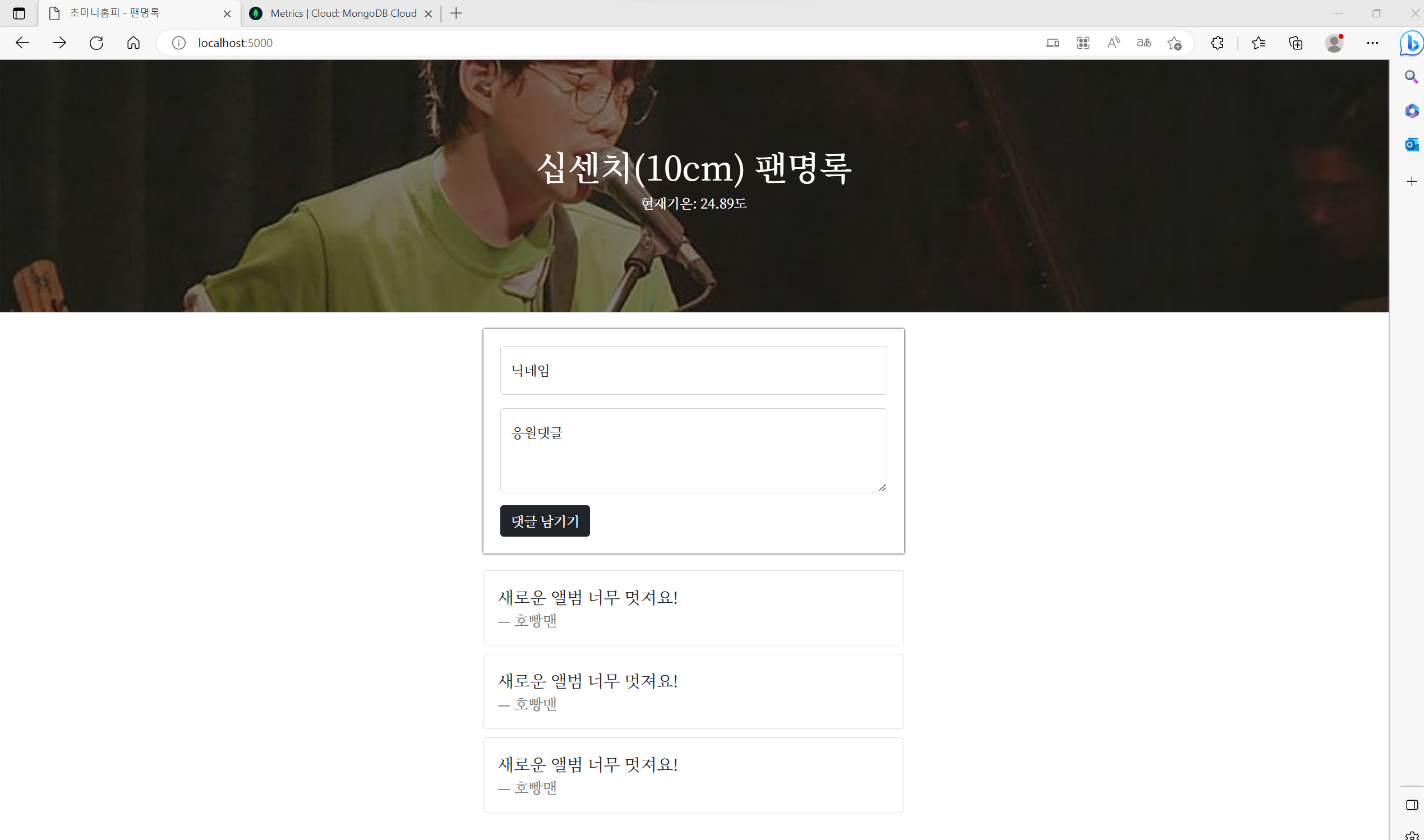
comments, name 부분이 리셋이 안 되고 그대로입니다.
<!DOCTYPE html>
<html lang="en">
<head>
<meta charset="UTF-8" />
<meta http-equiv="X-UA-Compatible" content="IE=edge" />
<meta name="viewport" content="width=device-width, initial-scale=1.0" />
<link href="https://cdn.jsdelivr.net/npm/bootstrap@5.0.2/dist/css/bootstrap.min.css" rel="stylesheet"
integrity="sha384-EVSTQN3/azprG1Anm3QDgpJLIm9Nao0Yz1ztcQTwFspd3yD65VohhpuuCOmLASjC" crossorigin="anonymous" />
<script src="https://ajax.googleapis.com/ajax/libs/jquery/3.5.1/jquery.min.js"></script>
<script src="https://cdn.jsdelivr.net/npm/bootstrap@5.0.2/dist/js/bootstrap.bundle.min.js"
integrity="sha384-MrcW6ZMFYlzcLA8Nl+NtUVF0sA7MsXsP1UyJoMp4YLEuNSfAP+JcXn/tWtIaxVXM"
crossorigin="anonymous"></script>
<title>초미니홈피 - 팬명록</title>
<link href="https://fonts.googleapis.com/css2?family=Noto+Serif+KR:wght@200;300;400;500;600;700;900&display=swap"
rel="stylesheet" />
<style>
* {
font-family: "Noto Serif KR", serif;
}
.mypic {
width: 100%;
height: 300px;
background-image: linear-gradient(0deg,
rgba(0, 0, 0, 0.5),
rgba(0, 0, 0, 0.5)),
url("https://cdn.topstarnews.net/news/photo/201807/456143_108614_510.jpg");
background-position: center 30%;
background-size: cover;
color: white;
display: flex;
flex-direction: column;
align-items: center;
justify-content: center;
}
.mypost {
width: 95%;
max-width: 500px;
margin: 20px auto 20px auto;
box-shadow: 0px 0px 3px 0px black;
padding: 20px;
}
.mypost>button {
margin-top: 15px;
}
.mycards {
width: 95%;
max-width: 500px;
margin: auto;
}
.mycards>.card {
margin-top: 10px;
margin-bottom: 10px;
}
</style>
<script>
$(document).ready(function () {
set_temp();
show_comment();
});
function set_temp() {
fetch("http://spartacodingclub.shop/sparta_api/weather/seoul").then((res) => res.json()).then((data) => {
let temp = data['temp']
$("#temp").text(temp)
});
}
function save_comment() {
let name = $("#name").val()
let comment = $("#comment").val()
let formData = new FormData();
formData.append("name_give", name);
formData.append("comment_give", comment);
fetch('/guestbook', { method: "POST", body: formData, }).then((res) => res.json()).then((data) => {
alert(data["msg"]);
window.location.reload();
});
}
function show_comment() {
fetch('/guestbook').then((res) => res.json()).then((data) => {
let rows = data['result']
$("#comment-list").emtpy()
rows.forEach((a) => {
let name = a['name']
let comment = a['comment']
let temp_html = `<div class="card">
<div class="card-body">
<blockquote class="blockquote mb-0">
<p>${comment}</p>
<footer class="blockquote-footer">${name}</footer>
</blockquote>
</div>
</div>`
$("#comment-list").append(temp_html)
})
})
}
</script>
</head>
<body>
<div class="mypic">
<h1>십센치(10cm) 팬명록</h1>
<p>현재기온: <span id="temp">36</span>도</p>
</div>
<div class="mypost">
<div class="form-floating mb-3">
<input type="text" class="form-control" id="name" placeholder="url" />
<label for="floatingInput">닉네임</label>
</div>
<div class="form-floating">
<textarea class="form-control" placeholder="Leave a comment here" id="comment"
style="height: 100px"></textarea>
<label for="floatingTextarea2">응원댓글</label>
</div>
<button onclick="save_comment()" type="button" class="btn btn-dark">
댓글 남기기
</button>
</div>
<div class="mycards" id="comment-list">
<div class="card">
<div class="card-body">
<blockquote class="blockquote mb-0">
<p>새로운 앨범 너무 멋져요!</p>
<footer class="blockquote-footer">호빵맨</footer>
</blockquote>
</div>
</div>
<div class="card">
<div class="card-body">
<blockquote class="blockquote mb-0">
<p>새로운 앨범 너무 멋져요!</p>
<footer class="blockquote-footer">호빵맨</footer>
</blockquote>
</div>
</div>
<div class="card">
<div class="card-body">
<blockquote class="blockquote mb-0">
<p>새로운 앨범 너무 멋져요!</p>
<footer class="blockquote-footer">호빵맨</footer>
</blockquote>
</div>
</div>
</div>
</body>
</html>


