


* 겪고 있는 문제 상황을 최대한 자세하게 작성해주세요.
* 문제 해결을 위해 어떤 시도를 해보았는지 구체적으로 함께 알려주세요.
빗방울 코딩에서 CS error 발생하여 진행이 안됩니다
Assets\Script\rain.cs(27,56): error CS0104: 'Color' is an ambiguous reference between 'UnityEngine.Color' and 'System.Drawing.Color'
Assets\Script\rain.cs(33,56): error CS0104: 'Color' is an ambiguous reference between 'UnityEngine.Color' and 'System.Drawing.Color'
Assets\Script\rain.cs(39,56): error CS0104: 'Color' is an ambiguous reference between 'UnityEngine.Color' and 'System.Drawing.Color'
Assets\Script\rain.cs(11,11): warning CS0414: The field 'rain.size' is assigned but its value is never used
Assets\Script\rain.cs(12,9): warning CS0414: The field 'rain.score' is assigned but its value is never used
보고
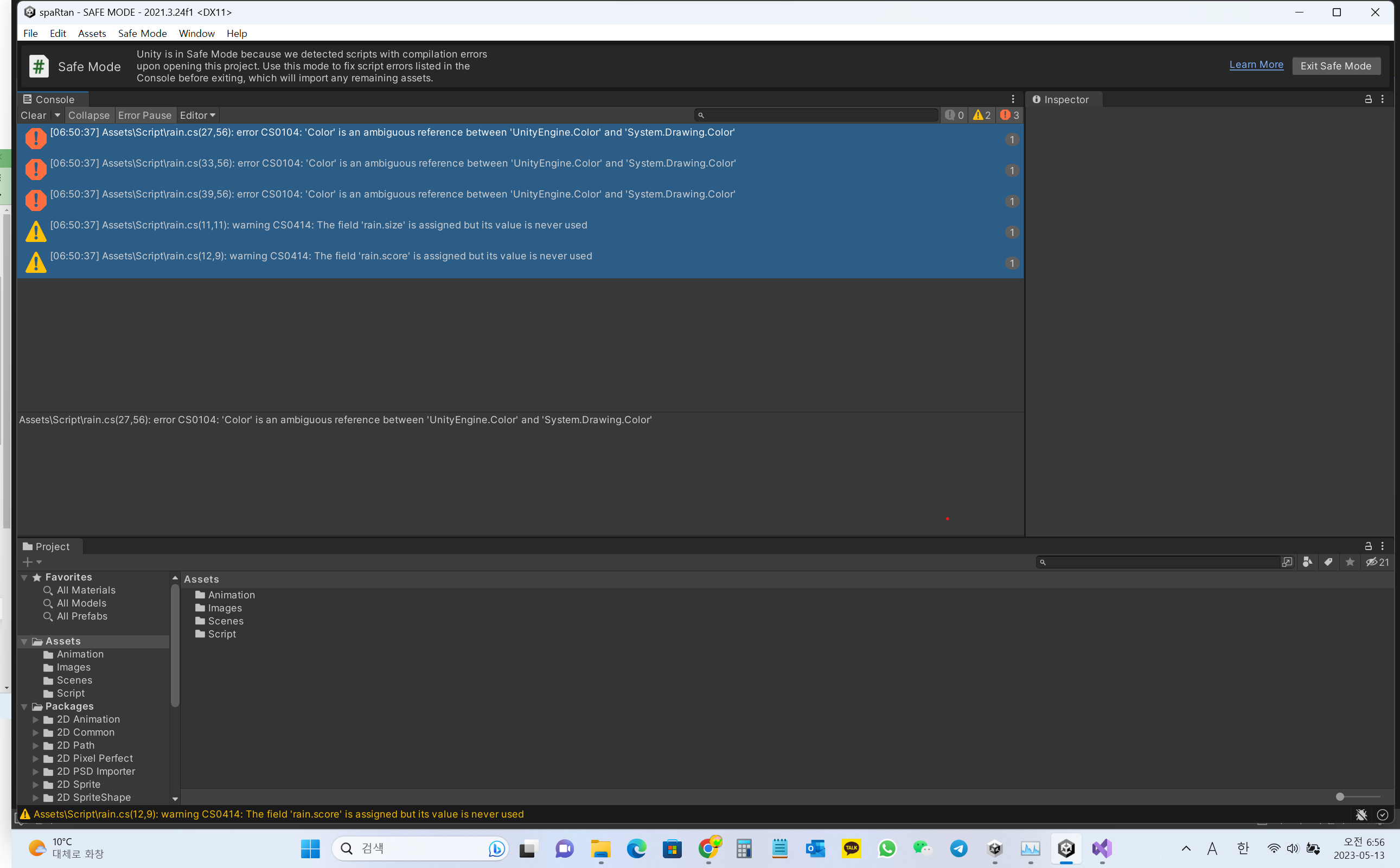
계신 화면 전체를 캡처해 주시면, 튜터님들이 빠르게 상황을 이해할 수 있어요.
작성한 코드 및 에러 메세지
using System.Collections;
using System.Collections.Generic;
using System.Drawing;
using UnityEngine;
using UnityEngine.SocialPlatforms.Impl;
public class rain : MonoBehaviour
{
int type;
float size;
int score;
// Start is called before the first frame update
void Start()
{
float x = Random.Range(-2.7f, 2.7f);
float y = Random.Range(3f, 5f);
transform.position = new Vector3(x, y, 0);
type = Random.Range(1, 4);
if (type == 1)
{
size = 1.2f;
score = 3;
GetComponent<SpriteRenderer>().color = new Color(100 / 255f, 100 / 255f, 255 / 255f, 255 / 255f);
}
else if (type == 2)
{
size = 1.0f;
score = 2;
GetComponent<SpriteRenderer>().color = new Color(130 / 255f, 130 / 255f, 255 / 255f, 255 / 255f);
}
else
{
size = 0.8f;
score = 1;
GetComponent<SpriteRenderer>().color = new Color(150 / 255f, 150 / 255f, 255 / 255f, 255 / 255f);
}
}
// Update is called once per frame
void Update()
{
}
void OnCollisionEnter2D(Collision2D coll)
{
if (coll.gameObject.tag == "ground")
{
Destroy(gameObject);
}
}
}
Tip 1) </> 아이콘을 눌러 코드박스를 만들어 보세요.
Tip 2) Ctrl+A(맥의 경우 Command+A) 단축키로 코드를 한 번에 선택할 수 있어요!


