


* 겪고 있는 문제 상황을 최대한 자세하게 작성해주세요.
* 문제 해결을 위해 어떤 시도를 해보았는지 구체적으로 함께 알려주세요.
비밀반호가 안가려지고 이미지가 안뜸니다, 코딩좀 고쳐주세요
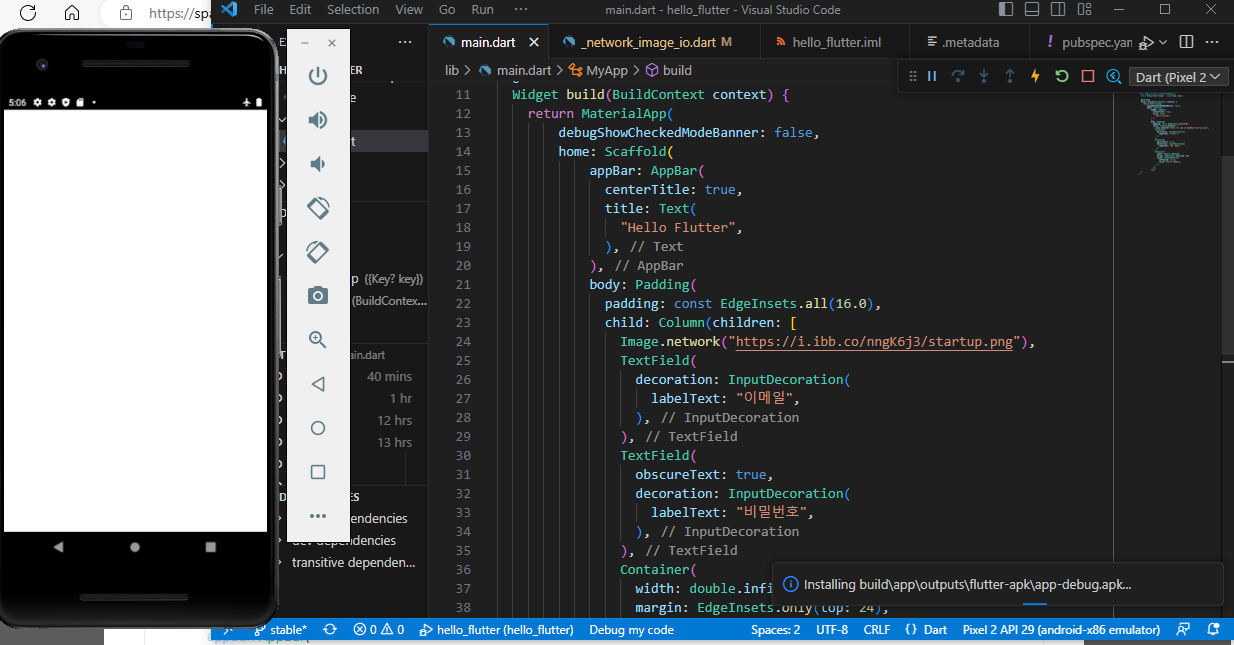
작성한 코드 및 에러 메세지
오류 발생 시, 작성한 코드 전체와 에러 메시지를 첨부해 주세요.
Tip 1)import 'package:flutter/material.dart';
void main() {
runApp(MyApp());
}
class MyApp extends StatelessWidget {
const MyApp({Key? key}) : super(key: key);
@override
Widget build(BuildContext context) {
return MaterialApp(
debugShowCheckedModeBanner: false,
home: Scaffold(
appBar: AppBar(
centerTitle: true,
title: Text(
"Hello Flutter",
),
),
body: Padding(
padding: const EdgeInsets.all(16.0),
child: Column(children: [
Image.network("https://i.ibb.co/nngK6j3/startup.png"),
TextField(
decoration: InputDecoration(
labelText: "이메일",
),
),
TextField(
obscureText: true,
decoration: InputDecoration(
labelText: "비밀번호",
),
),
Container(
width: double.infinity,
margin: EdgeInsets.only(top: 24),
child: ElevatedButton(
onPressed: () {},
child: Text("로그인"),
),
)
]),
)));
}
}</> 아이콘을 눌러 코드박스를 만들어 보세요.
Tip 2) Ctrl+A(맥의 경우 Command+A) 단축키로 코드를 한 번에 선택할 수 있어요!


