


* 겪고 있는 문제 상황을 최대한 자세하게 작성해주세요.
* 문제 해결을 위해 어떤 시도를 해보았는지 구체적으로 함께 알려주세요.
1-5의 4) 실행하기 까지 와서 run without debugging을 눌렀는데
Exception: Unable to find suitable Visual Studio toolchain. Please run `flutter doctor` for more details.
라고 뜨면서 멈추었습니다.
그다음 강의의 내용인 "hello flutter"라고 입력해도 화면에 아무것도 뜨지 않는 것 보니 앱 화면 자체가 오류인 것 같은데 어떻게 해야 하나요?
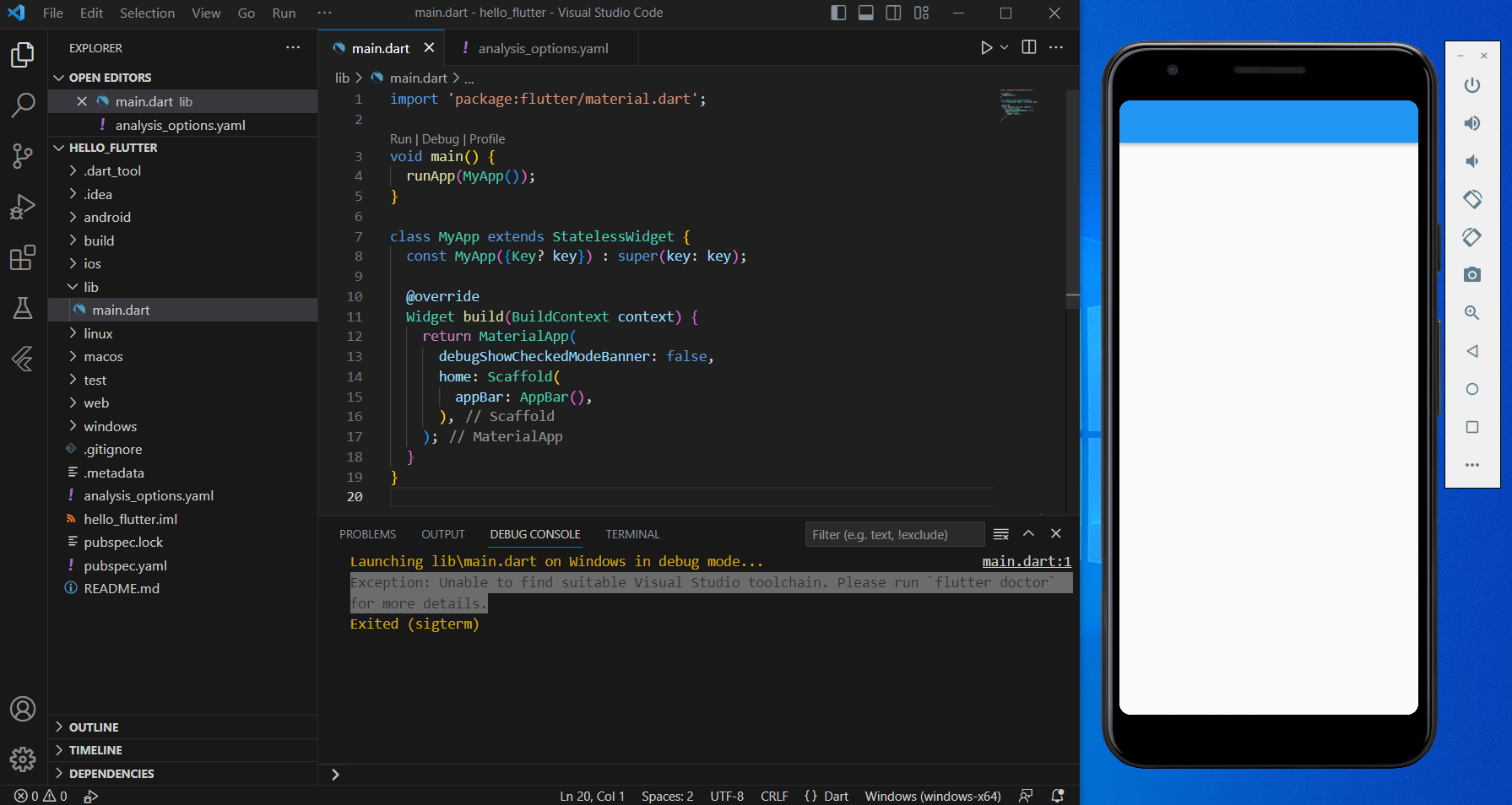
작성한 코드 및 에러 메세지
import 'package:flutter/material.dart';
void main() {
runApp(MyApp());
}
class MyApp extends StatelessWidget {
const MyApp({Key? key}) : super(key: key);
@override
Widget build(BuildContext context) {
return MaterialApp(
debugShowCheckedModeBanner: false,
home: Scaffold(
appBar: AppBar(),
),
);
}
}
Launching lib\main.dart on Windows in debug mode...
main.dart:1
Exception: Unable to find suitable Visual Studio toolchain. Please run `flutter doctor` for more details.
Exited (sigterm)


