


* 겪고 있는 문제 상황을 최대한 자세하게 작성해주세요.
* 문제 해결을 위해 어떤 시도를 해보았는지 구체적으로 함께 알려주세요.
eb init 까지 성공 한 후에
eb create myweb 실행 시켰더니 오류가 뜨네요 ㅜㅜ
도와주세요,,
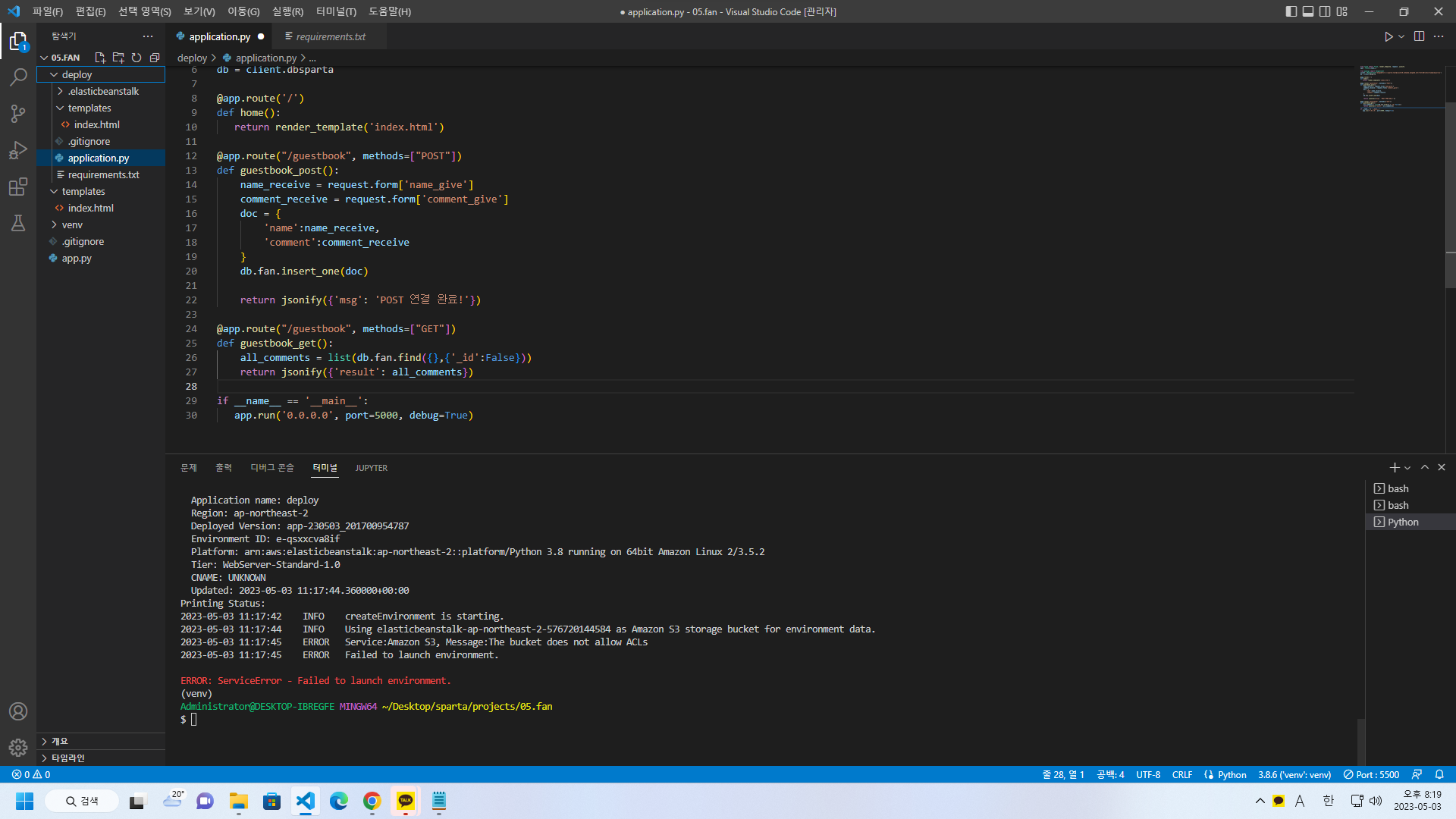
터미널
Administrator@DESKTOP-IBREGFE MINGW64 ~/Desktop/sparta/projects/05.fan
$ source c:/Users/Administrator/Desktop/sparta/projects/05.fan/venv/Scripts/activate
(venv)
Administrator@DESKTOP-IBREGFE MINGW64 ~/Desktop/sparta/projects/05.fan
$ c:/Users/Administrator/Desktop/sparta/projects/05.fan/venv/Scripts/python.exe c:/Users/Administrator/Desktop/sparta/projects/05.fan/deploy/application.py
* Serving Flask app 'application'
* Debug mode: off
WARNING: This is a development server. Do not use it in a production deployment. Use a production WSGI server instead.
* Running on http://127.0.0.1:5000
Press CTRL+C to quit
(venv)
Administrator@DESKTOP-IBREGFE MINGW64 ~/Desktop/sparta/projects/05.fan
$ mkdir deploy
mkdir: cannot create directory ‘deploy’: File exists
(venv)
Administrator@DESKTOP-IBREGFE MINGW64 ~/Desktop/sparta/projects/05.fan
$ cp app.py deploy/application.py
(venv)
Administrator@DESKTOP-IBREGFE MINGW64 ~/Desktop/sparta/projects/05.fan
$ cp -r templates deploy/templates
(venv)
Administrator@DESKTOP-IBREGFE MINGW64 ~/Desktop/sparta/projects/05.fan
$ eb init
Select a default region
1) us-east-1 : US East (N. Virginia)
2) us-west-1 : US West (N. California)
3) us-west-2 : US West (Oregon)
4) eu-west-1 : EU (Ireland)
5) eu-central-1 : EU (Frankfurt)
6) ap-south-1 : Asia Pacific (Mumbai)
7) ap-southeast-1 : Asia Pacific (Singapore)
8) ap-southeast-2 : Asia Pacific (Sydney)
9) ap-northeast-1 : Asia Pacific (Tokyo)
10) ap-northeast-2 : Asia Pacific (Seoul)
11) sa-east-1 : South America (Sao Paulo)
12) cn-north-1 : China (Beijing)
13) cn-northwest-1 : China (Ningxia)
14) us-east-2 : US East (Ohio)
15) ca-central-1 : Canada (Central)
16) eu-west-2 : EU (London)
17) eu-west-3 : EU (Paris)
18) eu-north-1 : EU (Stockholm)
19) eu-south-1 : EU (Milano)
20) ap-east-1 : Asia Pacific (Hong Kong)
21) me-south-1 : Middle East (Bahrain)
22) il-central-1 : Middle East (Israel)
23) af-south-1 : Africa (Cape Town)
24) ap-southeast-3 : Asia Pacific (Jakarta)
25) ap-northeast-3 : Asia Pacific (Osaka)
(default is 3): 10
Select an application to use
1) deploy
2) [ Create new Application ]
(default is 2): 1
It appears you are using Python. Is this correct?
(Y/n): y
Select a platform branch.
1) Python 3.8 running on 64bit Amazon Linux 2
2) Python 3.7 running on 64bit Amazon Linux 2
(default is 1):
Cannot setup CodeCommit because there is no Source Control setup, continuing with initialization
Do you want to set up SSH for your instances?
(Y/n): Y
Select a keypair.
1) acess_key
2) [ Create new KeyPair ]
(default is 1): 2
Type a keypair name.
(Default is aws-eb):
Generating public/private rsa key pair.
Enter passphrase (empty for no passphrase):
Enter same passphrase again:
Your identification has been saved in C:\Users\Administrator\.ssh\aws-eb
Your public key has been saved in C:\Users\Administrator\.ssh\aws-eb.pub
The key fingerprint is:
SHA256:hCjKTJHjUtZV/ok9FglJDsAu3Uh1WqDz1bBVuknSvQA aws-eb
The key's randomart image is:
+---[RSA 3072]----+
| ..o.+=+E.... |
| o+ +o O.O + |
|.+o++oo B O . |
|=o..+o.o * * . |
|oo . . S O . |
| . . |
| |
| |
| |
+----[SHA256]-----+
WARNING: Uploaded SSH public key for "aws-eb" into EC2 for region ap-northeast-2.
(venv)
Administrator@DESKTOP-IBREGFE MINGW64 ~/Desktop/sparta/projects/05.fan
$ eb create myweb
Application name: deploy
Region: ap-northeast-2
Deployed Version: app-230503_201700954787
Environment ID: e-qsxxcva8if
Platform: arn:aws:elasticbeanstalk:ap-northeast-2::platform/Python 3.8 running on 64bit Amazon Linux 2/3.5.2
Tier: WebServer-Standard-1.0
CNAME: UNKNOWN
Updated: 2023-05-03 11:17:44.360000+00:00
Printing Status:
2023-05-03 11:17:42 INFO createEnvironment is starting.
2023-05-03 11:17:44 INFO Using elasticbeanstalk-ap-northeast-2-576720144584 as Amazon S3 storage bucket for environment data.
2023-05-03 11:17:45 ERROR Service:Amazon S3, Message:The bucket does not allow ACLs
2023-05-03 11:17:45 ERROR Failed to launch environment.
ERROR: ServiceError - Failed to launch environment.
(venv)
Administrator@DESKTOP-IBREGFE MINGW64 ~/Desktop/sparta/projects/05.fan
$


