


* 겪고 있는 문제 상황을 최대한 자세하게 작성해주세요.
* 문제 해결을 위해 어떤 시도를 해보았는지 구체적으로 함께 알려주세요.
flutter 설치 매뉴얼 진행 시 명령 프롬프트에 매뉴얼과 다른 내용이 표시되네요
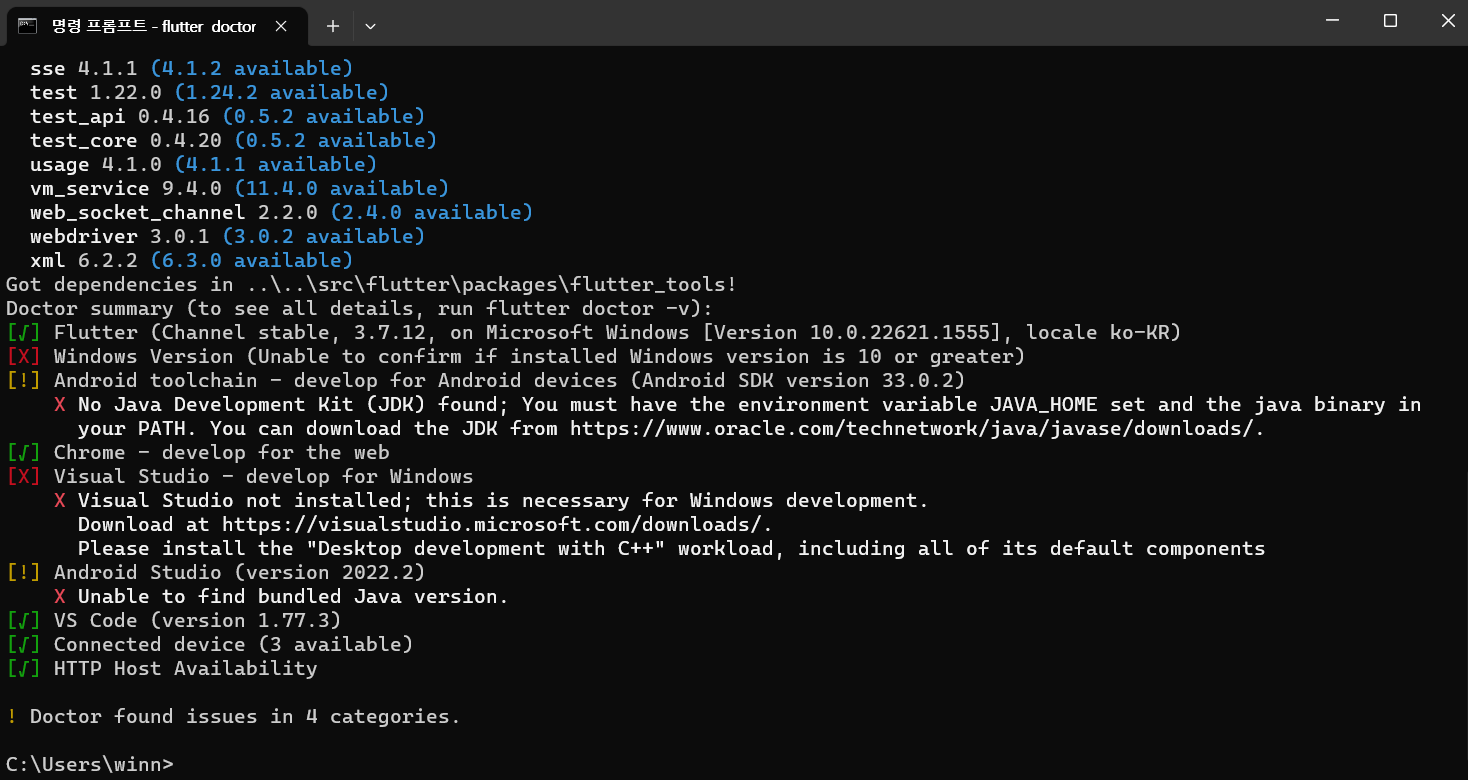
작성한 코드 및 에러 메세지
Microsoft Windows [Version 10.0.22621.1555]
(c) Microsoft Corporation. All rights reserved.
C:\Users\winn>flutter doctor
Running "flutter pub get" in flutter_tools...
Resolving dependencies in ..\..\src\flutter\packages\flutter_tools... (10.1s)
_fe_analyzer_shared 50.0.0 (59.0.0 available)
analyzer 5.2.0 (5.11.1 available)
archive 3.3.2 (3.3.7 available)
args 2.3.1 (2.4.0 available)
async 2.10.0 (2.11.0 available)
built_value 8.4.2 (8.4.4 available)
checked_yaml 2.0.1 (2.0.2 available)
collection 1.17.0 (1.17.1 available)
completion 1.0.0 (1.0.1 available)
coverage 1.6.1 (1.6.3 available)
dds 2.5.0 (2.7.10 available)
dds_service_extensions 1.3.1 (1.3.3 available)
devtools_shared 2.18.0 (2.23.0 available)
dwds 16.0.2+1 (19.0.0 available)
fixnum 1.0.1 (1.1.0 available)
frontend_server_client 3.1.0 (3.2.0 available)
html 0.15.1 (0.15.2 available)
http 0.13.5 (0.13.6 available)
intl 0.17.0 (0.18.1 available)
io 1.0.3 (1.0.4 available)
js 0.6.5 (0.6.7 available)
json_annotation 4.7.0 (4.8.0 available)
logging 1.1.0 (1.1.1 available)
matcher 0.12.13 (0.12.16 available)
meta 1.8.0 (1.9.1 available)
mime 1.0.2 (1.0.4 available)
multicast_dns 0.3.2+2 (0.3.2+3 available)
native_stack_traces 0.5.2 (0.5.5 available)
node_preamble 2.0.1 (2.0.2 available)
path 1.8.2 (1.8.3 available)
petitparser 5.1.0 (5.4.0 available)
pubspec_parse 1.2.1 (1.2.2 available)
source_maps 0.10.11 (0.10.12 available)
source_span 1.9.1 (1.10.0 available)
sse 4.1.1 (4.1.2 available)
test 1.22.0 (1.24.2 available)
test_api 0.4.16 (0.5.2 available)
test_core 0.4.20 (0.5.2 available)
usage 4.1.0 (4.1.1 available)
vm_service 9.4.0 (11.4.0 available)
web_socket_channel 2.2.0 (2.4.0 available)
webdriver 3.0.1 (3.0.2 available)
xml 6.2.2 (6.3.0 available)
Got dependencies in ..\..\src\flutter\packages\flutter_tools!
Doctor summary (to see all details, run flutter doctor -v):
[√] Flutter (Channel stable, 3.7.12, on Microsoft Windows [Version 10.0.22621.1555], locale ko-KR)
[X] Windows Version (Unable to confirm if installed Windows version is 10 or greater)
[!] Android toolchain - develop for Android devices (Android SDK version 33.0.2)
X No Java Development Kit (JDK) found; You must have the environment variable JAVA_HOME set and the java binary in
your PATH. You can download the JDK from https://www.oracle.com/technetwork/java/javase/downloads/.
[√] Chrome - develop for the web
[X] Visual Studio - develop for Windows
X Visual Studio not installed; this is necessary for Windows development.
Download at https://visualstudio.microsoft.com/downloads/.
Please install the "Desktop development with C++" workload, including all of its default components
[!] Android Studio (version 2022.2)
X Unable to find bundled Java version.
[√] VS Code (version 1.77.3)
[√] Connected device (3 available)
[√] HTTP Host Availability
! Doctor found issues in 4 categories.
C:\Users\winn>
오류 발생 시, 작성한 코드 전체와 에러 메시지를 첨부해 주세요.
Tip 1) </> 아이콘을 눌러 코드박스를 만들어 보세요.
Tip 2) Ctrl+A(맥의 경우 Command+A) 단축키로 코드를 한 번에 선택할 수 있어요!


