커뮤니티

포인트
쿠폰
내 강의실
국비 신청 내역
증명서
계정
로그아웃
학습 질문
개발 일지
나의 활동
답변 완료
에뮬레이터 오류
앱개발 종합반 - 플러터 v8
1주차


손*경
댓글
1
・
추천
0
・
조회수
21
조회수
21
답변 완료
* 겪고 있는 문제 상황을 최대한 자세하게 작성해주세요.
* 문제 해결을 위해 어떤 시도를 해보았는지 구체적으로 함께 알려주세요.
애뮬레이터 실행 후에 앱 화면이 실행이 안됩니다. Start Debugging 과 Run Withoug Debugging 둘다 실행해 봤지만 오류가 뜹니다.

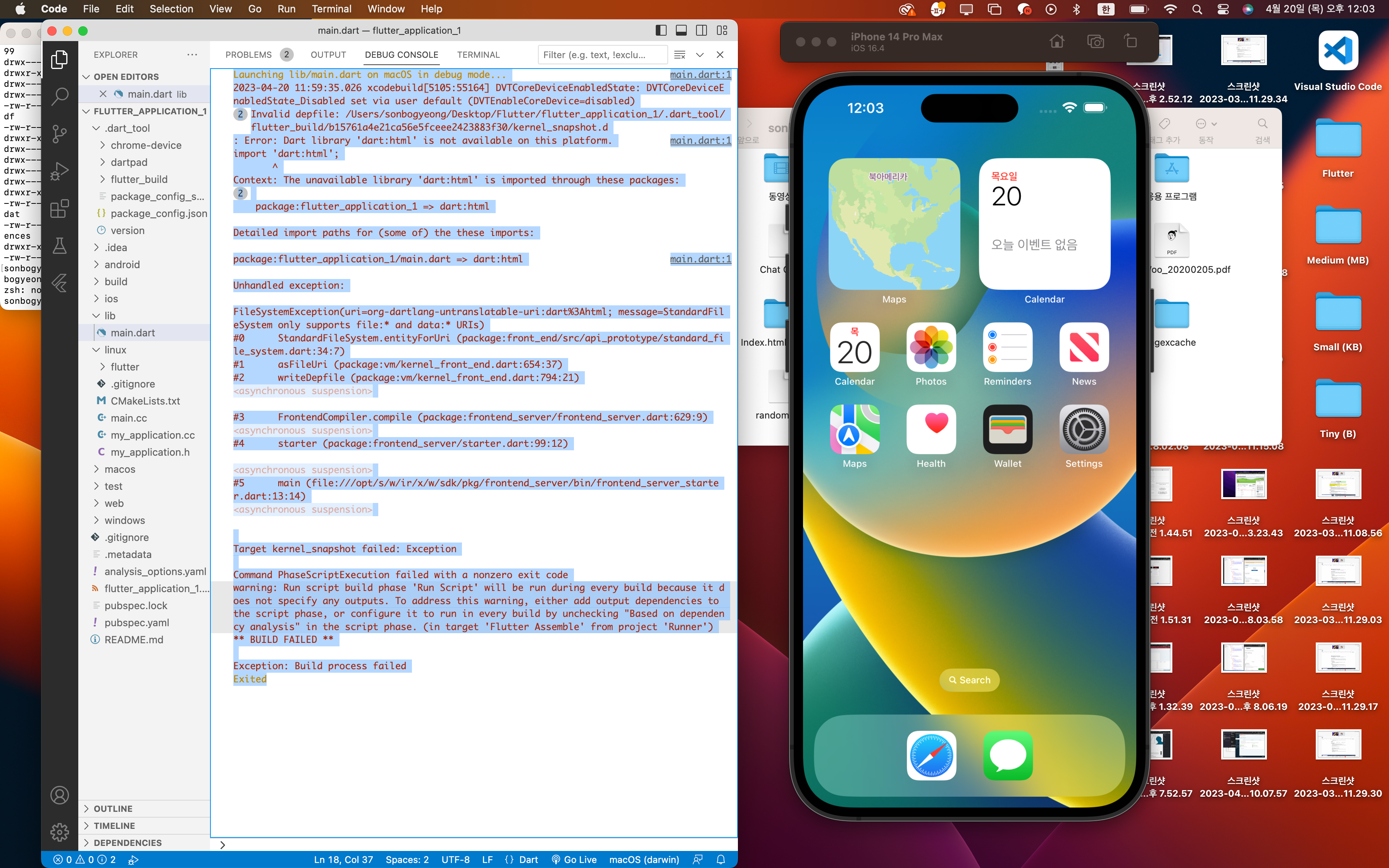
Launching lib/main.dart on macOS in debug mode...

main.dart:1
2023-04-20 11:59:35.026 xcodebuild[5105:55164] DVTCoreDeviceEnabledState: DVTCoreDeviceEnabledState_Disabled set via user default (DVTEnableCoreDevice=disabled)

2
Invalid depfile: /Users/sonbogyeong/Desktop/Flutter/flutter_application_1/.dart_tool/flutter_build/b15761a4e21ca56e5fceee2423883f30/kernel_snapshot.d

: Error: Dart library 'dart:html' is not available on this platform.

main.dart:1
import 'dart:html';

       ^

Context: The unavailable library 'dart:html' is imported through these packages:

2


    package:flutter_application_1 => dart:html


Detailed import paths for (some of) the these imports:


package:flutter_application_1/main.dart => dart:html

main.dart:1


Unhandled exception:


FileSystemException(uri=org-dartlang-untranslatable-uri:dart%3Ahtml; message=StandardFileSystem only supports file:* and data:* URIs)

#0      StandardFileSystem.entityForUri (package:front_end/src/api_prototype/standard_file_system.dart:34:7)

#1      asFileUri (package:vm/kernel_front_end.dart:654:37)

#2      writeDepfile (package:vm/kernel_front_end.dart:794:21)

<asynchronous suspension>


#3      FrontendCompiler.compile (package:frontend_server/frontend_server.dart:629:9)

<asynchronous suspension>

#4      starter (package:frontend_server/starter.dart:99:12)


<asynchronous suspension>

#5      main (file:///opt/s/w/ir/x/w/sdk/pkg/frontend_server/bin/frontend_server_starter.dart:13:14)

<asynchronous suspension>


Target kernel_snapshot failed: Exception

Command PhaseScriptExecution failed with a nonzero exit code

warning: Run script build phase 'Run Script' will be run during every build because it does not specify any outputs. To address this warning, either add output dependencies to the script phase, or configure it to run in every build by unchecking "Based on dependency analysis" in the script phase. (in target 'Flutter Assemble' from project 'Runner')

** BUILD FAILED **


Exception: Build process failed

Exited


댓글 알림
